7 Introduction
Receiver (Rx)
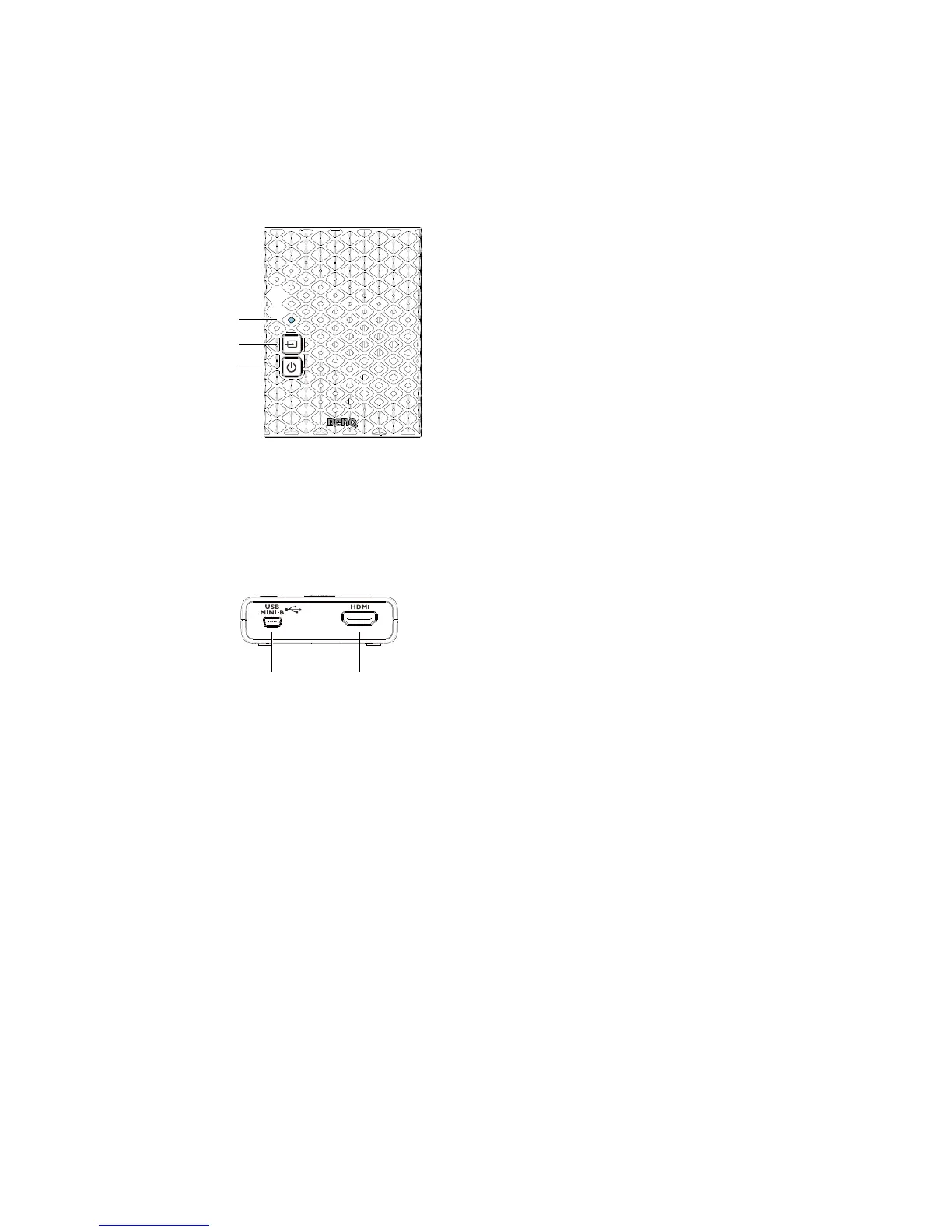
Front panel buttons and indicators
Main unit back panel
1. Source indicator
• The indicator lights up in solid blue
when the input signal is detected.
• The indicator blinks blue if no input
signal is detected.
2. Source button
Press this button for input source.
3. Power button with LED indicator
Press to turn the receiver on and off.
The indicator in the power button
lights up in blue when the power is on
and turns red in standby mode.
1. DC in
Connect to USB type A (1.5V power
supply) on BenQ video projector or
the receiver’s power adapter.
2. HDMI out
Connect to BenQ video projector via
the provided HDMI cable.



 To Next Page