85 Bentone
General
!
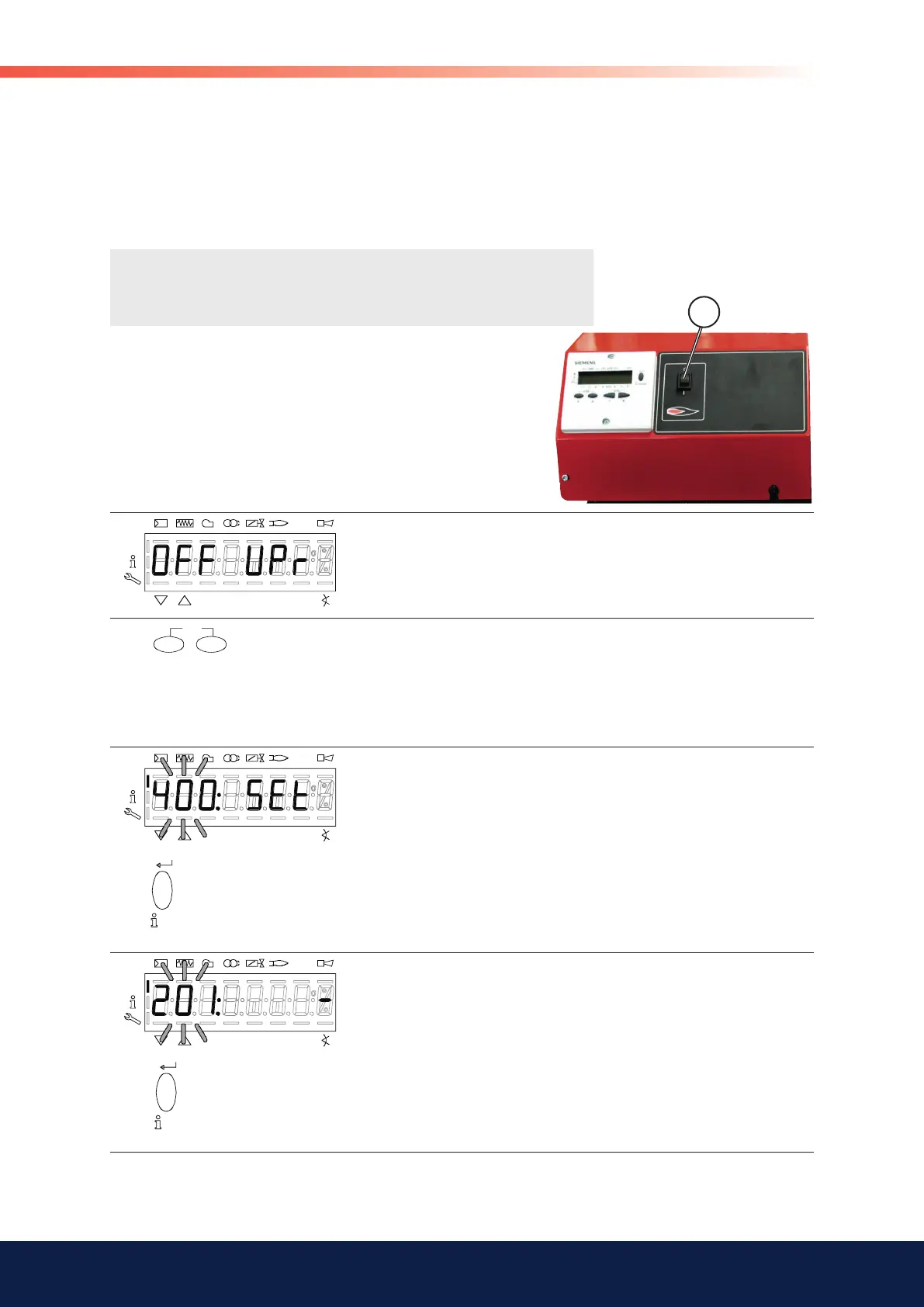
Note! When power is turned on for an unadjusted automatic control
unit, “OFF UPr” is always shown in the display.
X
P
An unprogrammed unit or a unit whose operating mode has been reset or
changed displays OFF UPr.
Press
> 1 second to access login mode.
To continue with the setting work, you need to log into service engineer level. See 5.3.4.
After login is complete, continue with the setting work as shown below.
P
Press
to select parameter 400 for initial commissioning and for setting air-fuel controll.
P
201: appears fl ashing.
Press
to go to the settings for air-fuel ratio control and parameter
201 for selecting the operating mode.
15.3.5 Setting an automatic control unit which has
not previously been set or lost its settings
Check that the burner is receiving power and that gas is being supplied to
the burner.
Move the switch (X) on the burner to the ON position.
The text “OFF UPr” is shown in the display.
Follow the procedure indicated below to set the automatic control unit.
15.4 Setting the automatic control unit
To set the correct ratio between air and fuel, it is important to understand
how this type of burner is controlled. This chapter will describe the procedure
to follow when adjusting a burner with an LMV37 automatic control unit.


 To Next Page