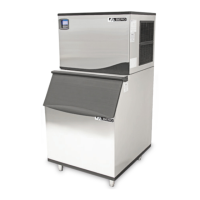
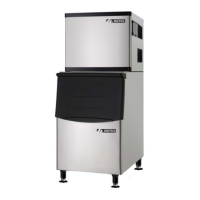
Push the control panel cover to open it. The control panel includes two buttons and four
indicator lights.
Operation of the control panel:
1. When the unit is plugged in and the power switch is turned on, the power indicator
and the other three indicator lights are all on.
2. After 3 minutes for water inlet, the ice machine will start to make ice automatically.
Only the power and ice-making indicators will be on.
3. During harvesting, the harvest indicator light is on and the ice-making indicator is off.
When the ice storage bin is full, only the ice-full indicator and power indicator are on.
4. If the Clean button is pressed during the ice-making mode, it will be ignored. The
ice-making will continue.
5. When you want to clean the machine, turn off the power switch first, then turn it on
again. Press the Clean button within 3 minutes and the ice maker will start the
cleaning mode, with harvest and ice-making indicators blinking. After 30 minutes, the
cleaning mode stops and the harvest indicator and ice-making indicators are on steady.
If you want to restart the ice-making process after cleaning, turn off the power switch
first and drain the waste water, then turn on the power switch again and the machine
will automatically go into the ice-making process.
6. If you want to interrupt the cleaning mode before it is finished, do not press the Clean
button again. Instead, turn the power switch off. This stops the cleaning mode.
7. If the machine is on but only the power indicator light is lit, this may indicate that not
enough water is reaching the system, that the water pump is not functioning, or some
similar problem. First check the level in the water tank, then examine the water pump,
etc.
8. If the unit is connected to the power supply but no visual indicator lights up when the
power switch is turned on, the fuse in the control panel box may need to be replaced.
Descriptions of LEDs and buttons:
1. Bin Full (red) LED: Bin Full indicator light
When this LED is on, the ice storage bin is full of ice cubes or there is something
obstructing the bin full probe. The unit will stop working. When ice cubes are
removed from the ice storage bin, clearing the bin full probe, the red LED will flash
for 3 minutes. Then the unit will restart and return to the ice-making mode.
2. Ice Making (green) LED: Ice Making indicator light
When this LED is on, the unit is working in the ice-making mode. When the green
LED is flashing, the unit is working in the ice-making mode but approaching the
ice harvest mode.
3. Ice Harvest (yellow) LED: Ice Harvest indicator light
When this LED is on, the unit is working in the ice harvest mode controlled by the
bin full probe.
4 . POWER (white) LED: Power indicator light of the controller box. This LED will
turn ON only when the main power switch is turned.
5. MODE button: This button is mainly for service. When it is pressed, the ice
making mode changes to ice harvest mode or vice versa. The mode is indicated by
the status of the green or yellow LEDs.
6. CLEAN button: If you press the Clean button or the Clean switch within three


 To Next Page