21
9 CALIBRATION OF POSITION OPTIONS
9.1 Position feedback potentiometer (OPTION)
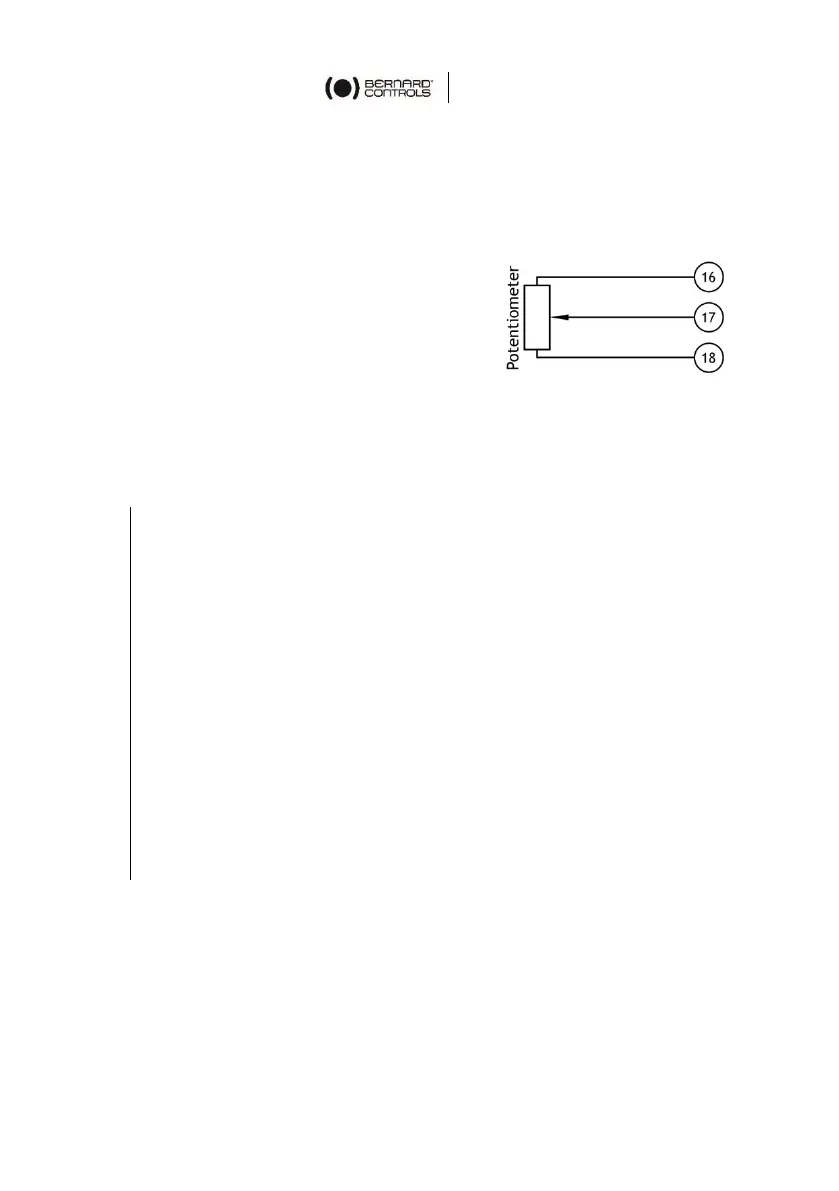
The potentiometer used for the actuator
position feedback is driven by the travel
cam block system.
For clockwise closing:
• 0% position indicates a closed
valve.
• 100% position indicates an open valve.
The resistance value is measured between terminals 16 and 17.
How to set the potentiometer circuit board
1. Drive the actuator to the CLOSED position.
2. Loosen the positioner pinion blocking screw with a hex key.
3. Adjust the potentiometer by turning its shaft using a flat
blade screwdriver so that the resistance value exceeds 0 Ohm
and regularly increases, then turn backwards to reach the
closest value to 0 Ohm.
4. Tighten back the positioner pinion blocking screw.
5. Drive the actuator to the OPEN position (usually
counterclockwise).
6. Write down the resistance value corresponding to the
100% position.
7. Come back to the CLOSED position (usually clockwise).
8. Check that the resistance shows a repeatable near zero value
for the 0% position.



 To Next Page