MASTERING YOUR BERNINA
®
1/10/02
Electronic 1008/9
BERNINA
®
Electronic 1008
MASTERING
YOUR
BERNINA
®
NEEDLE POSITIONS
Owner’s manual pg.____
• The 1008 has 5 fixed needle positions.
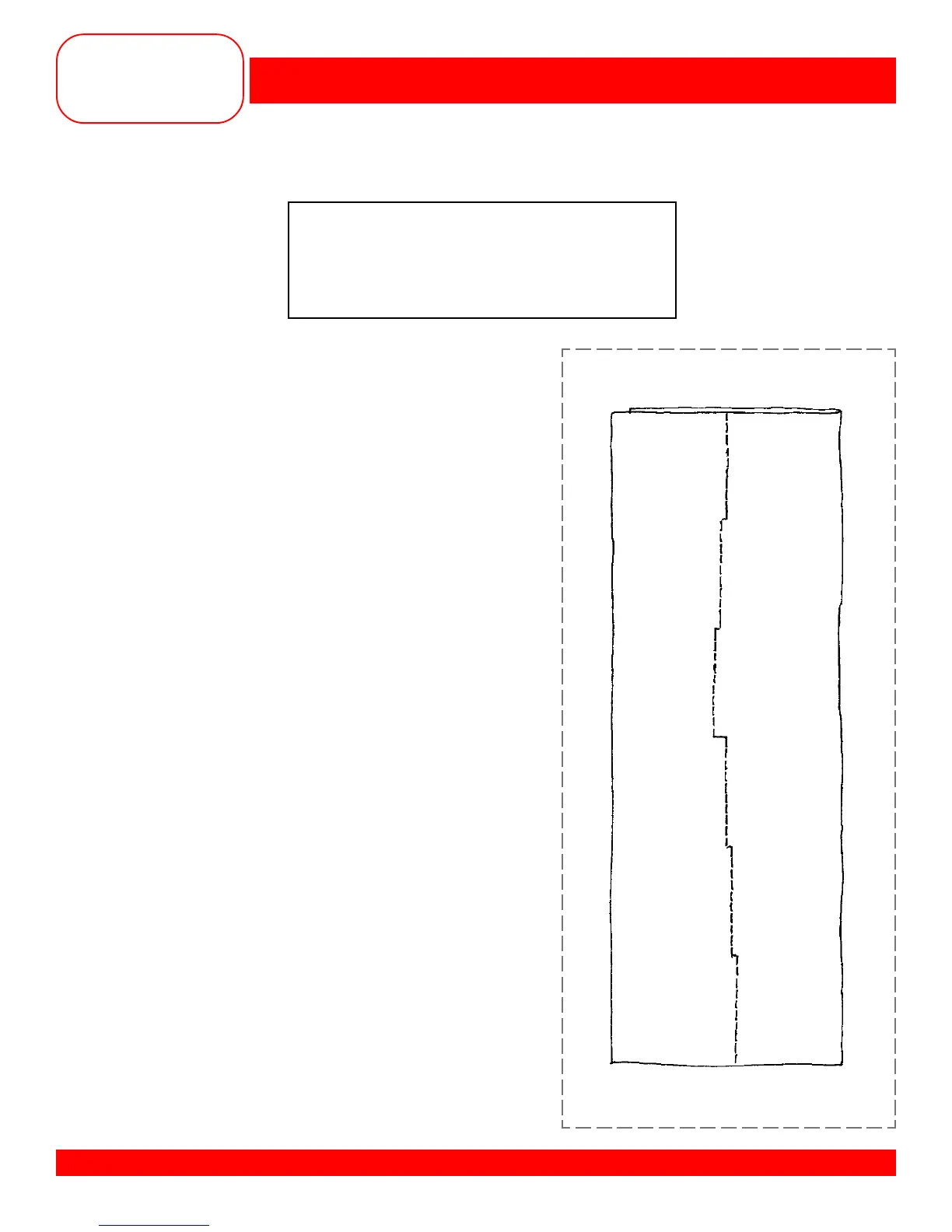
• Fold fabric in half to 2” x 6”.
• Select Straight Stitch. The needle position can be set
to the left or right using the knob in the center of the
stitch width knob.
• Position the fold of the fabric on the 1” mark on the
right side of the stitch plate.
• Sew about 6 stitches and stop.
• Move the needle one position to the left.
• Sew another 6 stitches and stop again.
• Repeat until all three positions have been sewn.
• Raise the needle out of the fabric. Leaving the fabric
under the foot – move the needle position back to
center.
• Sew about 6 stitches and stop.
• Move the needle one position to the right.
• Sew about 6 stitches and stop.
• Move the needle one more position to the right – sew
another 6 stitches and stop again.
• Repeat until all three positions have been sewn.
Fabric: Firmly woven fabric, 4” x 6”
Needle: 90/14 Embroidery
Thread: 30 wt. cotton embroidery
Contrasting color
Presser Foot: Reverse Pattern Foot #1










 To Next Page