Mastering
Your
BERNINA
®
BERNINA
®
Embroidery
Module/Machine
MASTERING YOUR BERNINA
®
EMBROIDERY MODULE/MACHINE
22
Notes
©2005 BERNINA® of America, Inc. Permission to copy granted only to Authorized BERNINA
®
Dealers
Customizing Thread Color
(artista 200E only)
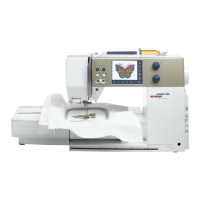
artista 200E
Using the Medium hoop, hoop the fabric and stabilizer.
Select the floral motif again. The motif opens up in the Edit 1 screen.
Touch the Color Number symbol in the lower left corner of the screen;
the Color Motif display appears.
Touch the Color Information bar. A dialog box opens with Change thread
color/brand information. In this box, the current thread color and/or
brand of thread can be changed.
Select a brand of thread, selecting from Isacord, Madeira, Mettler Silky
Sheen, Sulky, and Mettler Poly Sheen.
Assign a new shade of green to the design and touch OK.
The Edit 1 screen reappears. Use the right hand scroll arrow to move
to the second color and repeat the process changing the color of the
flowers.
Repeat a third time and change the color of the flower centers.
Embroider your newly colored design. If you wanted, this customized
motif could be saved with your new color settings for later use. (Saving
of Motifs will be covered on page 42, Saving & Deleting Embroidery
Motifs.)
Trim and mount the sample.
Embroidery Motif
Deco 330
n/a
artista 165E
n/a
artista 185E
n/a
artista 200E
#5 - floral wreath
Fabric & Stabilizer
8” x 10” rectangle









 To Next Page