Mastering
Your
BERNINA
®
BERNINA
®
Embroidery
Module/Machine
MASTERING YOUR BERNINA
®
EMBROIDERY MODULE/MACHINE 47
©2005 BERNINA® of America, Inc. Permission to copy granted only to Authorized BERNINA
®
Dealers
Selecting, Adding, & Deleting Letters
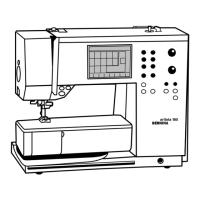
artista 165E
Selecting Characters
Touch the desired letter on the
“keyboard” screen; it will appear
at the of the screen. Use the
arrows to cycle through upper
and lower case letters, numbers,
and punctuation selections.
Deleting & Adding Characters
- to delete, move the cursor to
the right of the letter; select Del
- to add, move cursor to the right
of the letter; select desired letter
Deco 330
Selecting Characters
Select Alphabet tab. Touch the Font
key. Select font style. Touch the
desired letters on the “keyboard”
screen. Use the A/a icon to toggle
between upper and lower case
letters.
Deleting & Adding Characters
- to delete, move cursor under the
letter/character; select the Delete
icon (trash can)
- to add, move cursor to the right of
the desired position; select the
character and touch OK
artista 185E
Selecting Characters
Touch the desired letter on the
“keyboard” screen; it will appear
at the bottom of the screen. Use
the arrows to cycle through upper
and lower case letters, numbers,
and punctuation selections.
Deleting & Adding Characters
- to delete, move the cursor to the
right of the letter; select Del
- to add, move cursor to the right
of the letter; select desired letter
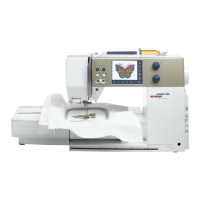
artista 200E
Selecting Characters
Touch the desired letter on the
“keyboard” screen; it will appear
at the top of the screen. Select
the ABC icon for upper case
letters; abc1,2,3 for lower case
letters and numbers; @# for
other characters.
Deleting Characters
Select the <- arrow at the top
right corner to delete characters
in the text bar.
Touch the text bar to delete all the
text in the bar.
Notes









 To Next Page