Mastering
Your
BERNINA
®
BERNINA
®
Embroidery
Module/Machine
MASTERING YOUR BERNINA
®
EMBROIDERY MODULE/MACHINE
52
Notes
©2005 BERNINA® of America, Inc. Permission to copy granted only to Authorized BERNINA
®
Dealers
Manipulating Alphabets
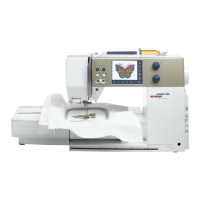
artista 200E
Select indicated alphabet; program the word BERNINA, touch OK.
Select the Large Oval Hoop. Select Edit 1; move the lettering so that the lower
edge of the text box rests on the center of the grid line.
Go to Edit 1; duplicate the design and rotate lettering 90º. Touch the Show Grid
icon two times to activate the grid.
Move the text outline box so the top of the box rests on the center grid line.
Select the Add Motif icon; program Embroidery; touch OK. Use the same
process as above to rotate the word 90º. Move the word Embroidery directly
under the word BERNINA.
Touch OK only when editing is complete. Embroider, trim, and mount the sample.
Embroidery Font
Deco 330
Cheltenham
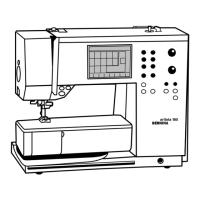
artista 165E
Drifter
artista 185E
Drifter
artista 200E
Bamboo
Fabric & Stabilizer
8” x 10” rectangle
artista 165E/185E
Select indicated alphabet; program the word BERNINA, touch OK.
Select Layout 1; move lettering so the lower edge of the text box rests on the
center of the grid line. Touch Temporary Save to store design.
A message appears indicating that selected text does not fit in the hoop, direct-
ing you to shrink the lettering or rotate the design.
Touch Layout 1; shrink letters to 90%, then touch Show. Watch carefully to see
if all the letters are now visible on the screen; if not, reduce to 74%. Touch Show
again to make sure that all the desired letters appear on the screen.
When all letters appear on the screen, rotate them 90º. Then enlarge letters to
desired finished size. Touch Show again to make sure all letters appear on
screen. Touch Temporary Save.
Select indicated alphabet again; program Embroidery; touch OK. Use the same
process as above to rotate 90º. Move Embroidery directly under BERNINA.
Touch OK only when editing is complete. Embroider, trim, and mount the sample.
Deco 330
Select indicated alphabet. Select medium size font. Select vertical lettering.
Program the word BERNINA. Move the word to the right. Select the Alphabet tab.
Program Embroidery. Touch OK.
Embroider sample. Press the carriage return key after finishing the last section to
return the carriage to the stored position.
Trim and mount sample.









 To Next Page