Mastering
Your
BERNINA
®
BERNINA
®
Embroidery
Module/Machine
MASTERING YOUR BERNINA
®
EMBROIDERY MODULE/MACHINE
62
Notes
©2003 BERNINA® of America, Inc. Permission to copy granted only to Authorized BERNINA
®
Dealers
Free-Arm Embroidery
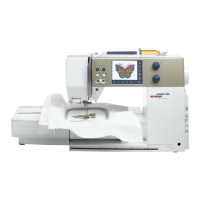
artista 165E
Note: Spacer and Small Hoop
are optional accessories.
Attach adapter and module; DO
NOT ATTACH SMALL HOOP YET!
Select indicated motif. The
artista will check hoop size and
recommend a larger one; touch
ESC. Select Layout 1; reduce
motif to fit.
Touch CHECK to move embroidery
arm into proper alignment for free-
arm stitching. Touch OK.
When stitch processing is com-
plete and embroidery arm is in
position, attach the Small Hoop.
Stitch, trim, and mount sample.
Attaching Spacer
Important Note: Use only
the Small Hoop for free-arm
embroidery.
• Remove slide-on table.
• Place spacer on sewing
machine arm. Push toward
sewing machine to engage
the lugs.
• Attach embroidery module.
Removing Spacer
• Remove module.
• Grasp right rear corner
of spacer; remove from
sewing machine.
artista 185E
Attach adapter and module; DO
NOT ATTACH SMALL HOOP YET!
Select indicated motif. The artista
will check the hoop size and
recommend a larger one; touch
ESC. Select Layout 1; reduce
motif to fit.
Touch CHECK to move embroidery
arm into proper alignment for free-
arm stitching. Touch OK.
When stitch processing is com-
plete and embroidery arm is in
position, attach the Small Hoop.
Stitch, trim, and mount sample.
artista 165E
Attach adapter and module to
free-arm. Attach Small Hoop to
module.
Select indicated motif. Reduce
size as needed in Edit 2 (stitching
field = 72mm x 50mm). Note:
Adapter/Small Hoop recognition
occurs during change from Edit 1
to Edit 2.
Touch OK to process the embroi-
dery design.
Stitch, trim, and mount sample.
Embroidery Motif
Deco 330
#37 - flower frill
artista 165E
#21 - swirl
artista 185E
#32 - blackwork teapot
artista 200E
#17 - quilt outline
Fabric & Stabilizer
8” x 10” rectangle
Deco 330
select indicated motif. Select
Editing tab. Select Hoop selection
icon. Select A(F): 126 x 110mm.
Touch OK.
Embroider sample.
Return carriage to stored position.
Trim and mount sample.









 To Next Page