Mastering
Your
BERNINA
®
BERNINA
®
Embroidery
Module/Machine
MASTERING YOUR BERNINA
®
EMBROIDERY MODULE/MACHINE
38
Notes
©2003 BERNINA® of America, Inc. Permission to copy granted only to Authorized BERNINA
®
Dealers
Using Embroidery Cards
artista 165E
Insert desired embroidery card
into slot on left side of embroidery
module.
Touch embroidery card icon
(teddy bear). Scroll through
designs and select desired motif.
In Layout 1, touch OK to digitize
design.
Stitch, trim, and mount sample.
Deco 330
Insert desired embroidery card
into slot on right side of embroi-
dery machine. Select Design
Card tab. Scroll through desings
and select desired motif.
Embroider and trim sample.
Press the carriage return key
after finishing the last section to
return the carriage to the stored
position.
Trim and mount sample.
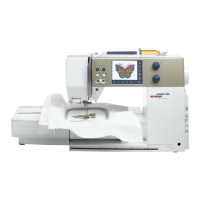
artista 185E
Insert desired embroidery card
into slot on left side of embroidery
module.
Touch embroidery card icon
(teddy bear) motif. Select desired
motif.
In Layout 1, touch OK to digitize
design.
Stitch, trim, and mount sample.
artista 200E
Insert desired embroidery card
into slot on right side of sewing
machine. Note: This slot is also
used for the artista 200 modem.
Touch embroidery card icon
(teddy bear) motif. Select desired
motif.
Touch OK to digitize design.
Stitch, trim, and mount sample.
Embroidery Motif
Deco 330
any card design
(sample: Studio BERNINA
®
Fun with Bears by Mary Ann
June Collection)
artista 165E
any card design
(sample: Studio BERNINA
®
Winter Holiday with Stephanie
Stouffer Collection)
artista 185E
any card design
(sample: Studio BERNINA
®
Cutwork & Crewel by Iris Lee
Collection)
artista 200E
any card design
(sample: Studio BERNINA
®
Fantastic Felines by Laurel
Burch Collection)









 To Next Page