Chapter 4. Operation
19
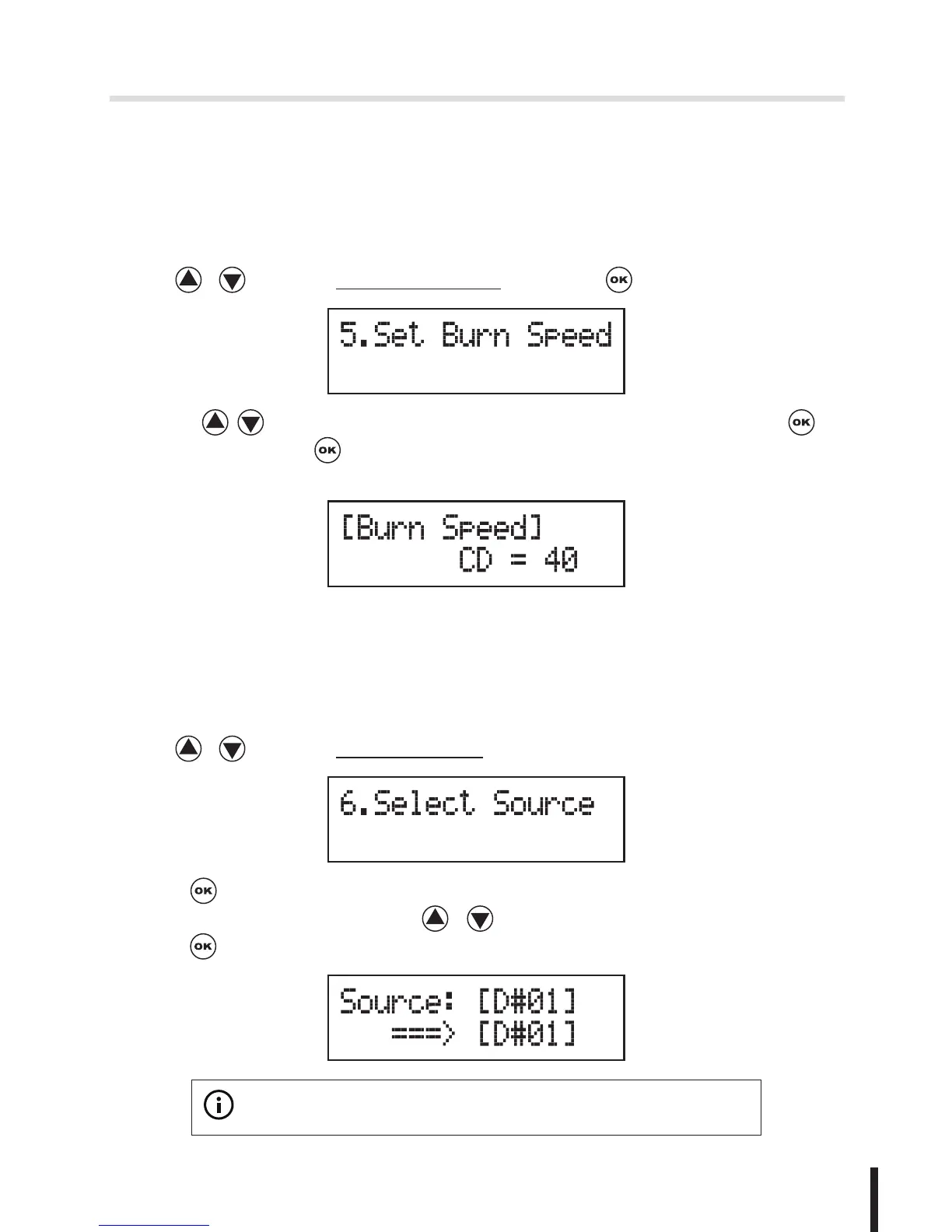
5. Set Burn Speed
You can adjust the burning speed of CD/Audio CD/DVD/DVD DL/Blu-ray by
this setting. The default setting of CD is 40X, Audio CD 24X, DVD 8X, DVD DL
2X and Blu-ray 2X.
1. Use / to select 5.Set Burn Speed and press .
2. Press / to adjust the burning speed of CD and press to
confirm it, or press to select Audio CD,DVD, DVD DL or Blu-ray to adjust
the burning speed.
6. Select Source
You can set any drive or built-in HDD in the duplicator to be your source
reader.
1. Use / to select 6.Select Source.
2. Press to check the current source reader, or select the proper drive to be
the source reader by pressing / , once the source reader is selected,
press to confirm the setting and back to the menu list.
※
Note:


 To Next Page