Chapter 4. Operation
21
7-2. Erase Disc
This function will erase the rewritable discs in WRITER tray, there are two erase
modes available:
•
Quick Erase: It will erase the INDEX of the rewritable disc.
•
Full Erase: It will erase ALL DATA in the rewritable disc, which takes
longer time than Quick Erase.
1. Place discs into writers.
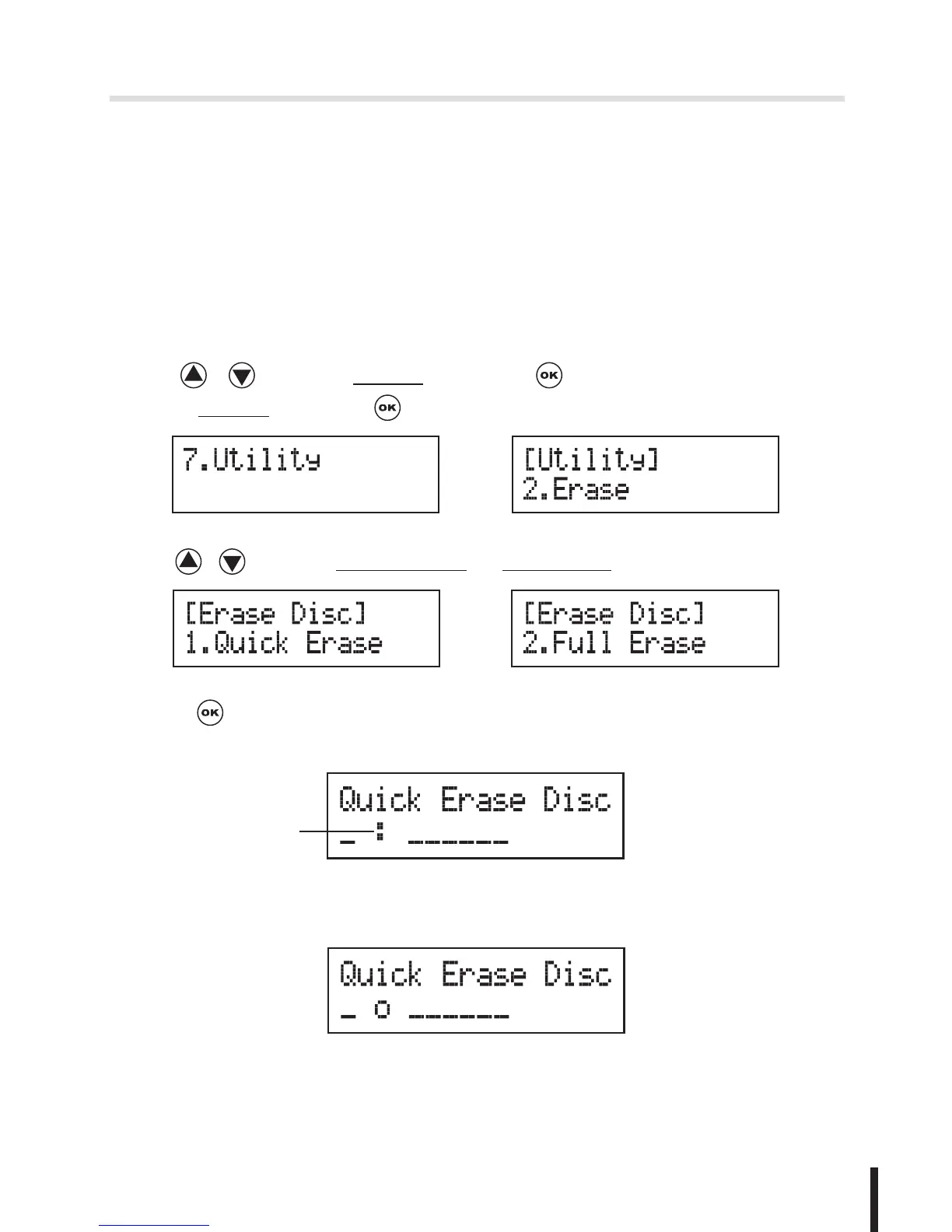
2. Use / to select 7.Utility and press to enter the sub menu.Then,
select 2.Erase and press .
3. Use / to select 1.Quick Erase. or 2.Full Erase.
OR
4. Press to execute the erasing task. When the system is detecting the
discs, you will see the colon flashing.
The Second Drive
5. When the erase job is in process, you should see the O and o are blinking
by turns.


 To Next Page