BT-1 user manual
Page 24 of 70
λ
This command is enabled only when processed at the beginning of a
line in standard mode.
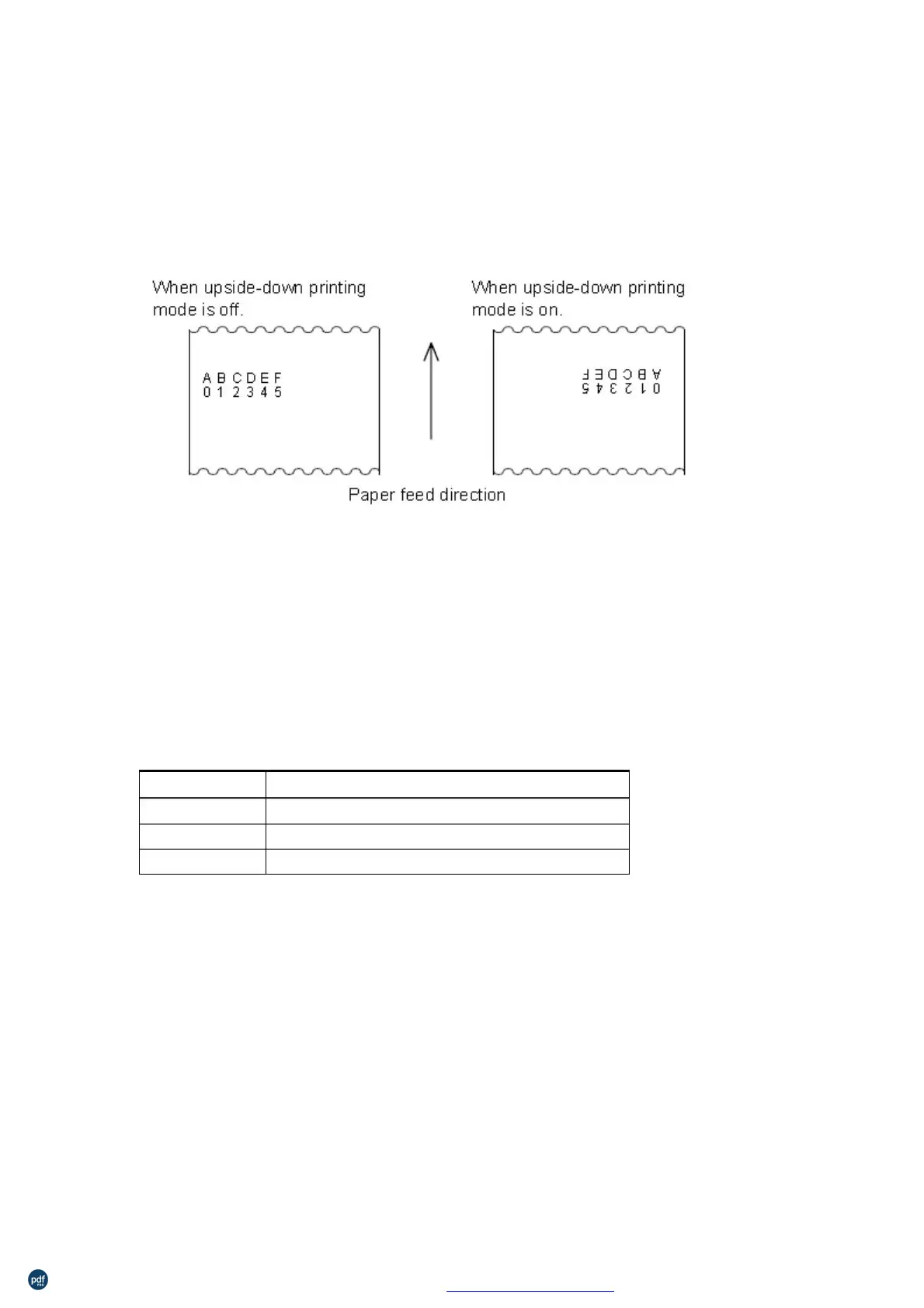
In upside-down printing mode, the printer rotates the line to be
printed by 180° and then prints it.
Turn underline mode on/off
ASCII:
27 45 n
1B 2D n
Hexadecimal:
0≤n≤2, 48≤n≤50
[Range]
[Description]
n
Turns underline mode on or off, based on the following values n:
Function
0, 48
1, 49
Turns on underline mode (1 dot thick)
Turns on underline mode (2 dots thick)
λ
λ
The printer can underline all characters (including right-side
character spacing), but cannot underline the space set by HT.
The printer cannot underline 90° clockwise rotated characters and
white/black inverted characters.
When underline mode is turned off by setting the value of n to 0 or
48, the following data is not underlined, and the underline thickness
set before the mode is turned off does not change. The default
underline thickness is 1 dot.
λ
Changing the character size does not affect the current underline
thickness.
Underline mode can also be turned on or off by using
Note,
however, that the last received command is effective.
利用 pdfFactory Pro 测试版本创建的PDF文档 www.pdffactory.com



 To Next Page