BT-1 user manual
Page 27 of 70
0≤x≤12 (when Font A (12×24) is selected)
λ
y specifies the number of bytes in the vertical direction.
c1 specifies the beginning character code for the definition, and c2
specifies the final code.
λ
x specifies the number of dots in the horizontal direction.
The allowable character code range is from ASCII code <20>H to
<7E>H (95 characters).
λ
It is possible to define multiple characters for consecutive character
codes. If only one character is desired, use c1=c2.
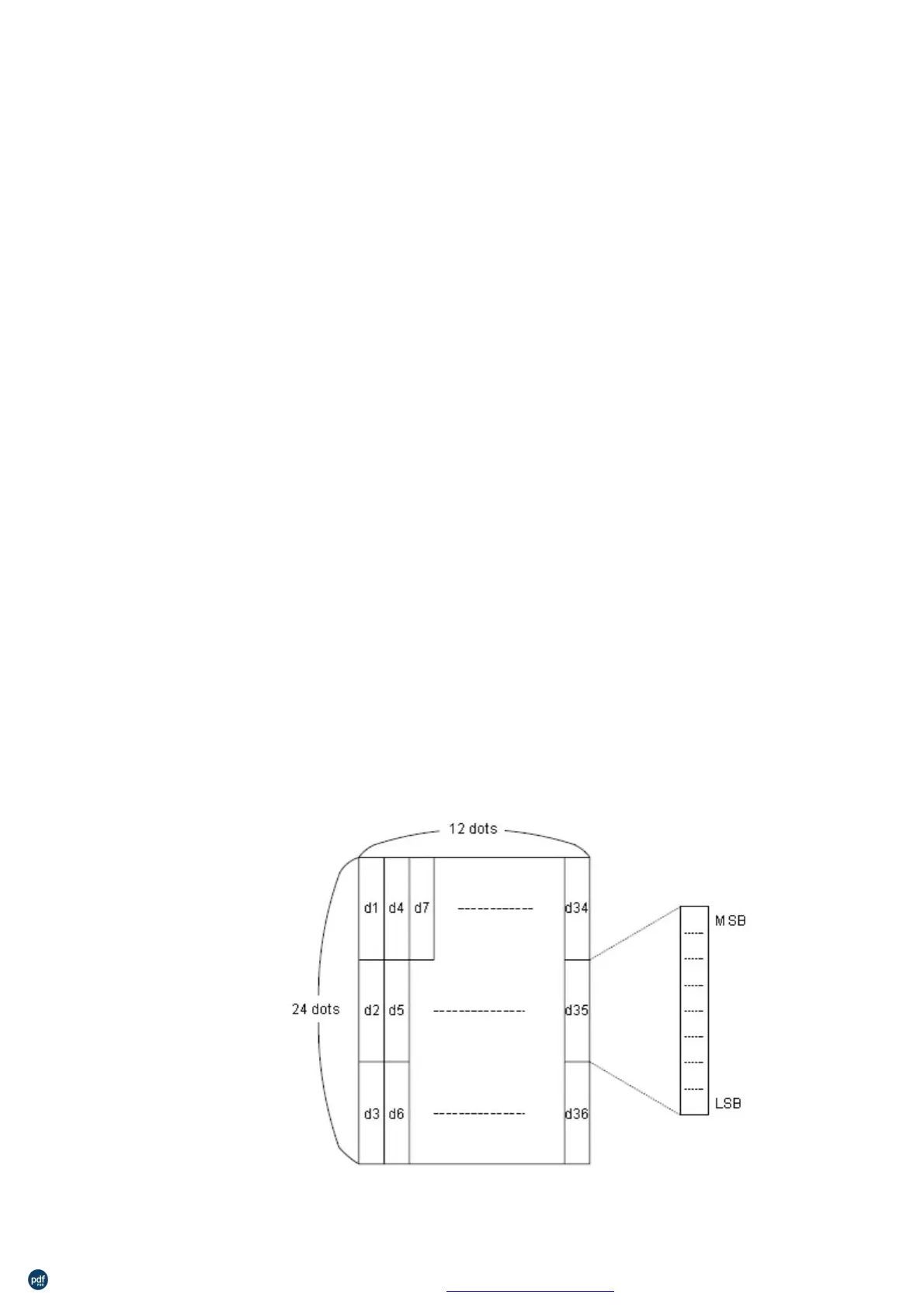
d is the dot data for the characters. The dot pattern is in the horizontal
direction from the left side. Any remaining dots on the right side are
blank.
λ
λ
The data to define user-defined characters is (y×x) bytes.
Set a corresponding bit to 1 to print a dot or 0 not to print a dot.
This command can define different user-defined character patterns for
each font. To select a font, use ESC !
λ
User-defined characters and a downloaded bit image cannot be
defined simultaneously. When this command is executed, the
downloaded bit image is cleared.
defined character definition is cleared when:
1)
is executed.
2)GS * is executed.
3)
is executed.
4)The power is turned off.
The internal character set
ESC %, ESC ?
[Reference]
[Example]
When Font A (12×24) is selected.
利用 pdfFactory Pro 测试版本创建的PDF文档 www.pdffactory.com



 To Next Page