14
DVD Subtitle Select
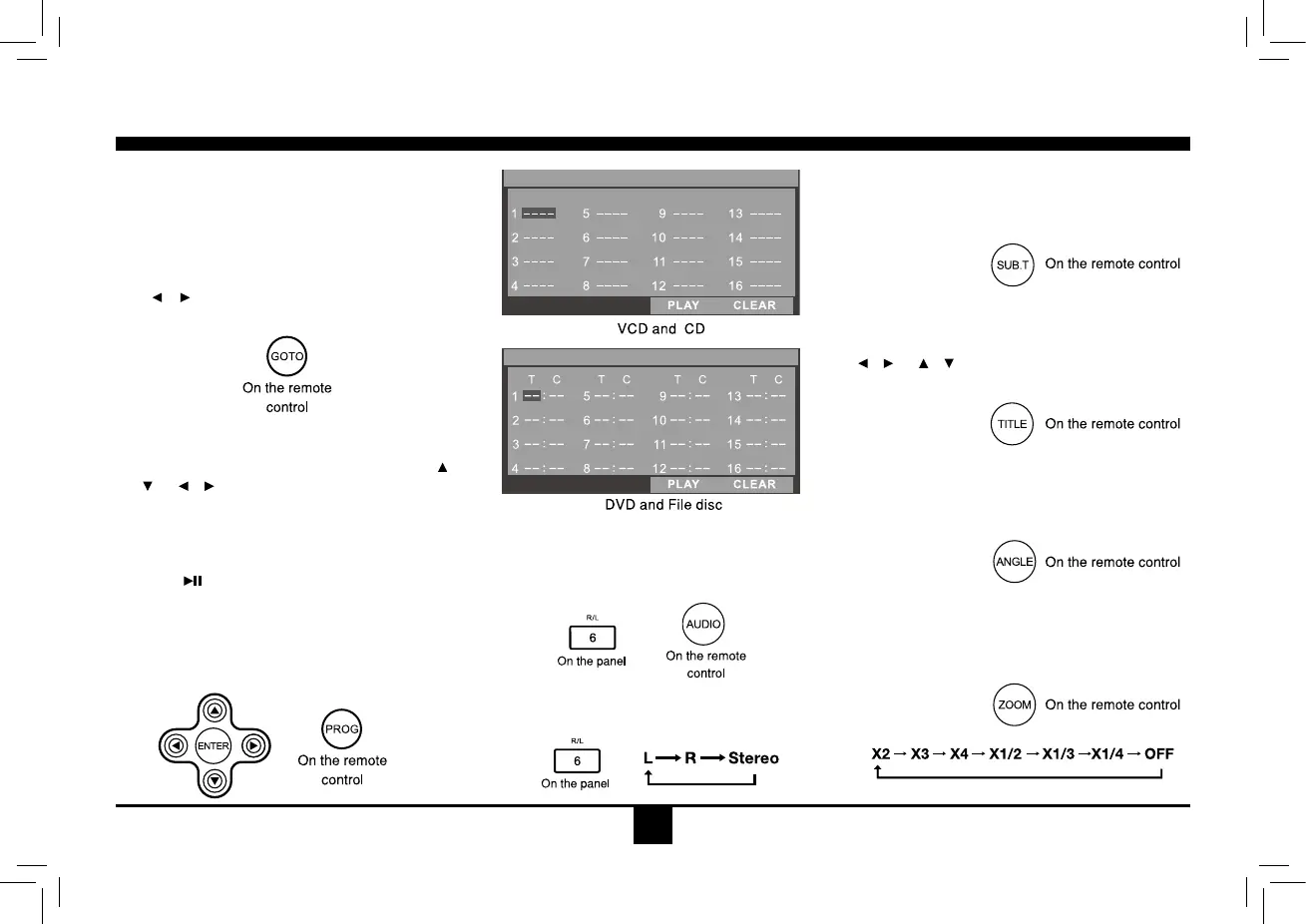
Press SUB.T to select the subtitle language
to show if the DVD has multiple language
subtitles.
DVD Title Select
Press TITLEtodisplaytitleorchapterlist,use
/ or / cursorordigitnumbertoselect,
press ENTER to play.
DVD Angle Select
Press ANGLEtoselectdifferentangletoview
iftheDVDhasmultiple-angleviews.
Zoom
Press ZOOM button, the picture will be
zoomedaccordingly.
Track Playback
GOTO
Goto desired track/chapter or time point
directly.
Press GOTO button on the remote control,
track or DVD Title/Chapter and time display on
top of the screen. Current item is highlighted.
Use
/ to select desired item. Use digit
button to select number. Press ENTER to
conrm.
Program
- Press PROG to enter program list. Use
/
or / cursor and digit button to enter
number.
For DVD and File disc, select title and
chapter number.
ForVCDandCD,selecttracknumber.
- Press
to play, or move the cursor to
select "PLAY" and press ENTER to play.
- Ifyouwanttodeletethelist,movethecursor
to"CLEAR", pressENTER to delete all the
list set before.
- Press PROGagaintoexitprogramplay.
DVD Audio Select
Press AUDIO or R/L to select audio language
to l isten if the DVD h as m ultipl e au dio
languages.
VCD Audio Select
Press R/L to select audio channel to listen.
PROGRAM
PROGRAM


 To Next Page