8
USB/SD/MMC/MP3 Mode
Accessing Disc Mode
If a disc is already in the disc slot but is not
playing, press the SRC button on the front
panelorontheremotecontroltoswitchtothe
DISCsource.ToplaylesfromanSDorUSB
that is already inserted, choosethe CARD
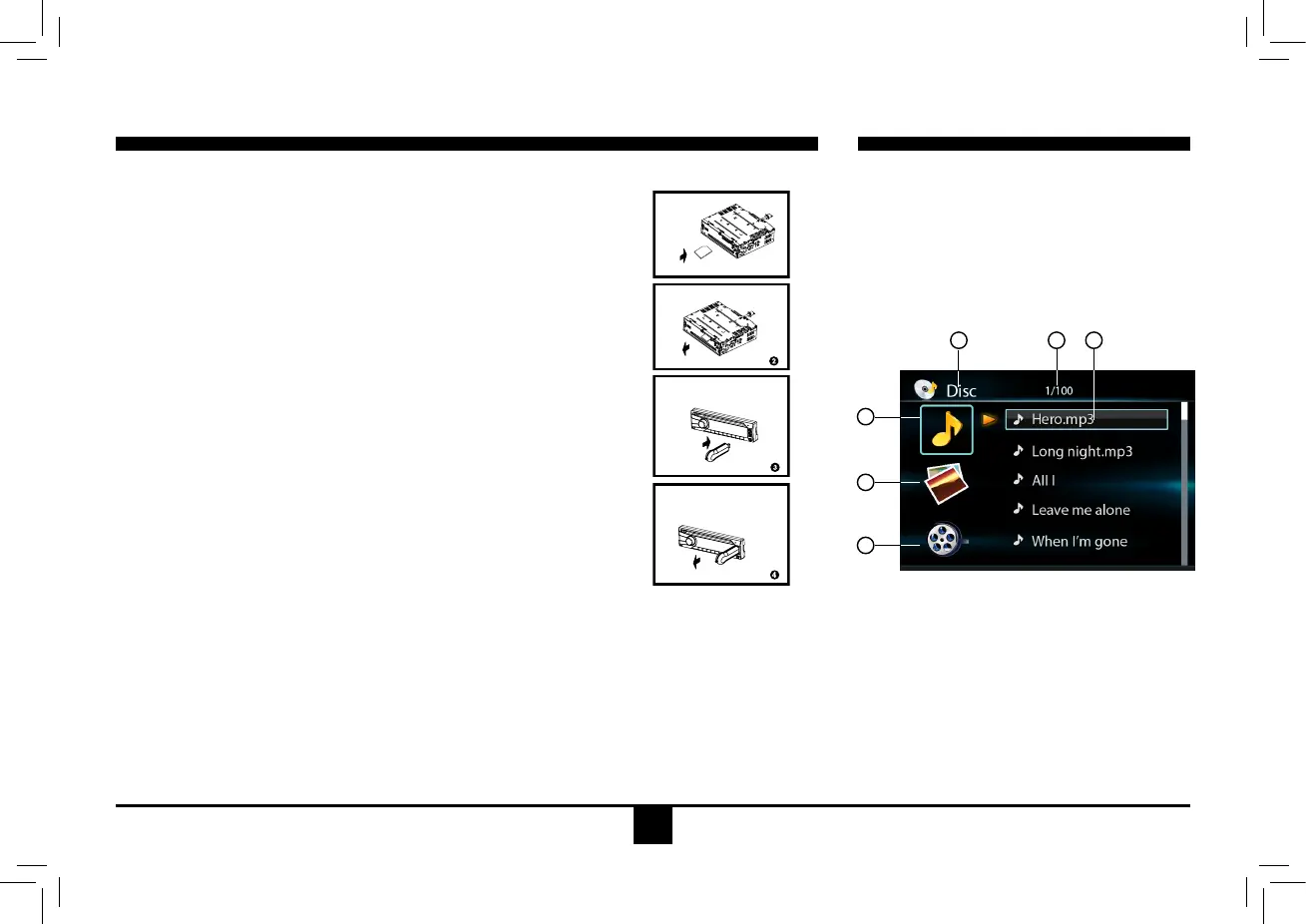
or USB source. The disc playback screen is
indicatedbelow:
Disc Mode
1. Source Indicator
2. Current Track/Total Track
3.NameoftheSongDisplay
4. Audio Folder
5. Picture Folder
6. Video Folder
2
4
5
6
1 3
1. Loading SD/MMC Card
Insert the SD/MMC card into the slot.
The unit will playthe music automaticallyand the LCDwill show
CARD.
2. Take out SD/MMC Card
PushSRCbuttonandswitchtononCARDmode,slightlypressSD/
MMCcard,takeoutthecardwhenitwaspoppedout.
3. Loading USB equipment
Opentherubbercap,inserttheUSBintotheconnectorandtheunit
play the musicinthe USB storer automatically, and the LCDwill
showUSB.
4. Take out USB equipment
PushtheSRCbuttonandswitchtononUSBmode,thentakeoffthe
USBstorer,closetherubbercap.
USB/SD/MMC Notes
USBfunctions(ashmemorytype)MP3musicplay.
1. SD/MMC card support.
2.USBashmemory2in1(SD/MMC)support.
3. Support FAT 16 & FAT 32
4.Filename:32byte/dirname:32byte/tagname:32byte.
5.Tag(id3tagver2.0)
Title/artist/album:32bytesupport.
6. Multi card reader not support.
7. USB 1.1 support.
Not all kinds of USB devices are compatible with the unit.


 To Next Page