2
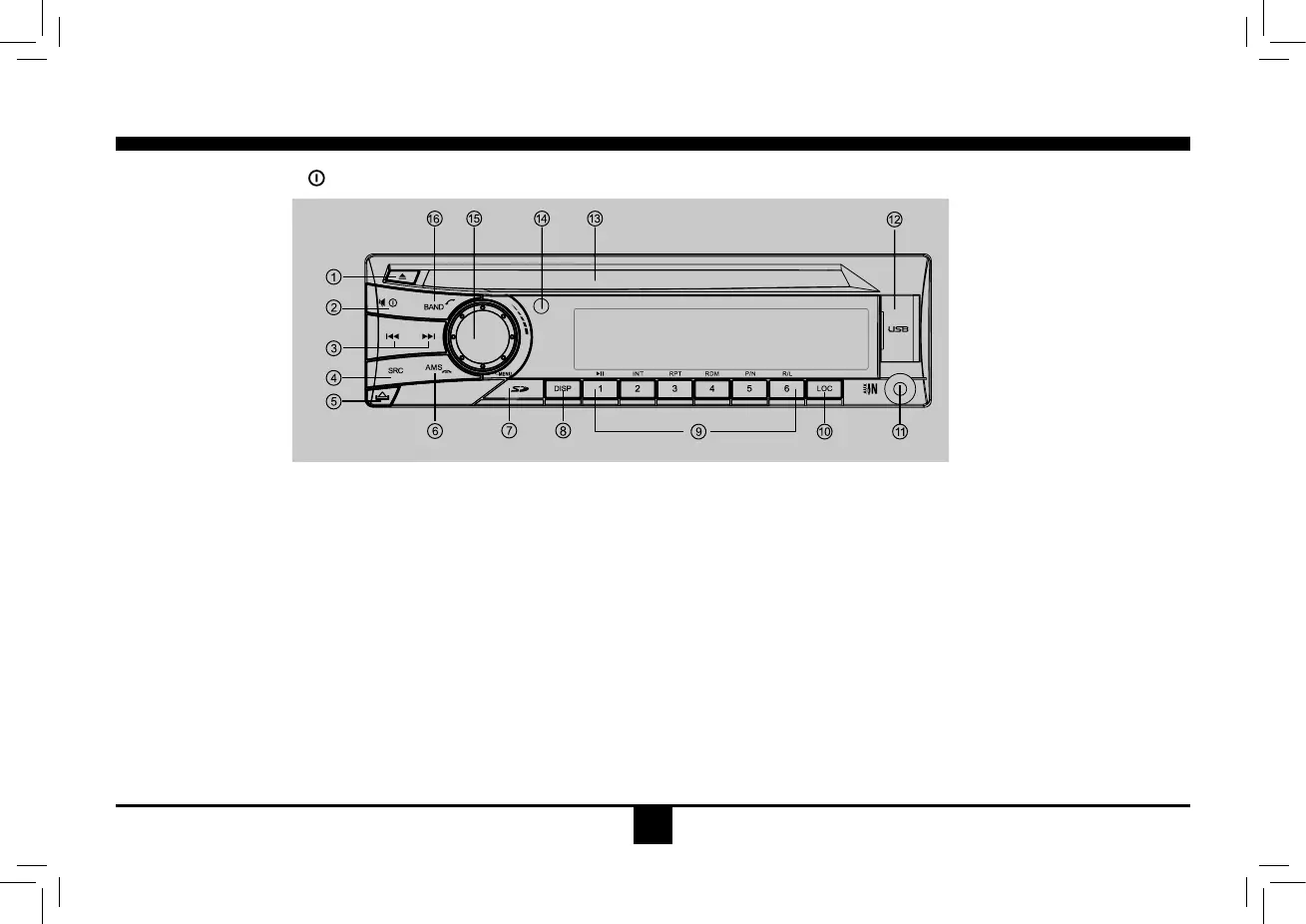
Panel Controls
Power on/off: Press to turn on/off the unit.
1. Disc eject
2.-Poweron/off(pressmorethan2seconds)
- Mute
3. -Tofastsearchwithinatrack/skiptonextor
previoustrack
- Track seek
4.-Aux
- I-MODE
-BTMUSIC(inBluetoothmode)
- Tuner
-Disc(whendiscinserted)
-USB(whenUSBinserted)
-Card(whenSD/MMCinserted)
5. Panel open
6. -Radio station auto preset
- Press to tune in a preset station.
- Holdformorethan2secondstostorestation.
10. Radio local/distant
11.AUXIN
12. USB connector
13. Disc slot
14. Remote sensor
15.-Rotatethecontroltoadjustvolumelevel
- Audio mode select.
- Press more than 2 seconds to enter into
menu mode.
16.-BandSwitch:
FM1 - FM2 - FM3 - AM1 - AM2
-REDial/Answer/Transferthecall
(Bluetoothmode)
-Hangupthecall
7. SD/MMCcardslot(locatedbehindthefront
panel)
8.-Shortpresstoswitchtoclockdisplay,
pressagaintoexit.
- Long press to enter clock setting.
9.1button:Play/Pause
2button:scanplay
3button:Trackrepeatplay
4button:Trackrandomplay
5button:-VideosystemNTSC\PAL\AUTO
-Selectfolderdown
6button:-DVDaudio/VCDaudioL/R/ST
- Select folder up
*1-6Radiopreset:


 To Next Page