13
Track Playback
Select Desired Track
- Press or toskiptothenexttrack.
- Use1-9 and0,10+buttonsontheremote
control to select desired track number.
Fast Forward/Backward During
Playback
Press or for more than 2 seconds once
or more to select X2, X4, X8, X20 to fast
backwardorforwardtrackduringplayback.
- Du rin g th e fas t fo rwa rd o r ba ckw ar d
operation,press
brieytoplaybackagain.
- Du rin g th e fas t fo rwa rd o r ba ckw ar d
operation,thevolumewillbemuted.
Intro (for CD/VCD only)
Youcanplaythebeginning of everytrack for
10 seconds in sequence.
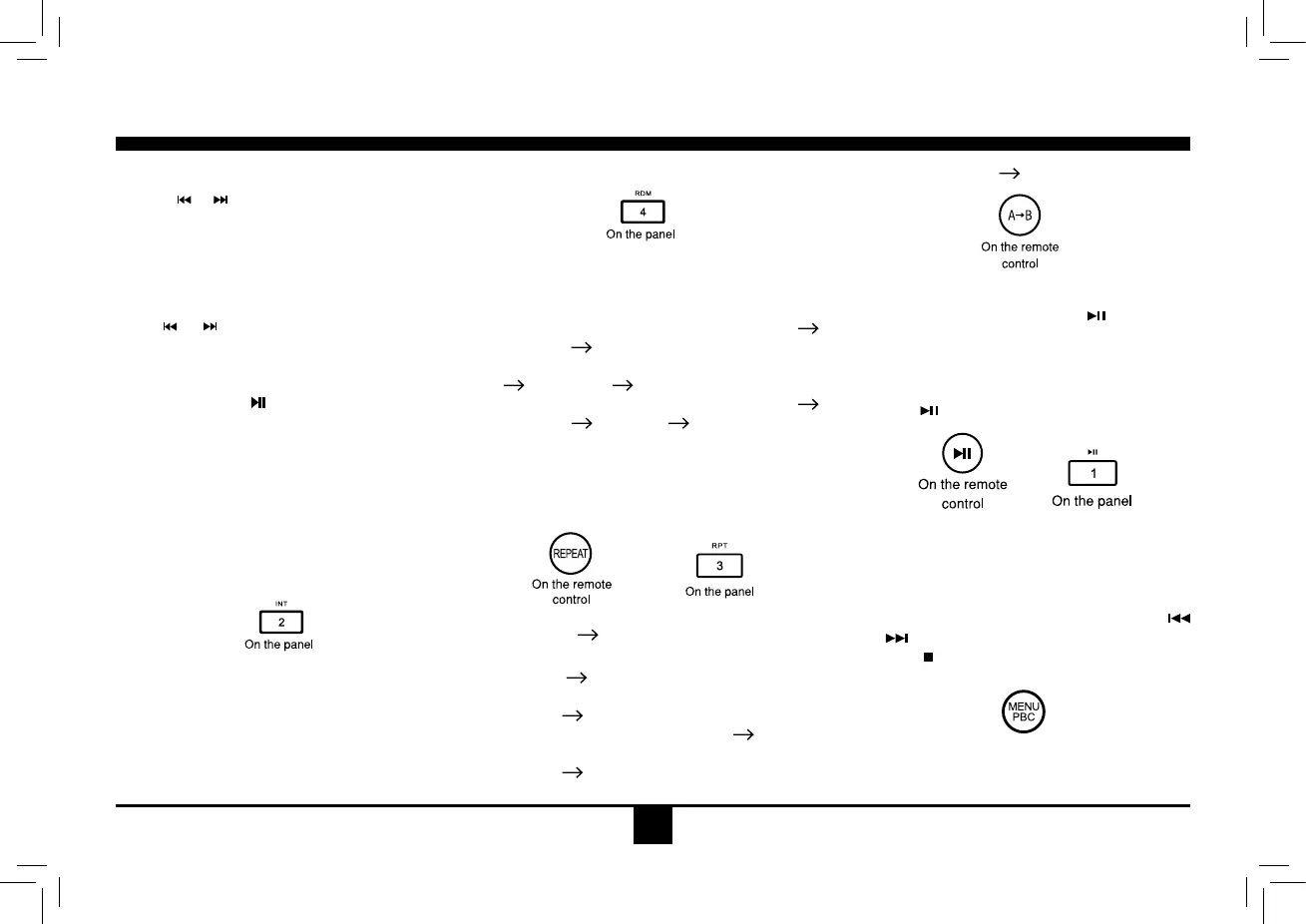
1.Duringplayback,pressINT once.
SCANON/OFFwillappearonthedisplay.
2. Press INT again to select the current track.
Random Rrack Playback (for CD/
VCD/MP3 Only)
You can play all the tracks in random order.
1.Duringplayback,pressRDM once or more.
-RDMiconwillappearonthedisplay.
2. Press RDM again to select normal playback.
Repeat
Duringplayback,pressREPEAT or RPT once
or more.
- RPTiconwillappearonthedisplay.
- ForVCD/CD:DisplayappearsRPTONE
RPT ALL
RPT OFF
- ForDVD:Display appears RPT CHAPTER
RPT TITLE RPT OFF
- ForFiledisc:DisplayappearsRPTONE
RPT DIR
RPT ALL RPT OFF
Note:If youdo not select RPTon, when the
entire disc orTITLE playback has finished,
thesystemwillstop.Ifnoothercontrol,after5
minutestheunitwillturnintostandbymode.
Repeat A
B
Select desired passage to repeat playback.
- Press A
B once to select starting point.
DisplayshowsREPEATA.
- Press A
B again to select ending point.
Dis pl ay s how s RE PEAT A
B , an d
selected passage start to replay.
- Press A
Bonceagaintoexit.
DisplayshowsA
BCANCEL.
Pause
- D u ri n g p l a yb a c k, p re s s to p au s e
playback.
- Thesoundwillbemuted.
- Display"PAUSE"intheTVscreen, display
and blink "PAUSE" on the panel display.
Press
again to continue playback.
PBC - Playback Control (for VCD only)
1.If you insert a VCD with PBC, playback
starts from the beginning of the 1st track
automatically.
2. Press MENU PBCto show menu,use
/ or digit button to select desired track.
Press
to return to power on logo. Press
MENU PBCagaintoexitmenu.
On the remote
control


 To Next Page