4
Remote Controls
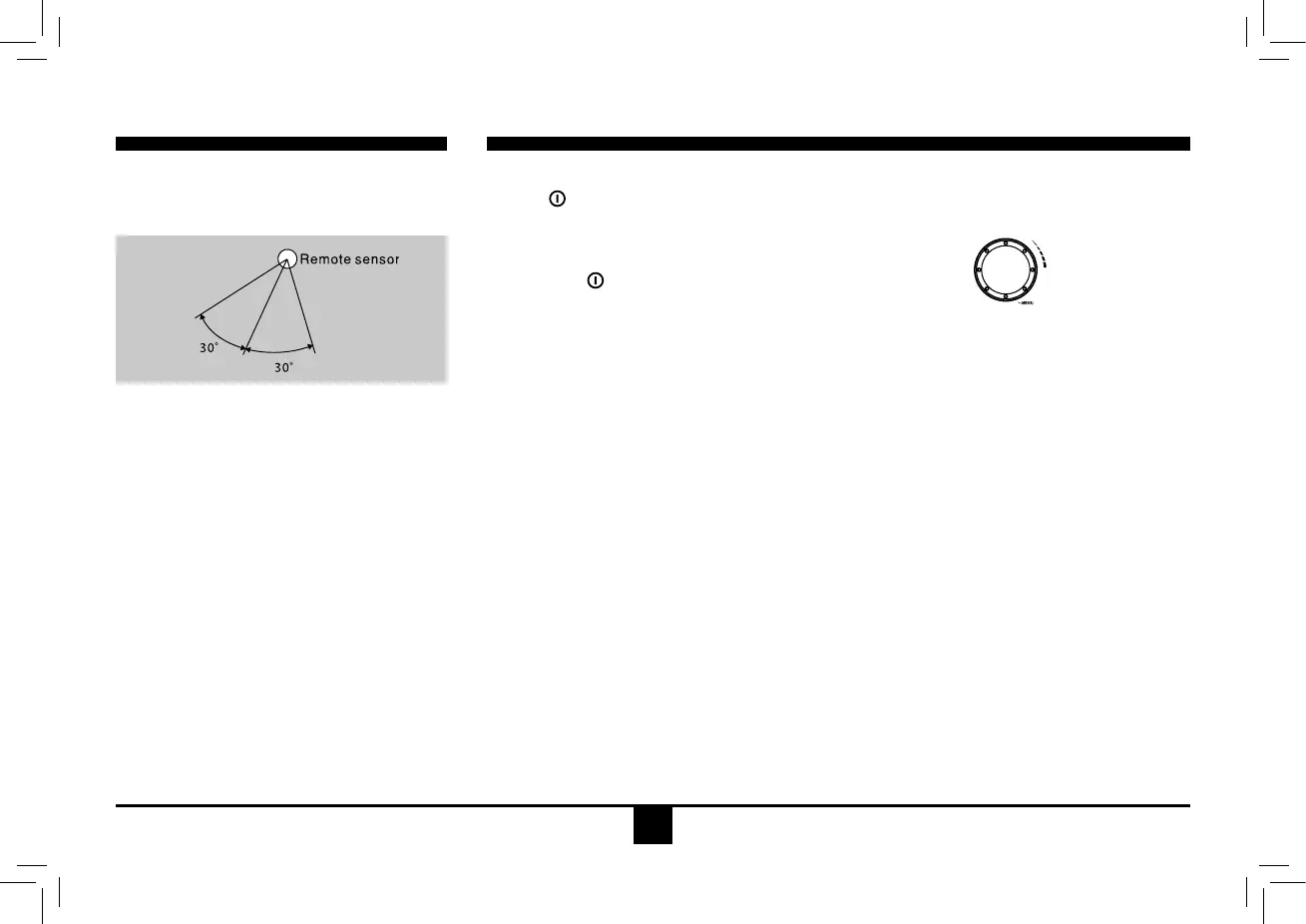
Remote control operating range
Theremotecontrolcanoperatewithina
distance of 3~5m.
Warning
• Store the battery where children cannot
reach. If achild accidentally swallows the
battery,consultadoctorimmediately.
• Donotrecharge,short,disassembleorheat
thebatteryordisposeitinare.
• Donot leave thebatterywithothermetallic
materials.Otherwise, thebattery maystart
togiveoffheat,crackorcatchre.
• Whenthrowingawayorsavingthebattery,
wrapitintapeandinsulate.
General Operation
Switching on and off
1. Press to turn on the unit.
2. Press SRC once or more to select your
desiredfunction:Aux(Aux-in),I-MODE,BT
MUSIC,Tuner(Radio),DISC,USB,CARD.
3. Long press againtopoweroff.
4.When you switch off the system or car
ignition,thesettings,tunerpresets andthe
volume level will be retained in the unit's
memory.
Clock Display
Press DISP on the panel or on the remote
controltodisplay clock time,andpressDISP
againtoexit.
Clock Setting
1. Press DISP more than 2 seconds, hour
displayblinks, then rotatethe knob to set
hour.
2. Press the VOLknobtoconrm,andminute
displayblinks,then rotatetheVOL knob to
set minute.
3. Press DISPagaintoexit.
Audio Setting
Press the VOL knob to selectaudio setting,
and rotate the knob to adjust.
- VOL
DisplayshowsthevolumelevelVOLandnum-
ber from 0 to 40.
- BAS
DisplayshowstheBASSlevel.
BASSrange:-7to+7.
- MID
DisplayshowstheMiddlelevel.
Middlerange:-7to+7.
- TRE
DisplayshowstheTREBLElevel.
TREBLErange:-7to+7.
- BAL
DisplayshowstheBALANCElevel.
BALANCE range: 12 L(full left) to12 R (full
right).
L=leftspeaker,R=rightspeaker.
- FAD
DisplayshowstheFADERlevel.
FADER range: 12 R (full rear) to 12 F (full
front).
R=rearspeaker,F=frontspeaker.


 To Next Page