59
Problem Possible cause Solution
Bluetooth
®
connection failed. Connection problems be-
tween the smartphone/tablet
and the app.
Switch o the main unit, close the
app, and deactivate and reacti-
vate Bluetooth
®
on your smart-
phone/tablet. Try to re-establish
the connection.
The device ID does not ap
-
pear under “Setting” in the
“ beurer Cardio Expert” app.
Data transfer problem on ini-
tial connection.
Switch o the main unit, close the
app, and deactivate and reacti-
vate Bluetooth
®
on your smart-
phone/tablet. Try to re-establish
the connection.
9. Maintenance and cleaning
•
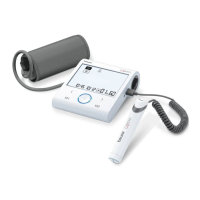
Clean the main unit, ECG stick and cu carefully using a slightly damp cloth only.
•
Do not use any corrosive cleaning agents or solvents.
•
If the electrode surfaces of the ECG stick are dirty, clean them with a cotton bud soaked in rub-
bing alcohol.
•
When you are not using the ECG stick, disconnect it from the main unit.
•
Under no circumstances should you hold the main unit, ECG stick or cu under water, as this can
cause liquid to enter and damage the device internally.
•
No heavy objects should be placed on top of the device when in storage. Remove the batteries.
The cu line should not be bent sharply.


 To Next Page