41
english
8. Parameter
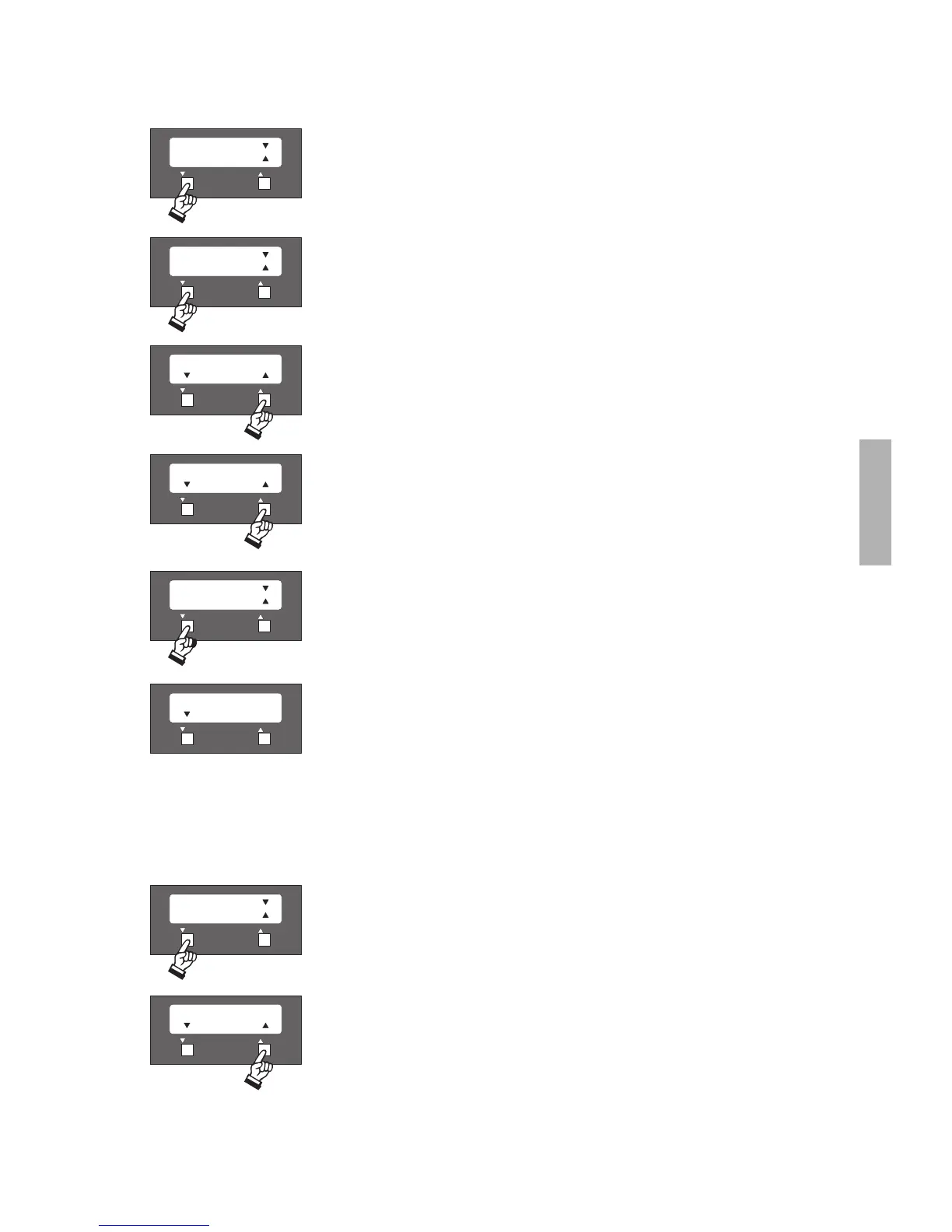
In this menu the parameters of input levels can be adjusted. Press the left button (4) to enter the
sub-menu.
Press the right button (5) to choose between:
- Microphone Line 1
- Microphone Line 2 (only with an extension for further 32 microphone units)
- Input
Pressing the left button (4) you will access the chosen menu item.
The present adjustment is shown in the top line. In this example the microphone line 1 is switched
on.
Press the right button (5) to adjust the level.
Use the left (4) or right button (5) to adjust the level.
Important:
The microphone line 2 is only connected when using the MCS 50/64 version.
When the two buttons are pressed simultaneously the adjusted value is saved and you will return to the main menu. If you want to
carry out more level adjustments follow the steps as described in the 8. Parameter.
9. Parameter
In this menu the overall volume of the loudspeakers in the microphone units can be adjusted. The
adjustment is done when all input levels have been matched to each other with the same volume.
The adjustment of the output level is done in 2 dB-steps.
Important:
The output level of the Audio Output (7) and Record (10) for external devices (e.g. external sound
reinforcement system) is not affected.












 To Next Page