Operation
10/14 beyerdynamic SPACE Personal Speakerphone
To delete a cascade
9 Check that both SPACE devices are connected.
► Briefly press the
button and the button
simultaneously on both SPACE devices.
The Bluetooth® connection between the two devices
(cascading) is deleted.
Multi-point operation
The beyerdynamic SPACE Personal Speakerphone can be
paired with severalBluetooth®-enabled devices.
In normal mode, up to eight devices can be paired.
In business mode, only one device can be paired.
Active connections are possible with up to two devices at
a time. However, playback of music and phone operation
is only possible with one device at a time. Phone opera-
tion has priority over playback of music, i.e. playback of
music is interrupted during phone calls.
Priority li when using the playback devices (PD):
PRI. Profile Playback devices (PD)
1 HFP (phone operation) PD 1 (device used fir)
2 HFP (phone operation) PD 2 (device used second)
3 A2DP
(playback of music)
PD 1 (device used fir)
4 A2DP
(playback of music)
PD 2 (device used second)
Setting up multi point:
1. Connect the Personal Speakerphone to the fir
device (see „Pairing with a device via Bluetooth®“ on
page9).
2. Deactivate the Bluetooth® connection on the fir
device.
3. Connect the Personal Speakerphone to the second
device (see „Pairing with a device via Bluetooth®“ on
page9).
4. Reactivate the Bluetooth® connection of the fir
device that automatically connects to the product.
Once both devices are paired with the Personal Speak-
erphone, the speakerphone connects to both devices
each time it is switched on.
Using multi point:
9 If you have connected the speakerphone with two
devices and have ju activated media playback:
► Briefly press the
button once to accept an
incoming call.
9 If you have connected the speakerphone to two
devices and have ju ended a call:
► Briefly press the
button once to a the media
playback that was la played.
Adjuing the volume
To increase/decrease the volume:
► In ages: Briefly press the
/ button.
► Continuously: Hold down the
/ button.
A signal tone sounds when the maximum/minimum
volume is reached.
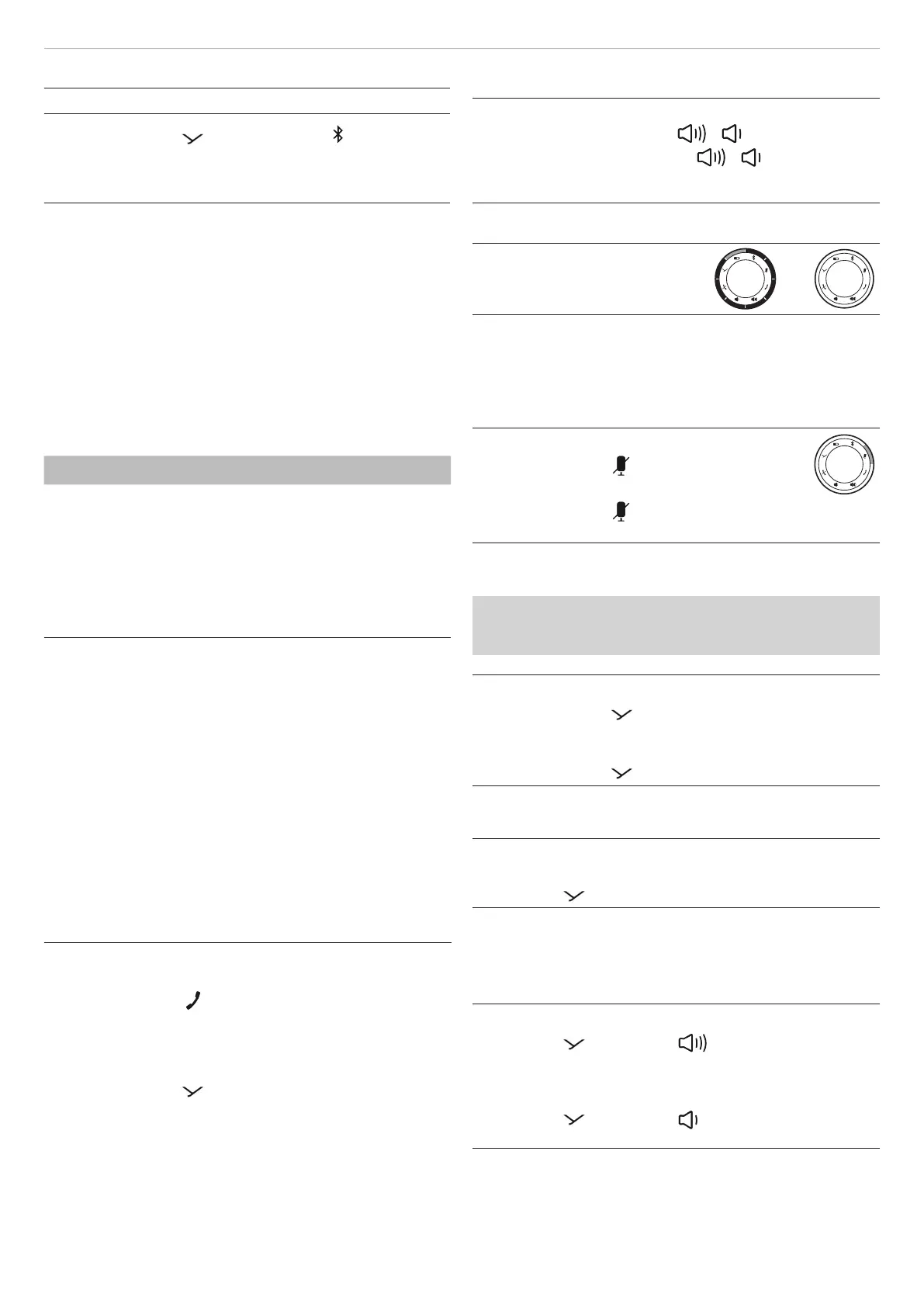
LED display for volume control:
White: zero*–full volume**
–
*) At a volume close to zero LEDs except one (lit 50%) are
o.
**) At full volume, all LEDs are on (ring illuminated white).
Using the mute function
To switch mute on/o:
► Briefly press the
button.
Icon is a steady red when mute.
► Briefly press the
button again.
Mute is cancelled.
Playing media
The functions described depend on the playback device
and playback device soware and may not be avail-
able.
To a / pause playback:
► Briefly press the
button once.
To play the next / previous track:
► Briefly press the
button twice / three times.
Calling up the personal assiant
To call up the personal assiant of your smaphone or
tablet:
► Press the
button for 1 to 3sec.
Using Sound-Activated Lighting Mode
When Sound-Activated Lighting Mode is activated, the
LED ring lights up in time with the audio signals.
To switch on the function:
► Press the
button and button simultaneously
for 1 to 3sec.
To switch o the function:
► Press the
button and button simultaneously
for 1 to 3sec.


 To Next Page
 Loading...