User Manual for USB Phone with LCD
- 11 - Version 2.0.0.2 2006-07-11
Update the USB Phone Driver
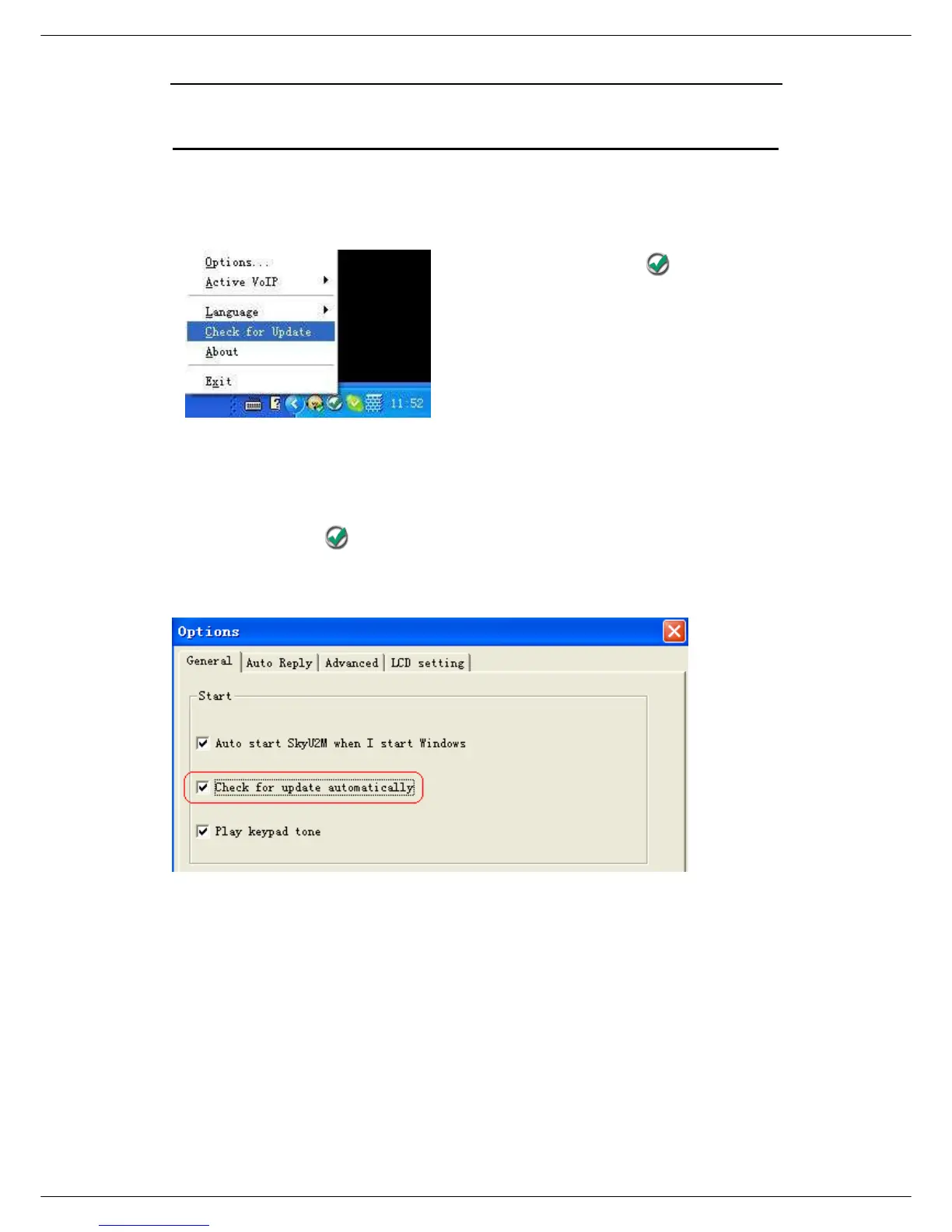
Please remember to update the USB phone driver regularly. You can follow this
guideline here:
Right click the icon and choose
“Check for Update”.
Or you can enable your driver to check for update automatically in the driver’s
panel as follows:
① Right click the icon , and choose “Options”.
② Go to “General” panel and choose “Check for update automatically”.



 To Next Page