EasyManua.ls Logo

BeyondTel USB Phone - Phone Layout

Default Icon
20 pages
Print Icon
To Next Page IconTo Next Page
To Previous Page IconTo Previous Page
Loading...
User Manual for USB Phone with LCD
- 4 - Version 2.0.0.2 2006-07-11
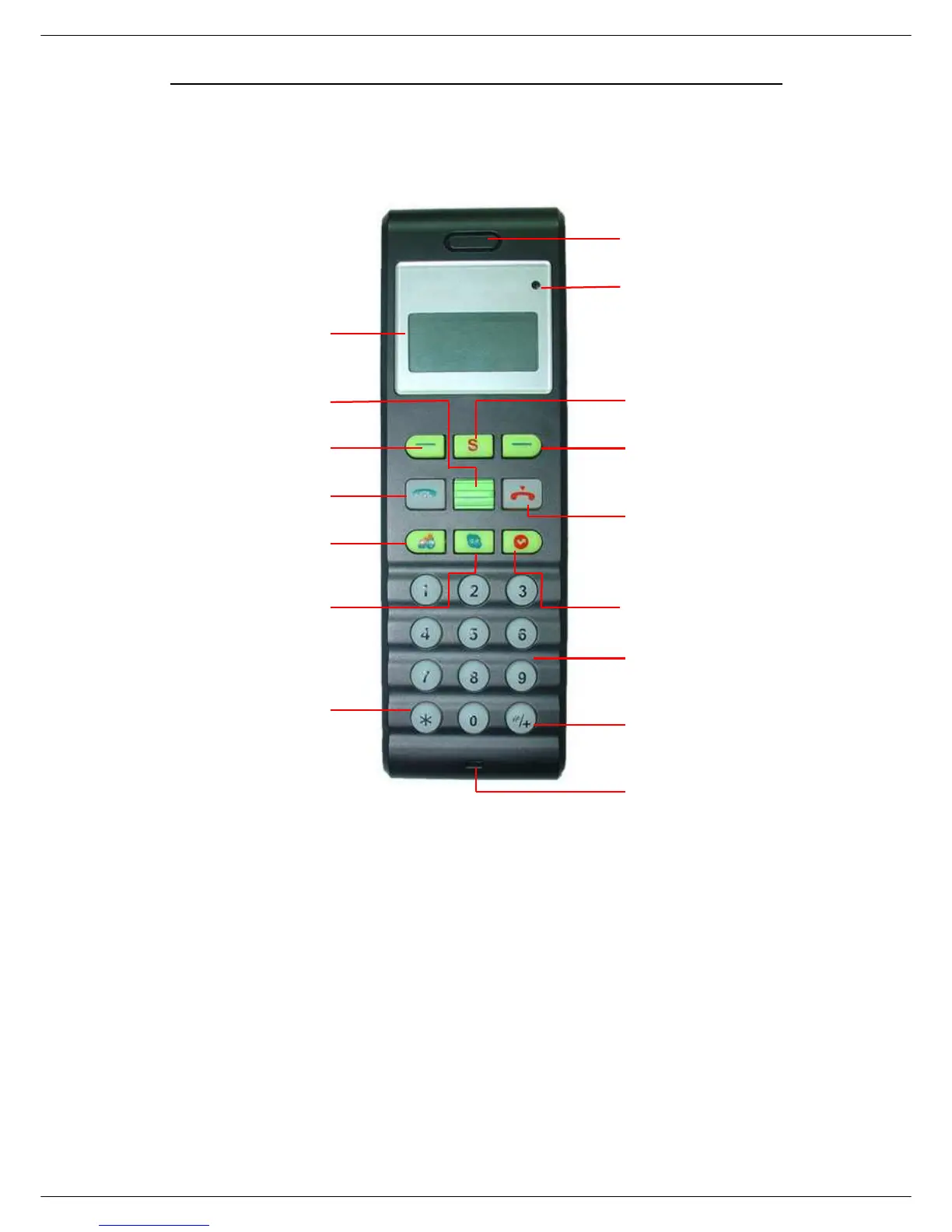
Phone Layout
Microphone
Speaker
LCD Screen
Right Function Key:
Choose the corresponding operations
or menus in the bottom-
right corner of
the LCD screen
End/Cancel Key:
standby mode
Voice Mail:
View the voice mail
* : Input “*” during a call
conference
:
make conference call
Answer/Call key:
Answer/ Make a VoIP
Left Function Key:
Choose the corresponding operationsor menus in
the bottom-right corner of the LCD screen.
Scroll Up/Down a list
S:
Switch to different Voip application in
standby mode.
Missed Call:
View &check the missed calls
Numbers
: I
nput digit numbers
#/+: Input “+”
in standby mode;
input “#” during a call
Status