User Manual for USB Phone with LCD
- 7 - Version 2.0.0.2 2006-07-11
Getting Started
Step 1: Install the Latest VoIP Applications
The latest version of Skype (Version 2.0 or above) is strongly recommended. You
can download it from Skype’s official website:
http://www.skype.com/download/skype/windows/
Other VoIP applications can be downloaded in the following websites:
VoipBuster http://www.voipbuster.com/en/download.html
VoipStunt http://www.voipstunt.com/en/download.html
VoipCheap http://www.voipcheap.co.uk/en/download.html
VoipDiscount http://www.voipdiscount.com/en/download.html
SparVoip http://www.sparvoip.de/de/download.html
Internetcalls http://www.internetcalls.com/en/download.html
NetAppel http://www.netappel.fr/fr/download.html
Step 2: Install the Latest SkyU2M Driver
You can insert the supplied installation CD into your PC or download the latest
version of SkyU2M driver from www.SkyU2M.com .
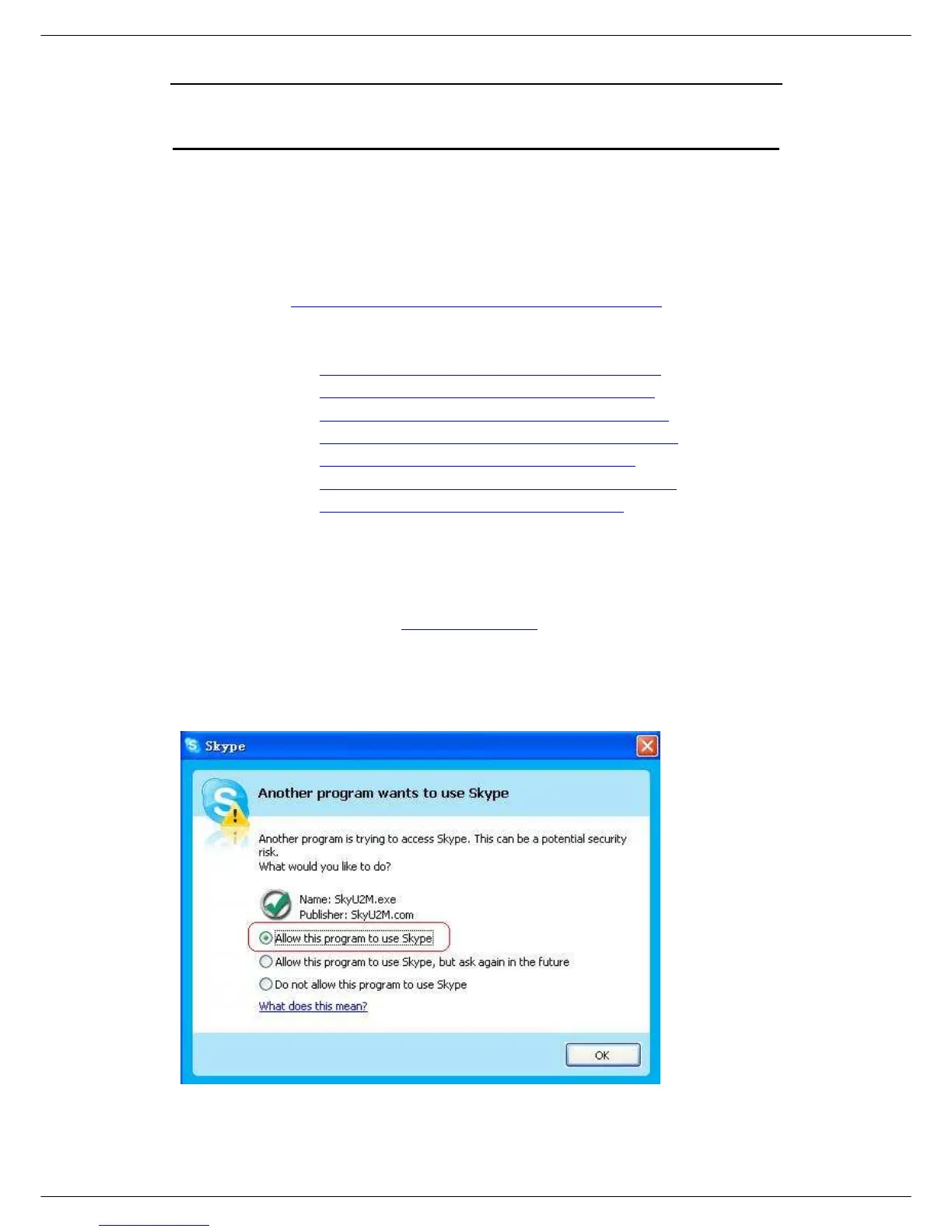
When the SkyU2M driver runs for the first time, Skype will pop up the following
window. Please select “Allow this program to use Skype” as the illustration shown
below:



 To Next Page