User Manual for USB Phone with LCD
- 9 - Version 2.0.0.2 2006-07-11
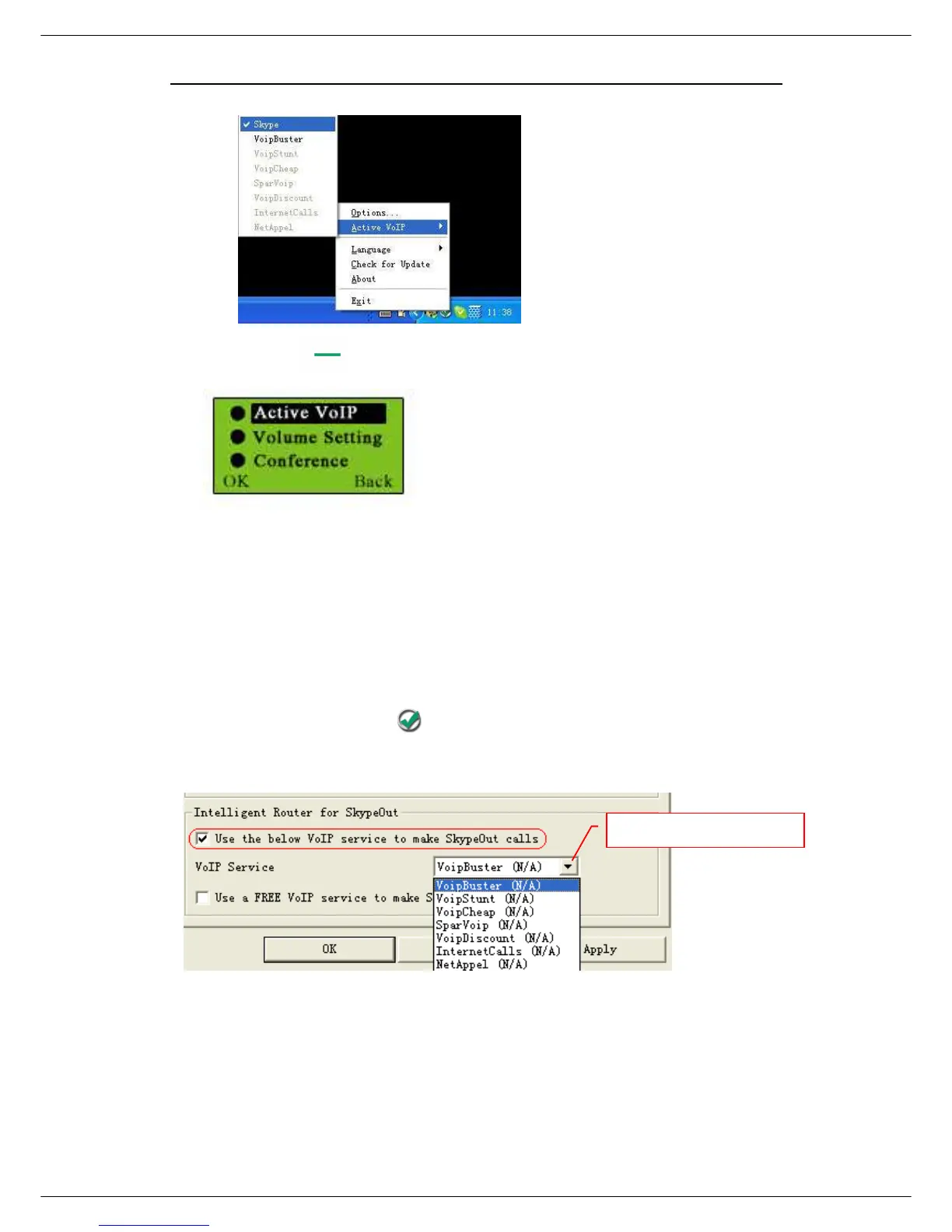
Or Press on standby mode and choose “Active VoIP” as below:
Step5: Set the Intelligent Router for SkypeOut
There are some other famous VoIP applications except Skype providing cheaper or
free VoipOut service for subscribers. The “Intelligent Router for SkypeOut” is
designed for you to enjoy this cheaper or free VoipOut services when you make a
SkypeOut calls. You can set the “Intelligent Router for SkypeOut” as follows:
Right click on the driver icon , choose “Options” and go to “VoIP Application”
panel.
Now whenever you make a SkypeOut call, the call will be routed to the selected
VoIP service automatically.
To make a free VoIP calls, you can click “Use a FREE VoIP service to make
SkypeOut calls”. If the free VoIP service is unavailable, the SkypeOut calls will be
Select a VoIP service



 To Next Page