User Manual for USB Phone with LCD
- 14 - Version 2.0.0.2 2006-07-11
Other Functions
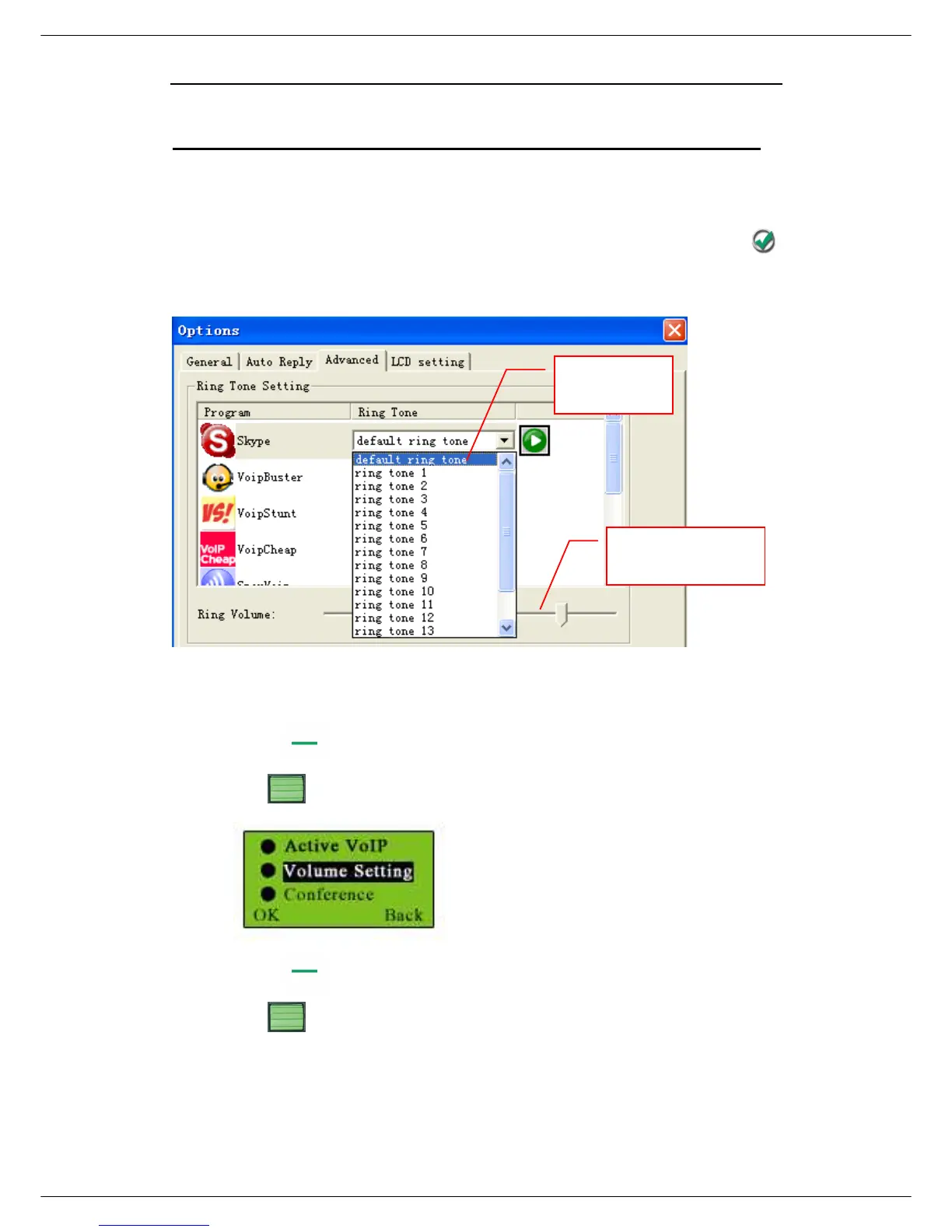
Select a Chord Music Ring Tone
To select your favorite chord music ring tone, please right click the tray icon ,
choose “Options” and go to “Advanced” panel.
Note:
Or you can adjust the volume for ring tone in this way:
Press
Use to select Volume Setting
Press (OK)
Use to increase or decrease the volume



 To Next Page