37
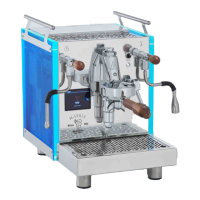
MOD.BEZZERA SOLE LUCE
6.2.4. Temperature/pressure conversion
table
Warnings:
The machine allows you to choose which unit of
measurement of temperature is displayed:
°C (degrees Centigrade).
°F (degrees Fahrenheit).
To set a value press the key (Fig. 14 pos. A) the
display will show PRG; press the key again (Fig. 14;
pos. A) the display will show UoM; press the key (Fig.
14; pos. C) to change the unit of measurement of
temperature using the keys (Fig. 14; pos. A/C).
°C
°F
80
176
85
185
90
194
95
203
100
212
bar 0.5 0.7 1.0 1.3 1.7
6.3 Preparation of coffee
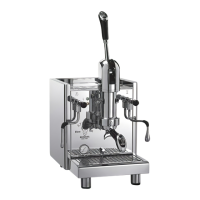
1) Remove the filter holder (Fig. 01; pos. 5; Fig.
03; pos. 5) from the dispensing group (Fig.
01; pos. 4; Fig. 03; pos. 4).
2) Load the filter-holder with ground coffee, press
the coffee taking care not to make the edge of
the filter-holder dirty.
3) Reattach the filter holder to the group (Fig. 01;
pos. 4; Fig. 03; pos. 4).
4) Place the cup under the coffee dispensing
spout.
5) Raise the coffee dispensing lever (Fig. 01; pos.
3; Fig. 03; pos. 3; Fig. 05) until the desired
amount of coffee is obtained.
6) Lower the coffee dispensing lever (Fig. 01;
pos. 3; Fig. 03; pos. 3; Fig. 05) to stop dis-
pensing.
NOTE: When dispensing coffee, the display
(PID version only) will show a stopwatch measur-
ing the duration of the dispensing process.
Warnings:
- Do not remove the filter-holder when the ap-
pliance is in operation; the dispensing group is
under pressure.
- Do not touch the metal part of the filter holder
directly as it is hot.
- The standard doses for the filters are 10 grams
for one dose and 20 grams for two doses.
6.4 Overpressure valve adjustment
(Luce only)
Fig. 15
Warning!
Remember to remove the valve fastening screw
(Fig. 15, Pos. A).
If the factory-set coffee dispensing pressure needs
to be changed, follow the steps below:
- Insert filter-holder with blind filter
- Activate group dispensing
- Use an Allen key to turn the screw (Fig.15, Pos. B).
Turning clockwise increases the pressure on the
gauge, turning counter-clockwise decreases the
pressure.
Once the desired pressure is reached, discontinue
dispensing and remove the filter-holder.
6.5 Pump adjustment (for Sole only)
Once the preferred water supply mode has been
chosen, it is possible to vary the working pressure,
bringing it back to 9 bar (0.9 MPa) calibrated in
the factory, by screwing or unscrewing the adjust-
ment fitting located in the lower part of the ma-
chine (Fig. 08, pos. C).
Do the following:
1) Insert the filter-holder with a blind filter (Fig.
10; pos. 19) into its slot.
2) Raise the coffee dispensing lever to its horizon-
tal position (Fig. 01, Pos. 3 and Fig. 03, Pos.
03), take note of the pressure shown on the
pressure gauge (Fig. 13, Pos. B) and turn the
coffee dispensing lever back to the vertical po-
sition.
3) Tighten the pump adjustment screw (Fig. 08,
pos. A) to increase the pressure or unscrew
to decrease it, performing no more than one
complete turn at a time.
Repeat steps 2 and 3 until returning the pressure
exerted by the pump during dispensing to 9 bar
(0.9 MPA) or in any case between 8 and 10 bar
(0.8 and 1.0 MPa).



 To Next Page