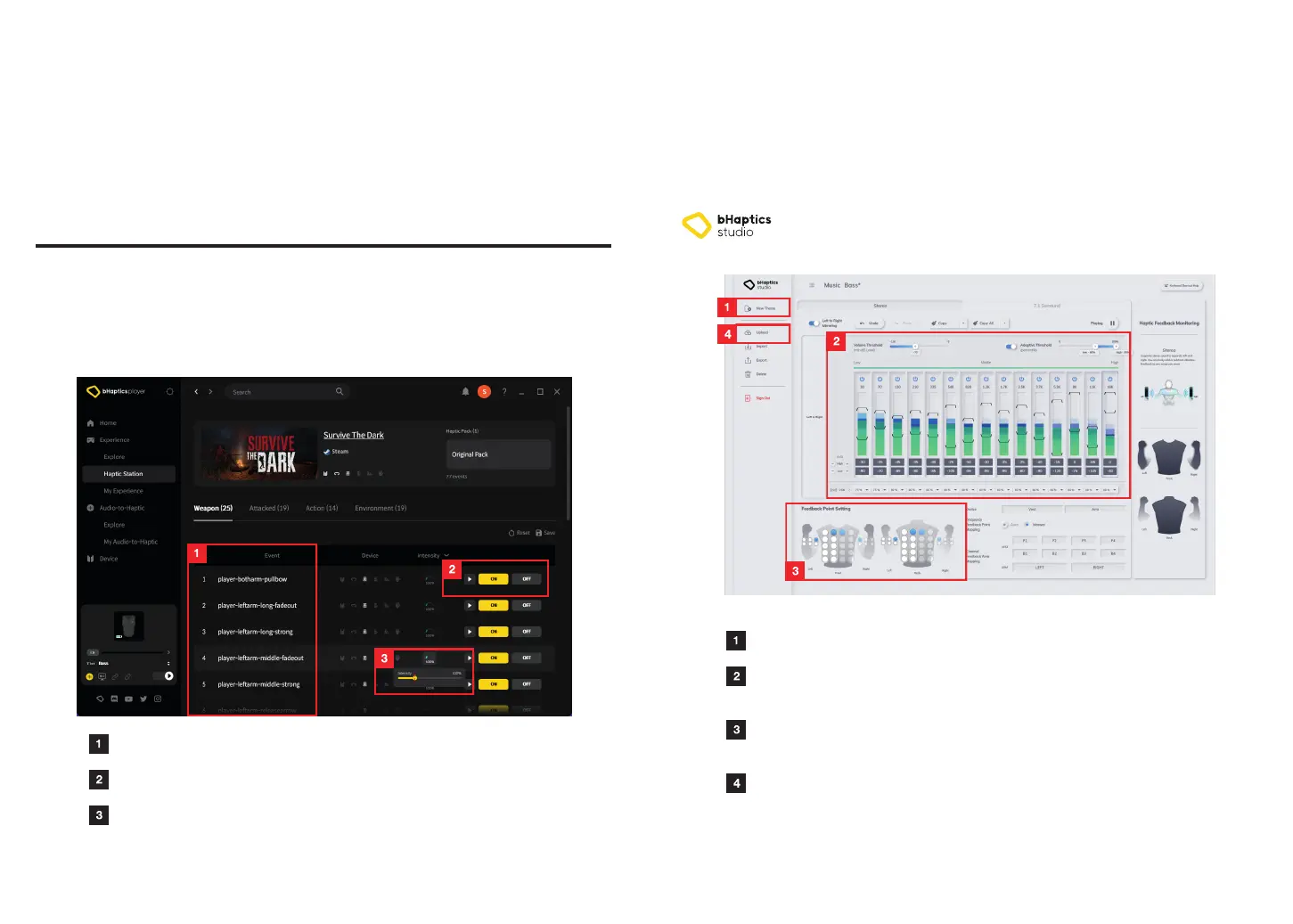
Event List List of in-game events that deliver haptic feedback
Event On/Off Enable or disable haptic feedback for each event
Feedback Intensity Adjust the intensity of haptic feedback for
each in-game event
04. Advanced Users
and Developers
Navigate to bHaptics Player > Experience > Haptic Station to personalize haptic feedback
for each game by enabling or disabling haptic feedback for each in-game event and
adjusting its intensity.
Customize Haptic Feedback (Natively Supported Games)
26
Advanced Users
27
Using bHaptics Studio, you can create or edit Audio-to-Haptic profiles for optimized AtH
experience.
You can share your personal AtH profiles with other users by uploading them to bHaptics
Player and download user-generated profiles from bHaptics Player > Audio-to-Haptic >
Explore.
https://studio.bhaptics.com
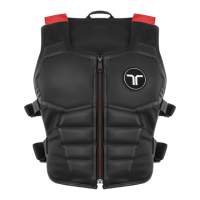
Create Audio-to-Haptic Profile
New Profile
Frequency Setting
Feedback Point Mapping
Upload to bHaptics Player
Create a new Audio-to-Haptic profile
Turn On/Off and set High/Low threshold for
each frequency band
Select the feedback points that will activate
when audio signals are inputted for each frequency
Upload the created profile to bHaptics Player
to share it with other users



 To Next Page