TIMER COMFORT CIRCLE
42
5.2 Setting the timer
1. Press the ? key for three seconds.
Note:
n The access to the timer menu may be limited through the
controller switch (see section
3.2.3).
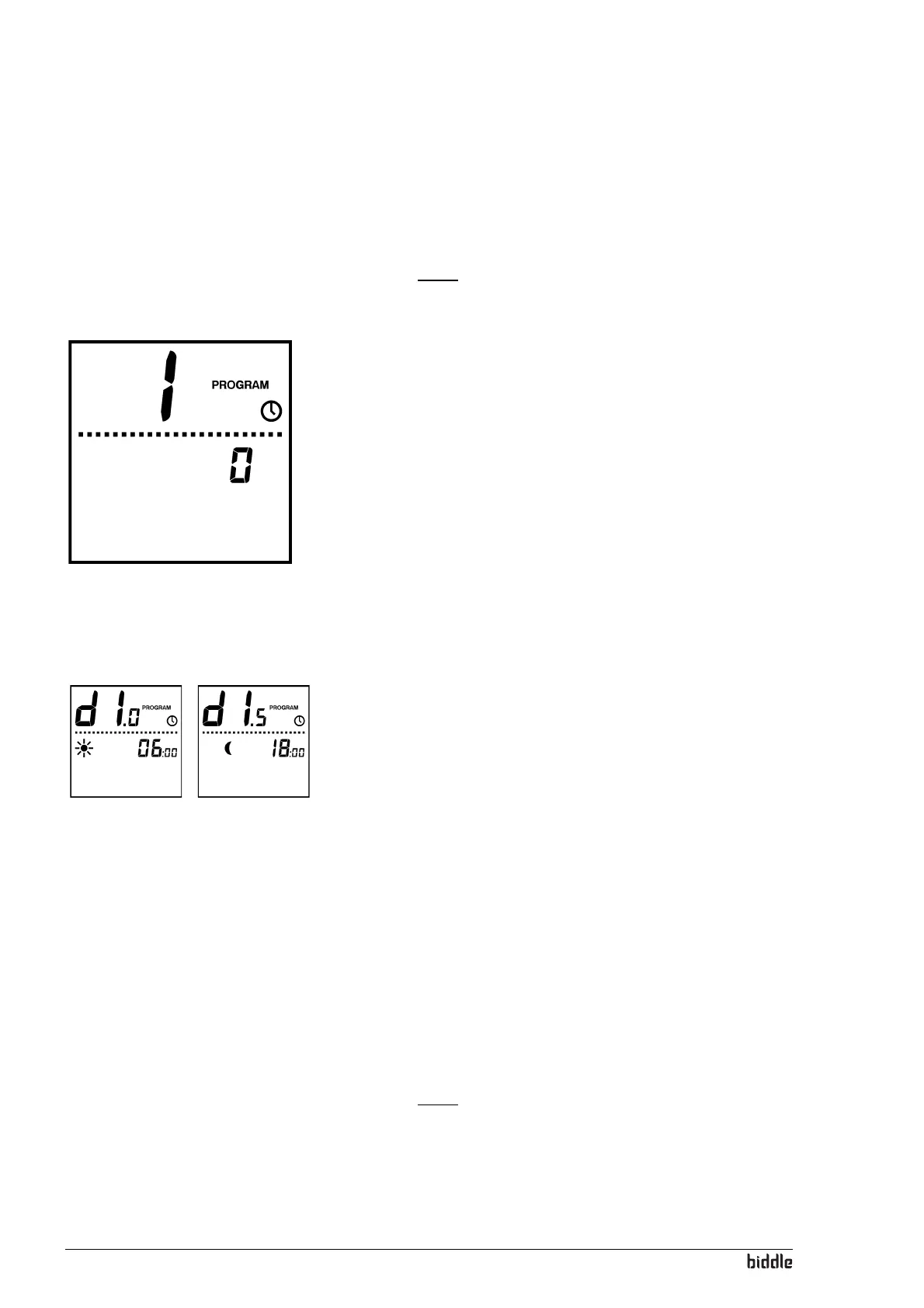
2. The display now shows a large 1. Now, using the + and -
keys, choose between:
- 0 = The unit can still be switched on and off using the
= key, independently of the timer;
- 1 = The unit can be switched on and off by the timer
only. In the latter case, the
= key does no longer
work. If this option is chosen for, the
@ symbol appears
in the display.
3. To go to the next setting, press the ? key. The display
now shows a large
2.
4. Now, using the + and - keys, choose between:
- 0 = use no timer or use an external timer;
- 1 = use the timer in the controller.
5. To go to the next setting, press the ? key. The control-
ler now displays d1.0 as well as the `- symbol. This is the
starting time on Monday.
6. Set the desired starting time using the + and - keys.
7. To go to the next setting, press the ? key. The control-
ler now displays d1.5 as well as the !- symbol. This is the
stopping time on Monday.
If the starting time and the stopping time are the same, the
unit will not switch on.
8. Set the desired stopping time using the + and - keys.
9. Repeat steps 5-7 for the other days (d2 through to d7).
10. By pressing the ? key for three seconds, the settings are
stored.
To exit the menu without storing the settings, briefly press
the
= key.
Note:
n If after setting the timer the @ symbol is blinking in the dis-
play, you still have to set the current time (section 5.1).



 To Next Page