SERVICE COMFORT CIRCLE
54
3. Remove the electronics module’s cover 1 .
4. Detach the connections of fan, condensate pump, angle
adjustment motor and temperature sensors from the PCB.
5. Detach the cables of fan, condensate pump and angle
adjustment motor from their guides.
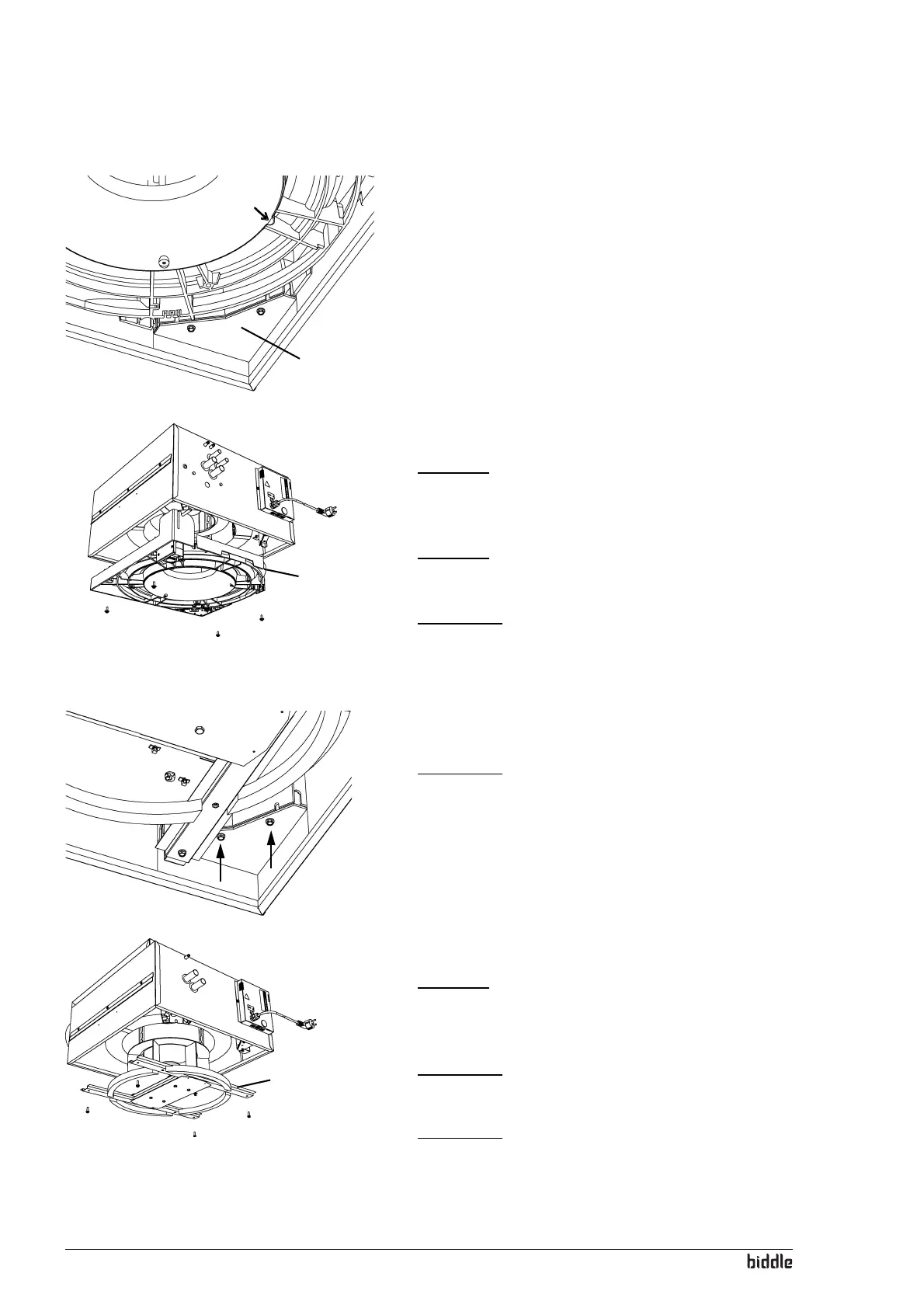
6. Remove the drip tray 2 using screws 3.
Caution:
c The drip tray comes completely loose when you remove
the screws. Ensure it does not fall down.
Caution:
c The drip tray may still contain some water.
Warning:
w The heat exchanger can be hot.
8.4.2 Ventilation units
1. Switch the unit off using the controller.
Warning:
w Disconnect the power supply (pull plug from socket
or move isolation switch to Off).
2. Remove the main cover (see section 8.5).
3. Remove the electronics module’s cover 1.
4. Detach the fan connection to the PCB.
5. Remove the fan frame 2 using screws 3.
Caution:
c The fan frame comes completely loose when you remove
the screws. Ensure it does not fall down.
Warning:
w The fan frame is heavy.
Warning:
w The heat exchanger can be hot.
1
3
3
3
3
2
1
2
3
3
3
3



 To Next Page