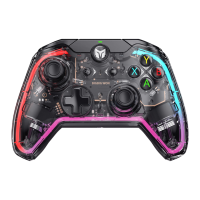
When the joystick drifts severely, cannot be pushed to the maximum value, you can try to calibrate the joystick as
follows:
1. Press and hold View+Menu at the same time for 3 seconds, the left and right light bands will be in orange breathing
mode at the same time, which represents entering calibration mode.
2. Push the joystick to the limit and turn it in a circle at an even speed, repeat 3-5 times.
3. Finally, press the View and Menu at the same time, the left and right light bands will double flash and then go out,
which means the calibration is completed.
JOYSTICK CALIBRATION
When the handle appears gyroscope drift, you can try to calibrate the gyroscope, the operation is as follows.
1. Place the joystick on a horizontal desktop and press Menu+Screenshot at the same time, the left and right light
bands will enter purple breathing mode at the same time, which means that it enters the calibration mode.
2. Wait a few moments for the left and right light bands to turn purple and blink twice to indicate that calibration is
complete.
GYROSCOPE CALIBRATION
You can adjust the volume of the PC by pressing FN + ↑ / ↓.
VOLUME ADJUSTMENT


 To Next Page