4.3 Function introduction
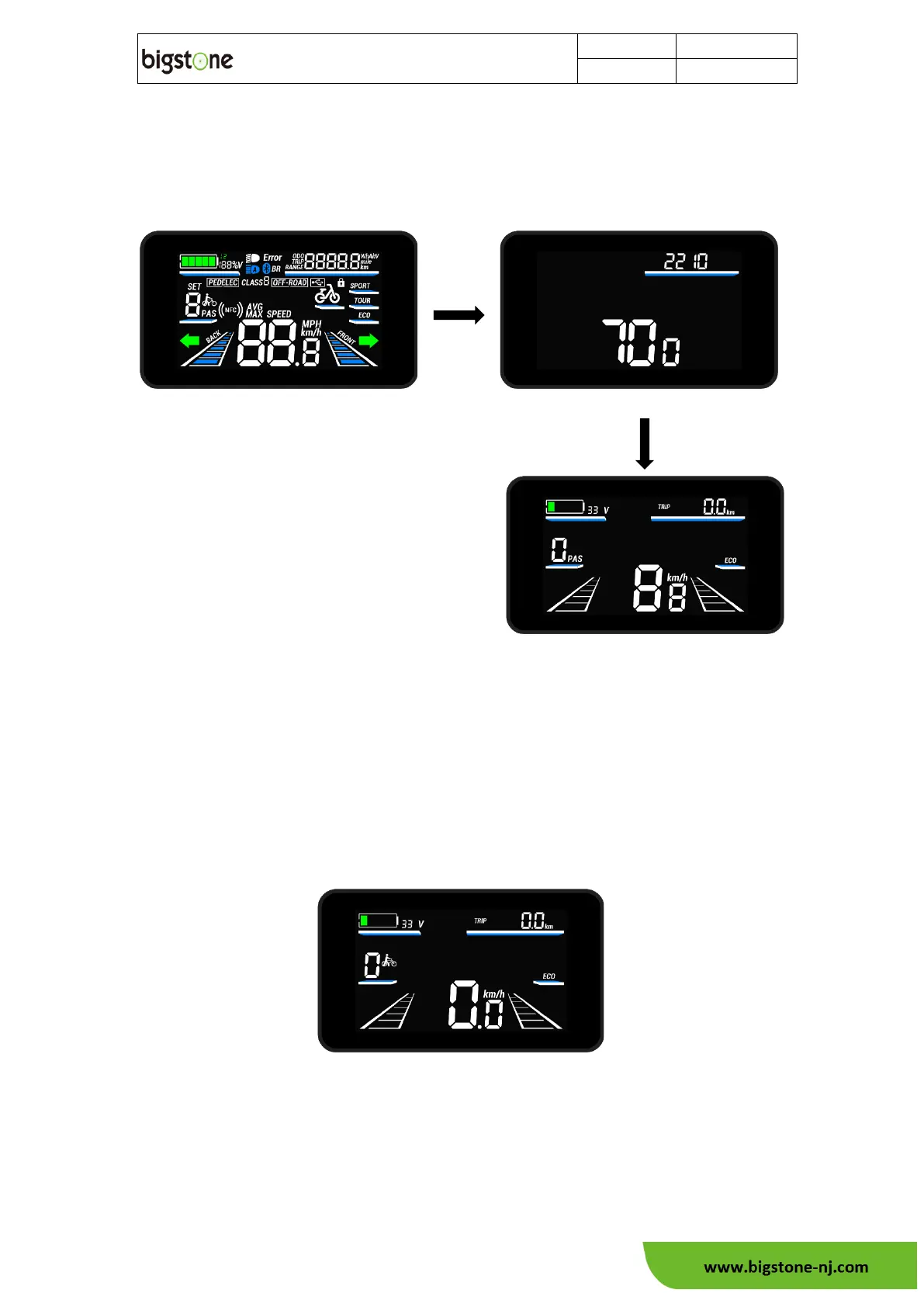
Startup and basic function
When power on, the all content of screen is displayed, and after switch to the
wheel diameter screen, then enters the basic function display screen.
Walk-assistant function
In the basic function display, when the assistant level is not 0, hold “-” button to
startup walk-assistant function. The screen display as follows:
Error code display
After receiving the error information returned from the controller, the screen will
display the error code at the screen. The error code is displayed in numerical format.
Refer to "9. error information".
Full display



 To Next Page