14.
ENGLISH
RUN/STOP STATE
Press the START button to START the timer.
This is the RUN state.
Press the START button to STOP the timer.
This is the STOP state.
Hold the RESET button to return to the
RESET state.
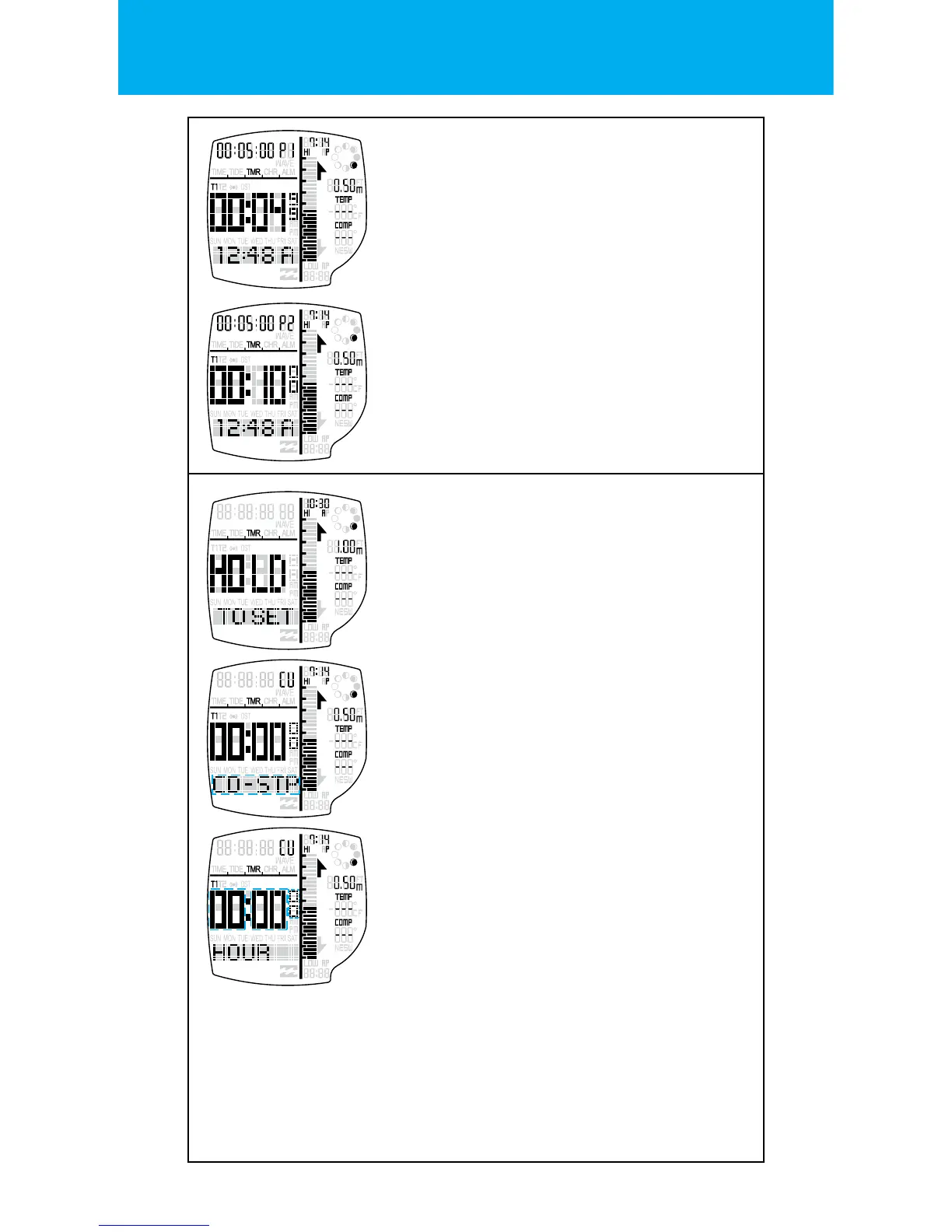
SETTING STATE FOR CUSTOMER TIMER
When in the CUSTOM timer setting.
Hold LIGHT button to enter the SETTING STATE.
One second after the depression of the button,
the HOLD TO SET banner will display.
HOUR / MINUTE / SECOND
Press the START button to increment & the
RESET buttons to decrement the hour setting.
Press the MODE button to go to the next
setting.
Press the START button to increment & the
RESET buttons to decrement the minute setting.
Press the MODE button to go to the
next setting.
Press the START button to increment & the
RESET buttons to decrement the second setting.
(Hold the buttons for 2 seconds to speed up the
increment or decrement)
Exit the setting state by pressing the
LIGHT button.
TIMER TYPE
Press the START button & the RESET buttons to
change the timer type setting.
Timer types: - CD-STOP (Countdown Stop)
- CD-UP (Countdown Up)
- CD-REPEAT (Countdown Repeat)
Press the MODE button to go to the
next setting.
NEXT TIMER
When in the RESET state, press the RESET
button.
This will load the next preset timer.
P1 = 5 minutes
P2 = 10 minutes
P3 = 15 minutes
P4 = 20 minutes
P5 = 30 minutes
P6 = 40 minutes
P7 = 60 minutes
CU = Custom


 To Next Page