6.
ENGLISH
SETTING THE TIME/DAY/DATE:
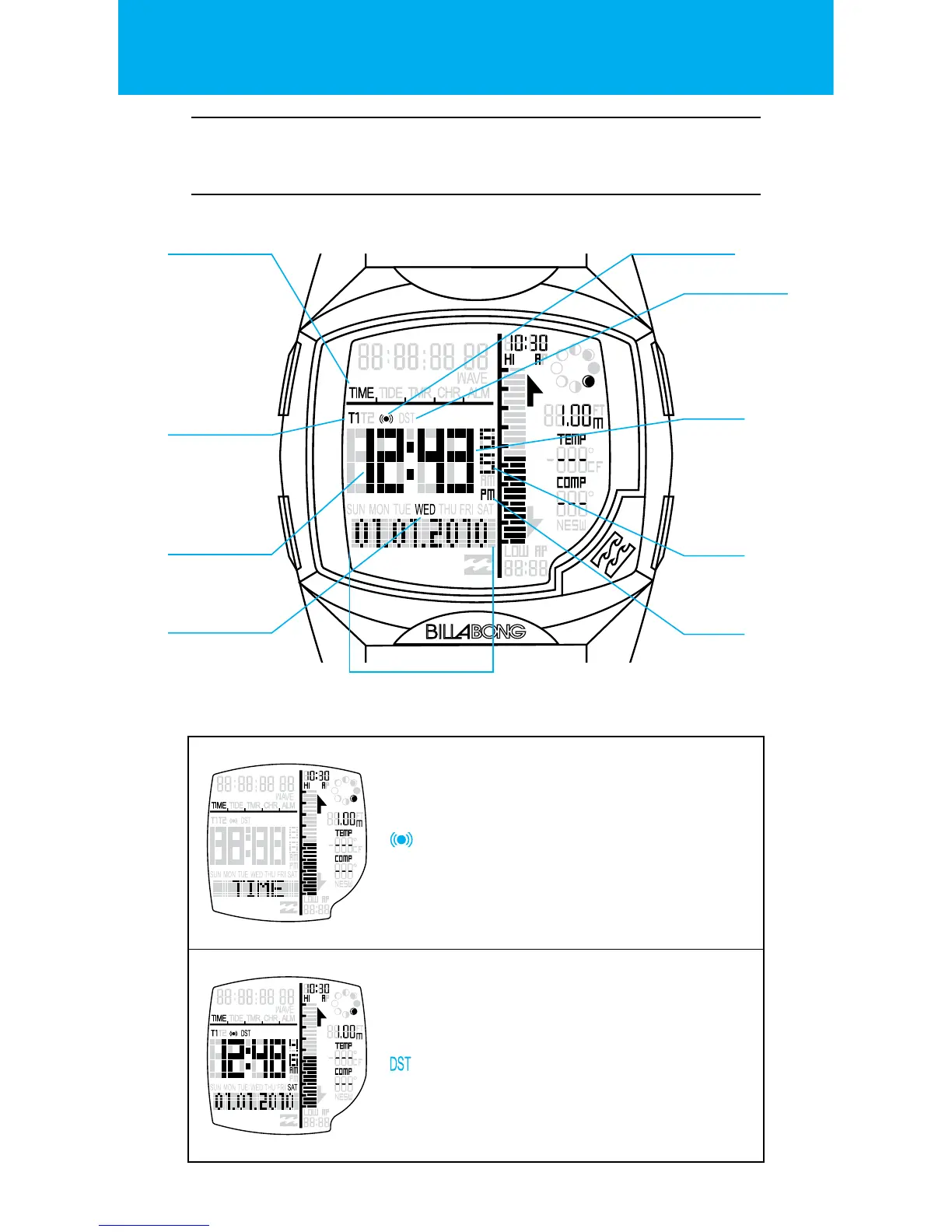
BANNER STATE
Banner will time out after 3 seconds.
The KEY TONE and HOURLY CHIME setting
can be toggled on/o by pressing the
RESET button.
MAIN STATE
The display shows current time, Hour,
Minutes, Seconds, and the current Day, Date,
Month and Year.
DAYLIGHT SAVINGS TIME
Hold the RESET button to toggle the DST
setting on/o. The CONFIRMATION tone will
chime when the new time has been set.
Time of Day
application icon
Hourly chime & key tone
setting indicator
Time zone T1/T2
indicator
Minutes
DST ON indicator
Hour Seconds
Day of the Week
MM.DD.YYYY or
DD.MM.YYYY
AM/PM


 To Next Page