17
Note: Please wait at least 3 minutes to refresh the web page and log in again.
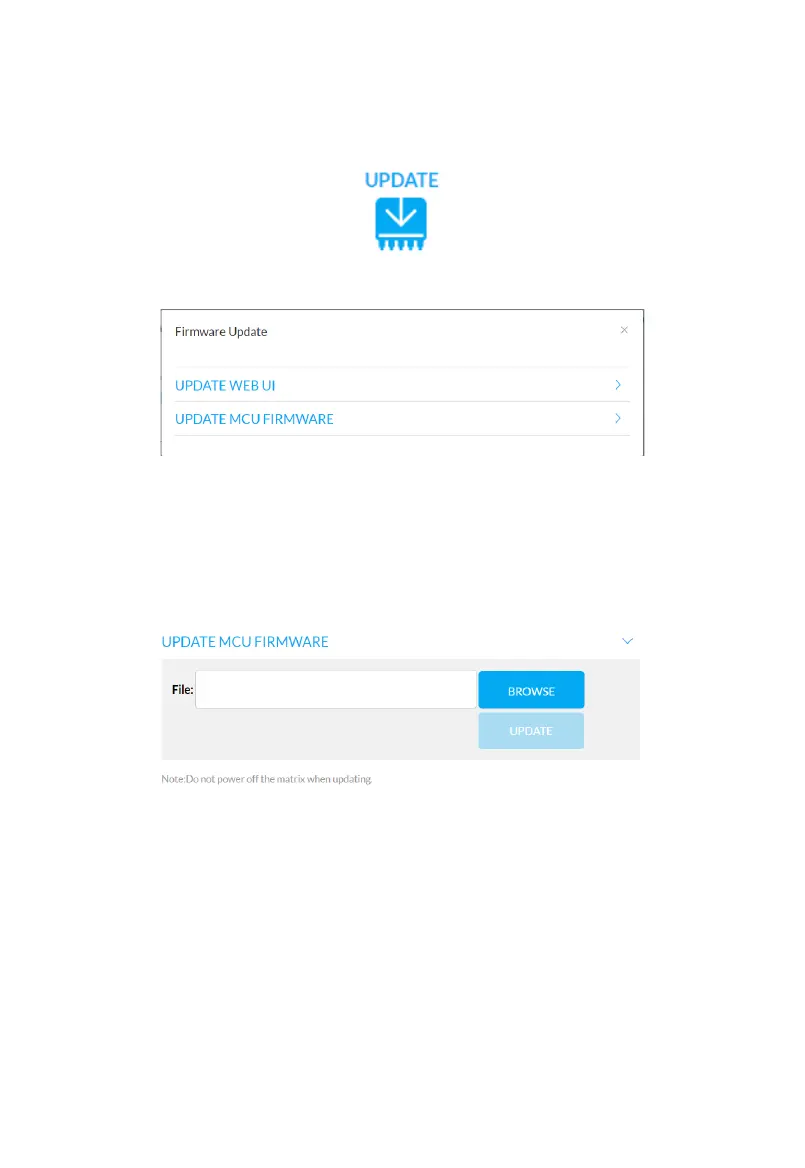
Aer clicking the Update Icon the following window will appear.
Note: When both the MCU and Web UI are being updated the MCU must be updated
before the Web UI. This is due to Web UIs requiring specic rmware is installed.
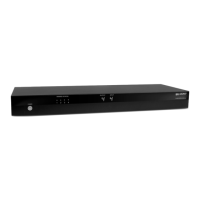
MCU Firmware Update:
Click “BROWSE” to select the update bin le, then click “UPDATE” to upgrade the web UI.
Example Filename: MX0404-1018-S00-McuUpdate-20200313.tar.gz
Note: Filename shown here is for example purposes only.
Note: Do not power o the device when upgrading.



 To Next Page