03
Helpline No. UK/Northern Ireland
Web Support
http://www.binatoneonline.com/
08453459677
0818762092
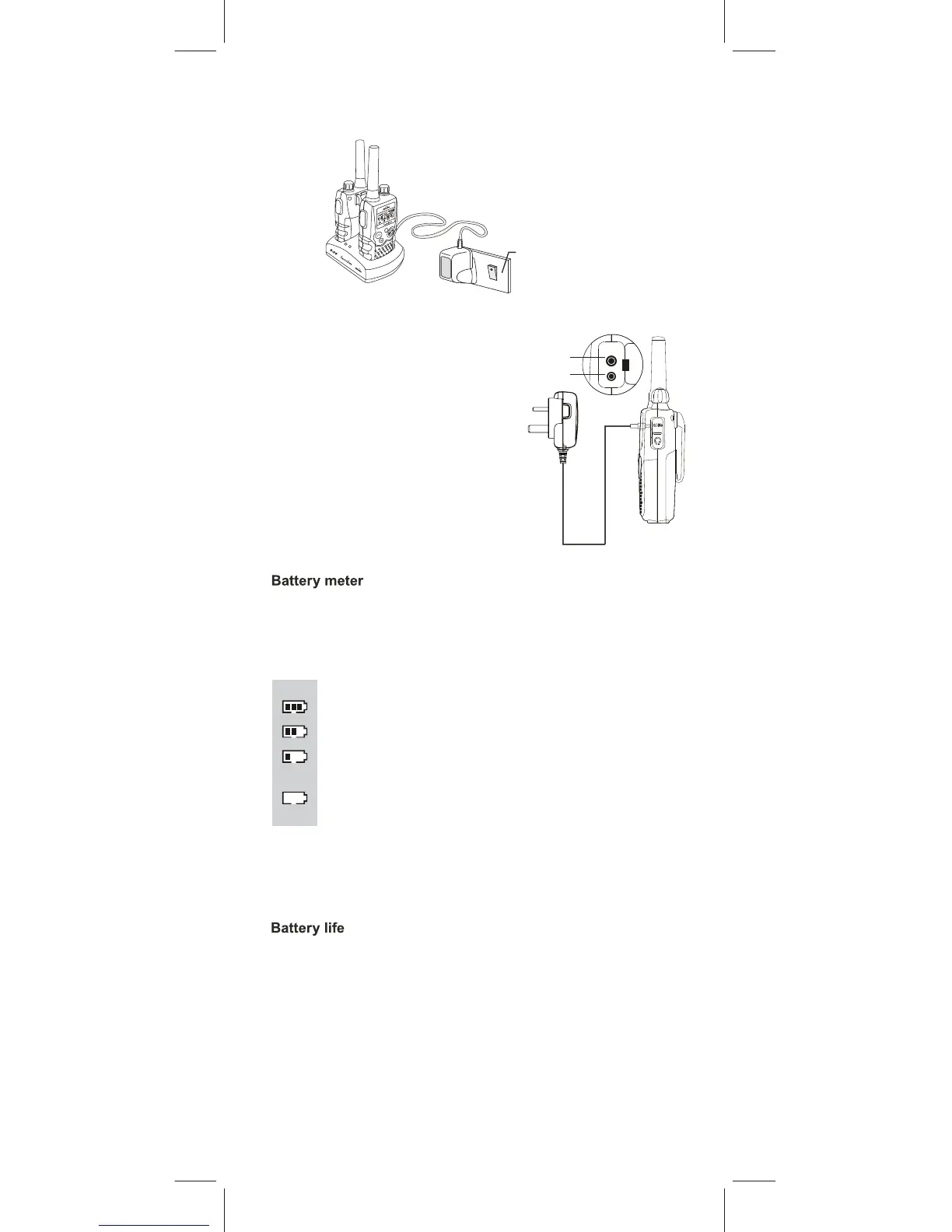
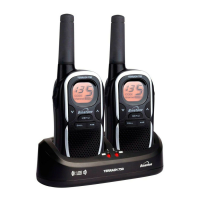
d. Place the Action 1000 units in the charge cradle in an upright position.
The Charge LED indicators will light up.
completely run down. New batteries take up to 14 hours to fully
charge.
Important:
Always turn off the PMR units
when charging. This will
shorten the charging time.
Mains socket
Then switch ON the mains socket.
The Action 1000 can detect the battery charge in 4 levels;
Battery charge at high level.
Battery charge at medium level.
Battery charge at low level. At this level, the Action 1000 will
Important: Charge the unit for 10-14 hours.
Binatone Help Line - 0845 345 9677
e. It takes about 10 hours to fully charge the batteries if they are
Charge jack
Headset jack
Plug the mains adaptor into a
240V AC, 50Hz main
socket with the switch on the
socket set
to OFF.
Use only
the power supply
supplied with the Action 1000.
CAUTION : Risk of explosion if the battery is replaced
by an incorrect type. Dispose of used batteries according
to the instructions.
The Action 1000 has a built in power save function to make the
batteries last longer. But when you are not using the units,
turn them OFF to conserve battery power.
Insert the round connector of
the 9.0V DC/300mA adaptor
into the charge jack.
c
ll
a
OR: Charging the batteries directly (using the adaptor)
Lift the charge socket cover located on the right
side of the handset.
The battery meter is located in the left lower corner of the LCD
Screen. It looks like a battery with three bars inside. These indicat
the amount of power available. When the battery level reaches its
minimum level in PMR on mode, the unit will emit two beep tone
and automatically power off.
emit a “beep” sound every 10 seconds in normal mode.
Important: Charge the unit
for 10-14 hours.
Battery
charge
at
very
low level. When the battery
level reach
e
s its minimum level
during
on mode, the unit
will
emit two "beep's" and automatically turn off the
power.



 To Next Page