WR3000N 300M Wireless N Router
- 22 -
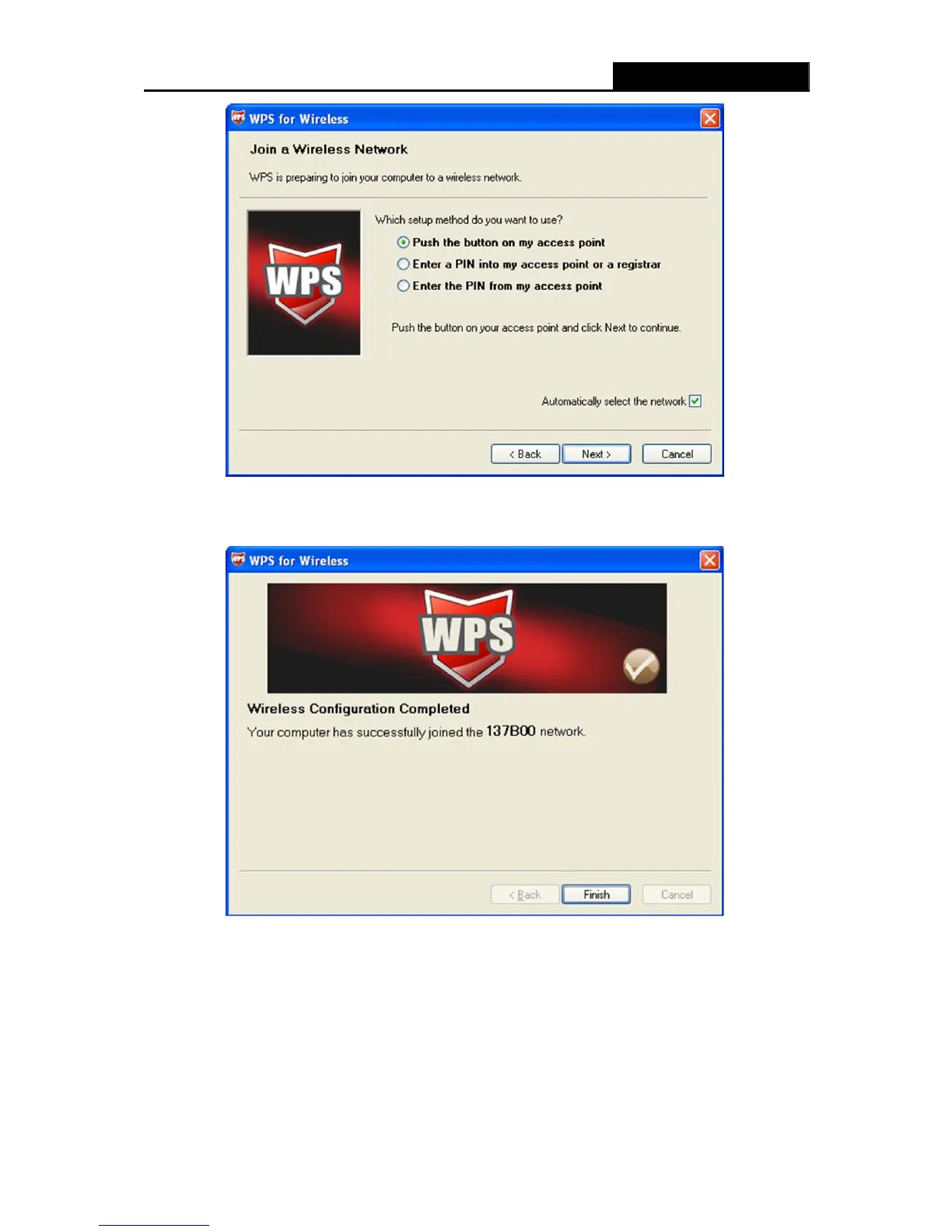
The WPS Configuration Screen of Wireless Adapter
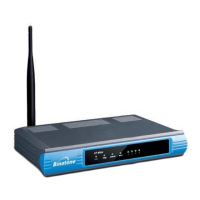
Step 4: Wait for a while until the next screen appears. Click Finish to complete the WPS
configuration.
The WPS Configuration Screen of Wireless Adapter
II. By PIN
If the new device supports Wi-Fi Protected Setup and the PIN method, you can add it to the
network by PIN with the following two methods.
Method One: Enter the PIN into my Router
Step 1: Keep the default WPS Status as Enabled and click the Add device button in Figure 4-2,
then the following screen will appear.


 To Next Page