FED (E2) 02/2015 page 19/60
6.3.1 Switching between Continuous operation and Timer operation
Press the time management button .
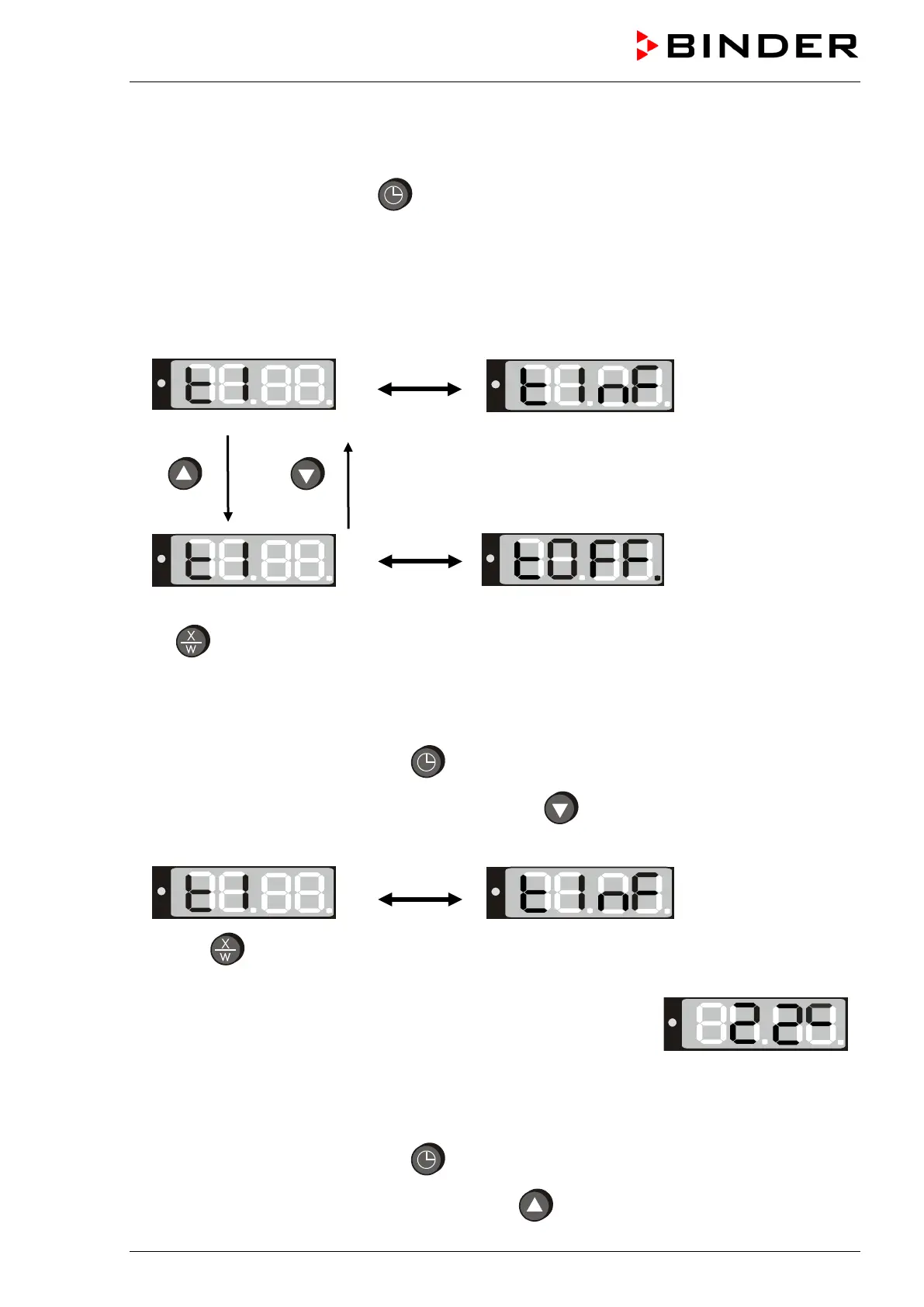
The controller displays the actual time function. In time function “Continuous operation”, “t1” and “t inf” are
displayed alternately. In time function “Timer operation”, “t1” is displayed alternately with the running-
down time or “tOff”.
If in time function “Timer operation” the Timer is just running off (“t1”displayed alternately with the
running-down time) the timer must at first be set to Zero (chap. 6.3.3). Now “t1” is displayed alternately
with “tOff”, and the controller can be changed to time function “Continuous operation”.
Continuous operation
2 seconds
2 seconds
Timer operation
Timer not programmed or run-down
Press
button to return to normal display / actual value display (automatically after approx. 30 sec).
6.3.2 Continuous operation
1. Press the time management button .The timer indicates its current time function.
2. If necessary, switch to Continuous operation by button .
The display shows alternately “t1” and the time function “Continuous operation” “t inf”:
3. Press
button to return to normal display (actual value display) (automatically after approx. 30
seconds).
The actual temperature value (example: 22 °C) is displayed:
Now the controller operates with the entered set-points (chap. 6.1) in continuous operation. The heating
is permanently active, independent of the timer setting.
To cancel Continuous operation, proceed accordingly:
1. Press the time management button
.
2. Switch to Timer operation by pressing down button for 2 seconds (chap. 6.3.1).



 To Next Page