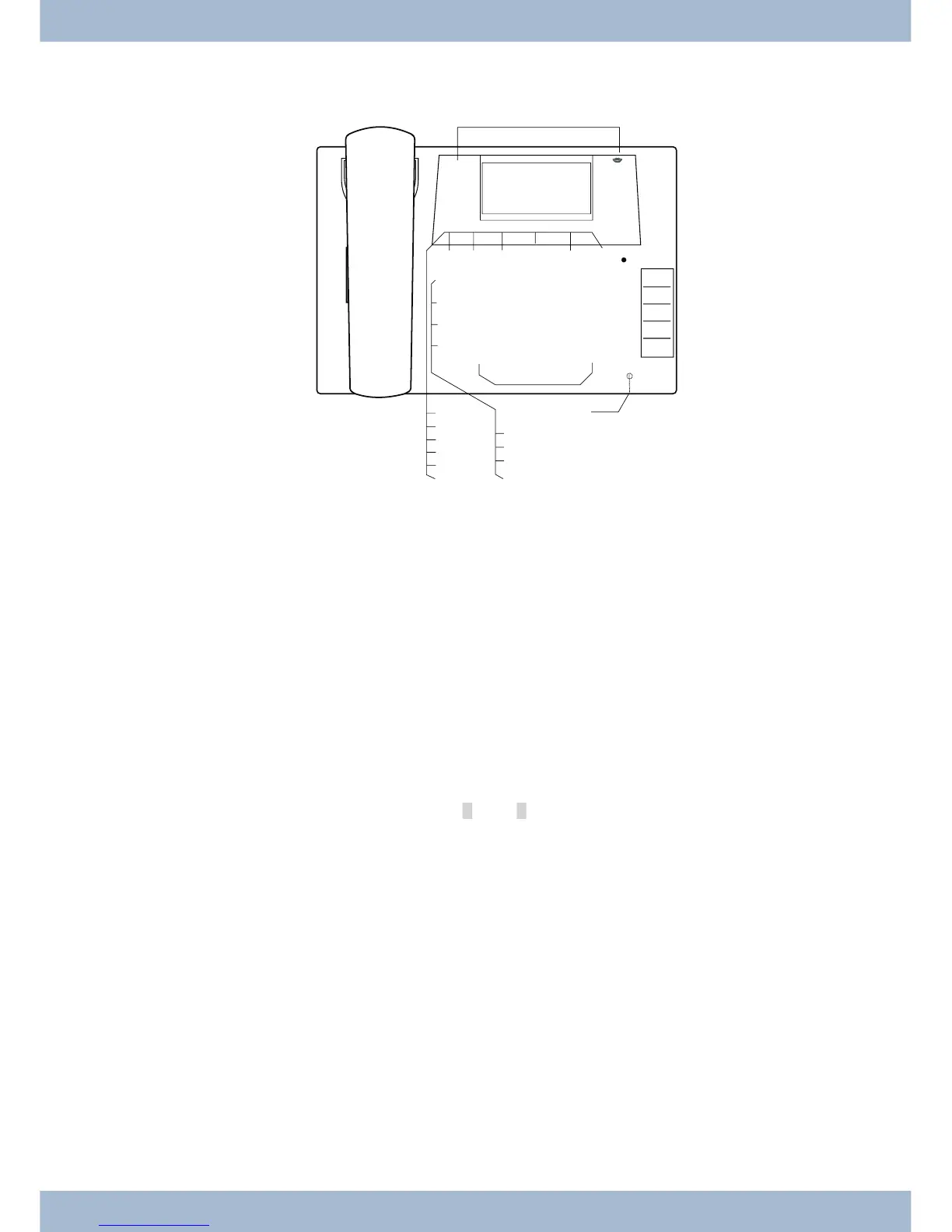
Te le pho ne user in ter fa ce
1
Loud spea ker
2
Re cei ver with con nec tor cord
3
The PABX menu is cal led for CS400xt.
4
6 soft keys
5
7-line dis play with bac kground lighting
6
Menu key: Open the pro gram ming menu by pres sing this key. If you are al rea dy in a menu and press
this key, the functions avai la ble in this menu will be dis play ed or you will be ta ken back one pro gram -
ming step.
7
ESC key: By pres sing the ESC key (Es ca pe key), the sys tem te le pho ne is once again at rest du ring pro -
gram ming.
80
Right/left ar row keys: The ar rows »{« and »}« in the right-hand cor ner of the top line of the dis play
show you that you can ac cess ot her functions in the bot tom line by using the ar row keys.
9
OK key: Pres sing this but ton con firms an en try and sto res a set ting in the sys tem te le pho ne.
ß
C-key: You can go back one menu step by pres sing this key in any menu. If you are in in put mode, you
can de le te in di vi du al cha rac ters using this key.
°
Star key / hash key.
§
Di al ling keys.
$
Loud spea ker / hands free key.
%
Dis con nect key.
&
Re di al key.
/
Hold for en qui ry key.
(
Mi cro pho ne.
Te le pho ne user in ter fa ce
1



 To Next Page