EasyManua.ls Logo

BIO-MICROBICS MicroFAST 0.5 - User Manual

Default Icon
30 pages
Print Icon
To Next Page IconTo Next Page
Loading...
r
MicroFAST
®
0.5, 0.625, 0.75, 0.9, 1.5, 3.0
HighStrengthFAST
®
1.0, 1.5, 3.0
NitriFAST
®
0.5, 0.625, 0.75, 0.9, 1.5, 3.0
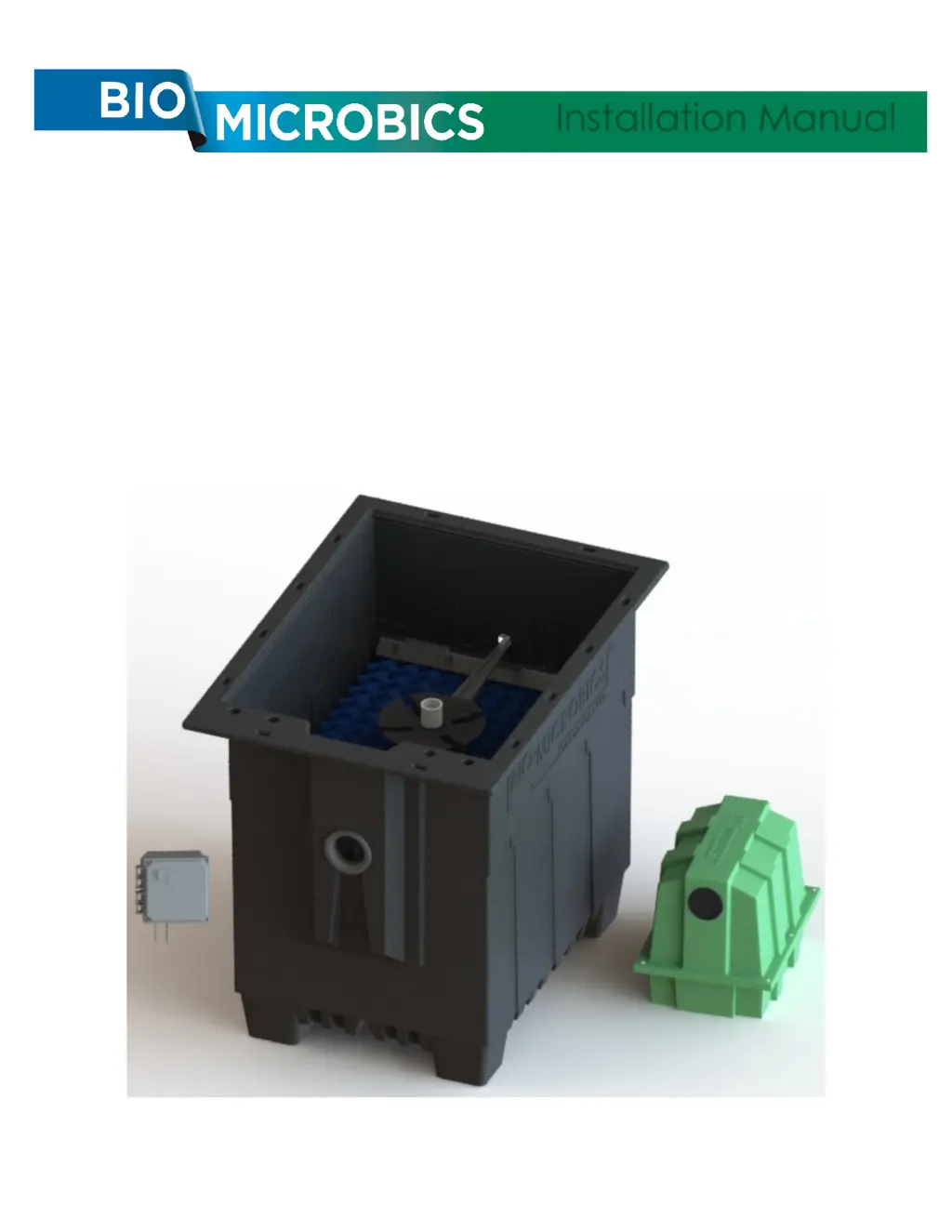
Installation Manual
For use with:
Installation Manual
FASTIM-001 REV. 30 JUN 2022

Other manuals for BIO-MICROBICS MicroFAST 0.5

Questions and Answers

  • S
    shannonsmithAug 3, 2025
    What to do if the alarm is activated in my BIO-MICROBICS MicroFAST 0.5 Water System?
    • B
      browndavidAug 3, 2025
      If the alarm is activated (sounding) in your BIO-MICROBICS Water System, it could be due to several reasons. One possible cause is a tripped breaker. In this case, try turning the blower switch ON. If the breaker trips after a few seconds (2-3), an electrician needs to check the blower wiring. If the breaker trips immediately, an electrician must investigate. Finally, the blower itself might be seized, requiring you to replace the blower and call your service provider.
  • T
    thomas83Aug 7, 2025
    Why does my BIO-MICROBICS MicroFAST 0.5 Water System smell like rotten eggs?
    • B
      brentdicksonAug 7, 2025
      If your BIO-MICROBICS Water System is emitting a rotten egg smell, several factors could be responsible. It could be a mechanical failure or an air line break, in that case check if the blower is running. Another cause might be improper splash in the reaction chamber, indicating a broken air line. Also, consider these potential solutions: * Decrease settling tank volume, which can be achieved with a pumping system. * Relocate the vent to a location where prevailing winds will catch the odor. * Place a carbon filter on the end of the vent pipe, ensuring it creates less than 0.1 psi of back pressure. * Create a bio-filter vent by placing a well-perforated vent line in a trench with shredded bark mulch; contact your local installer for assistance.
  • Z
    Zachary PerezAug 11, 2025
    What to do if waste is backing up from the BIO-MICROBICS MicroFAST 0.5 Water System tank?
    • K
      Katherine WhiteAug 11, 2025
      If waste is backing up from the tank of your BIO-MICROBICS Water System, it could be due to a blockage in the pipe network. Check all piping for blockages, including interior tank piping and effluent piping. Alternatively, there may be a mechanical failure of the ancillary pumping system, in which case you should have a qualified person check the pumping system for mechanical and/or electrical failures. It's also possible that the pump's level controls are improperly set, have failed, or the pump is delivering too much volume per dose; have your service provider check/adjust the equipment.
  • U
    umitchellAug 15, 2025
    How to reduce blower noise in BIO-MICROBICS MicroFAST 0.5?
    • R
      Rebecca StevensAug 15, 2025
      If the blower in your BIO-MICROBICS Water System is noisy, several factors could be contributing. Vibration between the blower and housing may be the cause; try tightening the mounting screws or placing rubber washers between the blower and housing. The blower bearings might also be failing, in which case you can replace the blower now or wait for it to seize up. Other solutions include supplementing the blower housing with sound-reducing measures (contact your service provider) or relocating the blower up to 100 ft away from the unit.
  • R
    robertschristopherAug 19, 2025
    Why is the effluent from my BIO-MICROBICS Water System dirty?
    • J
      Jesus ShannonAug 19, 2025
      If the effluent from your BIO-MICROBICS Water System is dirty, it could be due to a toxic substance in the system; check for even growth in the reaction chamber. It may also be caused by many solids detected in the effluent, requiring a pump out. Refer to 'Bio-Solids Levels' under 'Maintenance Checklist' section.
  • S
    shelly14Aug 25, 2025
    What causes a BIO-MICROBICS MicroFAST 0.5 blower to run backwards?
    • T
      Timothy WashingtonAug 25, 2025
      If the blower in your BIO-MICROBICS Water System is running backwards, it's likely due to incorrect installation. If it's a 3-Phase system, switch any two 'hot legs' at the panel or blower AFTER turning OFF the power. For a Single-Phase system, switch the two wires.
  • E
    Erin SmithAug 28, 2025
    What to do if there is water in the BIO-MICROBICS MicroFAST 0.5 Water System blower/housing?
    • K
      Kathleen WongAug 28, 2025
      If there is water in the blower or housing of your BIO-MICROBICS Water System, it could be due to water entry. Move the blower above the flood level from outside. Alternatively, the blower may be siphoning; in this case, move the blower to a location higher than the FAST® system.

Summary

GENERAL INFORMATION

ABOUT FAST

Explanation of the FAST® (Fixed Activated Sludge Treatment) system and its process.

GENERAL NOTES

General System Description

Overview of the complete treatment system and contractor responsibilities.

Media Description

Details on the FAST® media composition and installation properties.

Remote Mounted Blower Requirements

Guidelines for placing and connecting the remote blower unit.

Electrical Requirements

Specifications for electrical source location and wiring compliance.

Control Panel Features

Description of the control panel's alarm system and timed control.

Installation and Operating Instructions Reference

Guidance on following written installation and operating instructions.

MAJOR COMPONENTS

Blower and Components Overview

Diagram and labels for blower assembly parts like housing, nipples, filter.

Liner Module Overview

Diagram and labels for the liner module, including recycle trough and air lift.

Control Panel Overview

Image and label for the control panel unit.

Optional Feet and Lid Components

Diagrams and labels for optional feet and lid installation parts.

SYSTEM LAYOUT

Foot Option Layout Diagram

Schematic showing system layout with the foot option installed.

Lid Option Layout Diagram

Schematic showing system layout with the lid option installed.

SITE LOCATION GUIDELINES

Tank Placement Considerations

Guidelines for locating the FAST® system regarding burial depth and load.

Slope and Back Pressure

Requirements for influent/effluent slope and avoiding blower back pressure.

Confined Space and Wastewater Hazards

Safety warnings regarding confined spaces and contact with wastewater.

NON-SUPPLIED TOOLS AND MATERIALS

Required Installation Tools and Materials

List of tools and materials not supplied with the system for installation.

FAST SUB-ASSEMBLY DETAILS

Sub-assembly Specifications Table

Table detailing dimensions, weight, and feet count for different FAST® models.

Lid Installation Method

Description of how the liner is mounted through the lid of a concrete tank.

Foot Installation Method

Description of how PVC pipe connects foot pieces secured to the tank bottom.

MODULE INSTALLATION PROCEDURES

Lid Installation Steps

Step-by-step instructions for installing the FAST® module with a lid.

Foot Installation Steps

Step-by-step instructions for installing the FAST® module with feet.

OUTLET INSTALLATION

Inserting Liner Assembly into Tank

Guidance on inserting the liner assembly for lid and foot mount types.

Effluent Line Installation

Instructions for inserting the effluent line and ensuring a water-tight seal.

COMPONENT INSTALLATION

Securing Blower Air Supply Line

Instructions for installing the 2" PVC air supply pipe to the airlift.

Airline Sizing Chart

Chart specifying PVC pipe size and rating for different FAST® models.

VENTING OPTIONS AND REQUIREMENTS

Direct Vent Configuration

How to use the observation port as a direct vent with a cap.

Observation;Vent Port Installation

Method for installing a vent pipe through the lid's gasket.

Remote Vent Configuration

How to branch vent pipe from observation port to a remote location.

Vent Sizing Table

Table showing minimum vent diameter and opening area by FAST® model.

BLOWER INSTALLATION

Mounting the Blower and Housing

Instructions on mounting the blower and housing on a pad above flood levels.

Connecting Blower Fittings and Airline

Steps for connecting blower fittings and the air supply line.

Connecting Incoming Power

Guidance on connecting power to the blower junction box per wiring diagrams.

BLOWER WIRING DIAGRAMS

Fuji, FPZ, Gast, Mapro Wiring

Wiring diagrams for Fuji, FPZ, Gast, and Mapro blowers (110V/220V).

FPZ 1 & 3 Phase Wiring

Wiring diagrams for FPZ blowers covering 1-phase and 3-phase configurations.

Fuji 1 & 3 Phase Blower Wiring

Wiring diagrams for Fuji 1-phase and 3-phase blowers.

Gast & Mapro Blower Wiring

Wiring diagrams for Gast and Mapro blowers.

CONTROL PANEL INSTALLATION

Control Panel Details and Specifications

Table summarizing control panel enclosure types, dimensions, voltage, phase, and amperage.

SMALL CONTROL PANEL

Small Control Panel Features

Description of hinged enclosures, front panel features, and circuit board.

Current Sensors and Adjustment

Explanation of UV and blower current sensors and how to adjust them.

SMALL CONTROL PANEL ENCLOSURE

Small Control Enclosure Specifications

Details on enclosure dimensions, voltage, phase, frequency, and amperage.

Small Control Board Layout

Diagram showing the layout of components on the small control board.

SMALL PANEL SCHEMATICS

110 V Small Control Panel Schematic

Wiring schematic for the 110V small control panel.

200-240 V Small Control Panel Schematic

Wiring schematic for the 200-240V small control panel.

LARGE CONTROL PANEL

Large Control Panel Enclosure Features

Description of box-lid enclosures, features, circuit board, contactor, and transformer.

LARGE CONTROL PANEL SCHEMATICS

1-Phase 200-240 V Panel Schematic (Thermal Protection)

Wiring schematic for 1-phase 200-240V panel with thermal protection.

1-Phase 200-240 V Panel Schematic (No Thermal Protection)

Wiring schematic for 1-phase 200-240V panel without thermal protection.

3-Phase 200-240 V Panel Schematic (Thermal Protection)

Wiring schematic for 3-phase 200-240V panel with thermal protection.

3-Phase 200-240 V Panel Schematic (No Thermal Protection)

Wiring schematic for 3-phase 200-240V panel without thermal protection.

3-Phase 380-480 V Panel Schematic (Thermal Protection)

Wiring schematic for 3-phase 380-480V panel with thermal protection.

3-Phase 380-480 V Panel Schematic (No Thermal Protection)

Wiring schematic for 3-phase 380-480V panel without thermal protection.

FINAL INSPECTION AND STARTUP

BEFORE THE UNIT IS BACKFILLED

Steps to perform before backfilling the unit, including checks and observations.

LIMITED WARRANTY

Terms and Conditions of Warranty

Details on warranty coverage, exclusions, and owner responsibilities.

KEEP FOR YOUR RECORDS

BIO-MICROBICS MicroFAST 0.5 Specifications

General IconGeneral
ModelMicroFAST 0.5
Treatment Capacity500 gallons per day
BOD Removal EfficiencyUp to 90%
TSS Removal EfficiencyUp to 85%
Process TypeFixed Activated Sludge Treatment
Power Requirements120V

Related product manuals