Page 13 / 41 IFU_MAL_EN_V6
5.4 PAIRING MALLYA WITH YOUR SMARTPHONE
5.4.1 INSTALLING THE “MALLYA” MOBILE APPLICATION
Mallya connects your insulin pen to your smartphone!
Use the Mallya smartphone application to keep track of your insulin doses.
Technical compatibilities
The list of smartphones validated by BIOCORP and compatible with your Mallya application
version for iOS or Android is available from your local representative or from the BIOCORP
manufacturer.
Download the Mallya application and get started
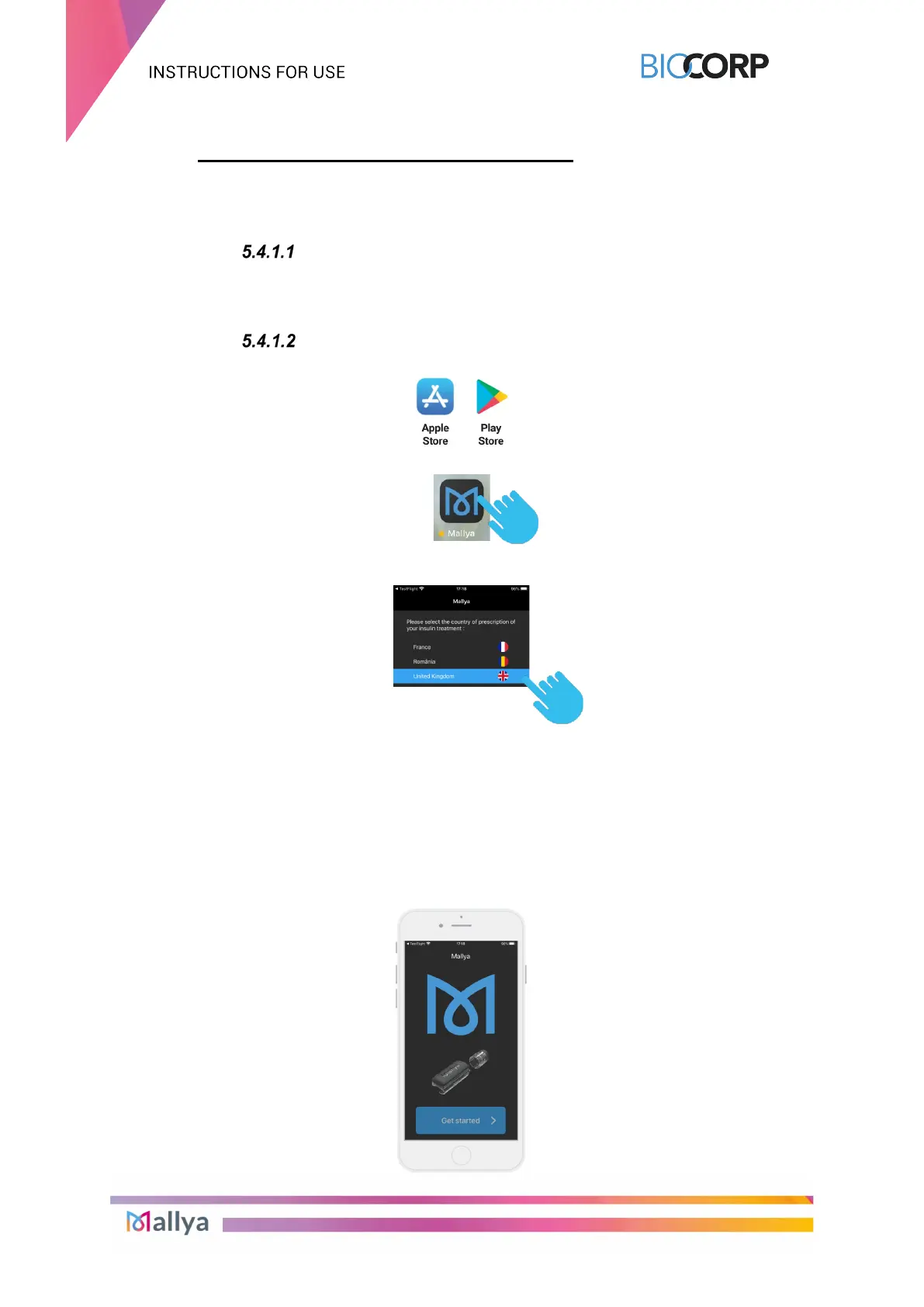
Download the Mallya application from:
Once installed, select the following icon to open up the application:
The first time you open the application, you are prompted to choose the country in which your
insulin was prescribed:
NOTE:
The application is going to be configured with compliant insulins available in the chosen
country. A change of this setting would require a complete new installation of the application.
Then:
- the Mallya application General Terms & Conditions of Use (T&Cs) screen is displayed.
Please read the terms of use before accepting them and then confirm your choice.
- the Privacy Policy screen is then displayed: make sure you understand it, before
accessing the “Get Started” screen:



 To Next Page