Page 26 / 41 IFU_MAL_EN_V6
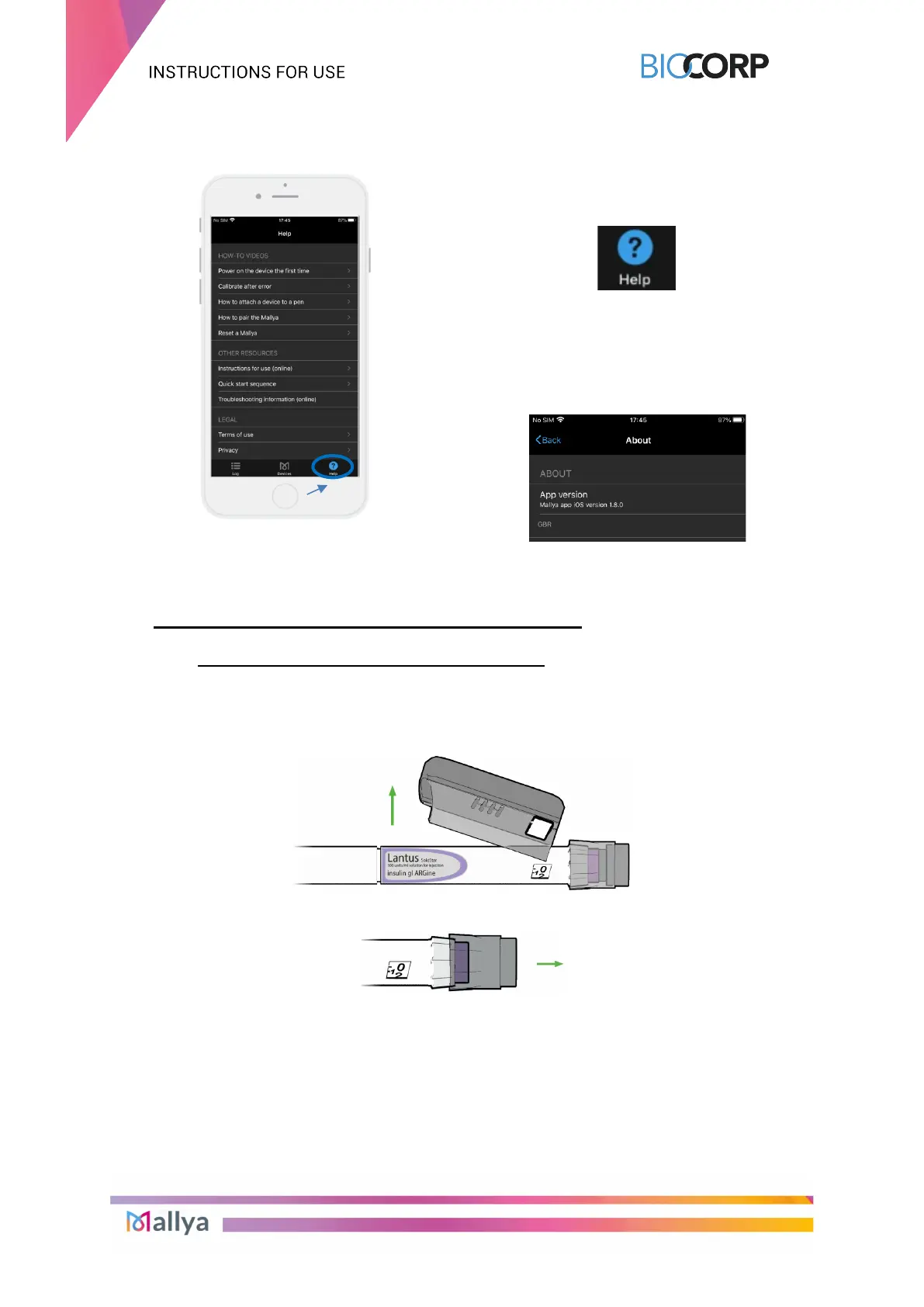
7.3.4 “HELP” SCREEN
Video tutorials and other resources are
available from the "Help" screen:
The legal notices concerning the Terms of
use, Privacy and licenses and are also
available.
The Version of the application is displayed
in the “About” tab:
8. TRANSFERRING MALLYA TO A NEW PEN
8.1 REMOVE MALLYA FROM THE EMPTY PEN
Follow the procedure indicated below when your insulin pen is empty:
8.1.1 Remove the Mallya base from the insulin pen. Use your thumb to press on Mallya
and to remove it from the pen.
8.1.2 Then, remove the Mallya button from the pen.



 To Next Page