Page 27 / 41 IFU_MAL_EN_V6
8.2 ATTACH YOUR MALLYA TO A NEW PEN
Follow section 5.3. on assembling your Mallya to the new insulin pen. Once properly
assembled to the new pen, the Mallya LED indicator is green.
NOTE :
It is not necessary to pair your Mallya again when changing the pen (unless your system has
been reset - see section 9.3. Reset instructions).
CAUTION
- Mallya models are only compatible with the disposable insulin pens (Solostar, Kwikpen,
Flexpen) they are designed for. Do not attach to, pair or use with any other insulin pen
types.
- If you need to inject more than the number of units left in the pen, you may either:
1) inject the amount left in your pen and then use a new pen to deliver the rest of your dose:
the Mallya application will then display 2 successive injections, or
2) get a new pen and inject the full dose: the Mallya application will display one full dose
injection.
CAUTION
When Mallya is transferred onto a new pen, the application automatically detects a “mounting
event” (eg.: your base and / or the button have / has been removed from the original pen).
In this situation, the application will require a confirmation of the pen currently assembled with
Mallya.
Example:
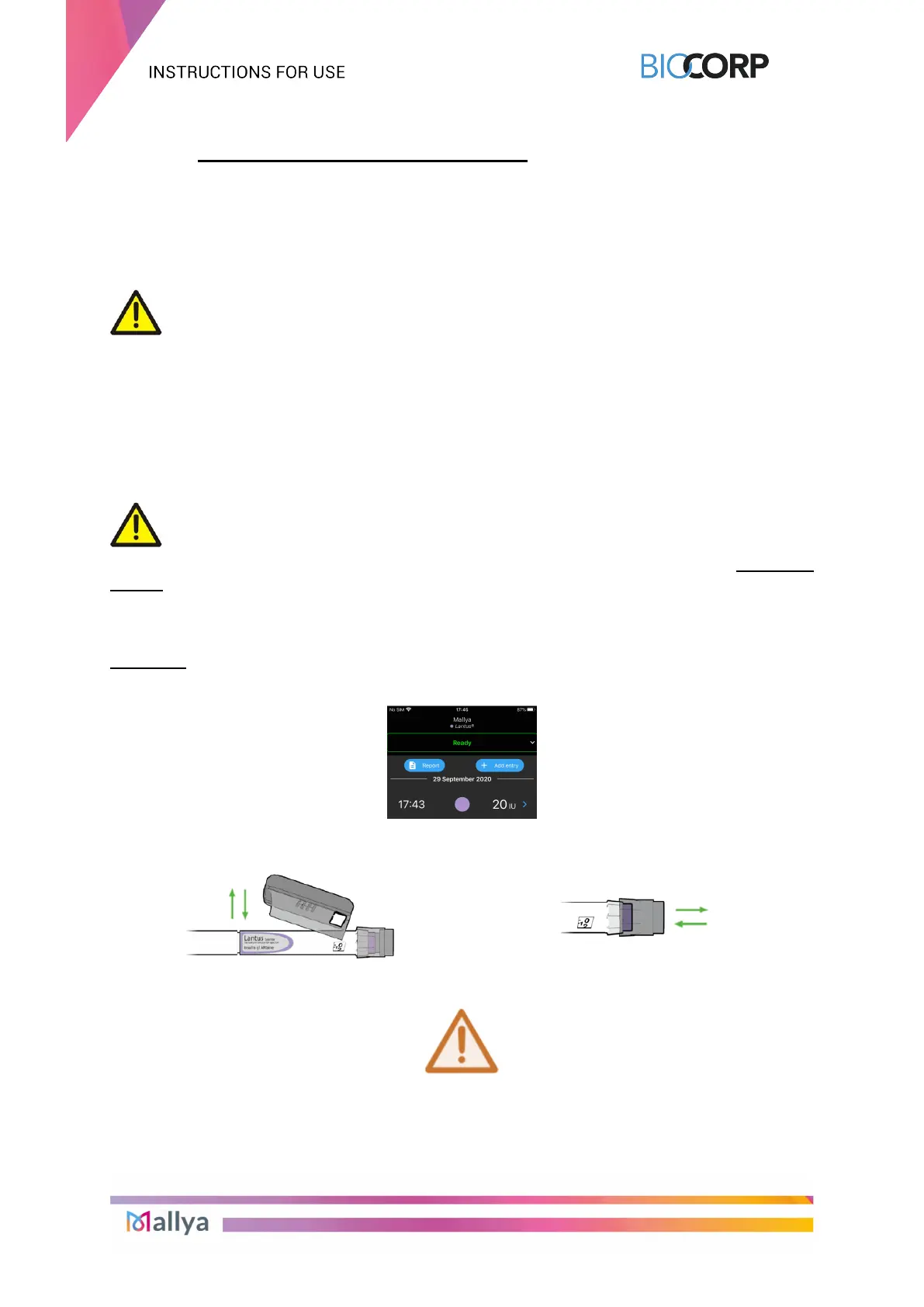
8.2.1 Injection screen before transferring Mallya onto a new pen:
8.2.2 Remove Mallya from the empty pen / attach Mallya onto a new pen (base and / or
button)
8.2.3 On the next PRIMING or DOSE INJECTION:
A MOUNTING EVENT IS DETECTED!



 To Next Page