Page 19 / 41 IFU_MAL_EN_V6
7. MANAGE RECORDED DATA
Once data is transferred from a paired compatible Mallya, you can display and manage any
recorded data using the Mallya application as follows:
7.1 DISPLAY OF THE RECORDED DATA
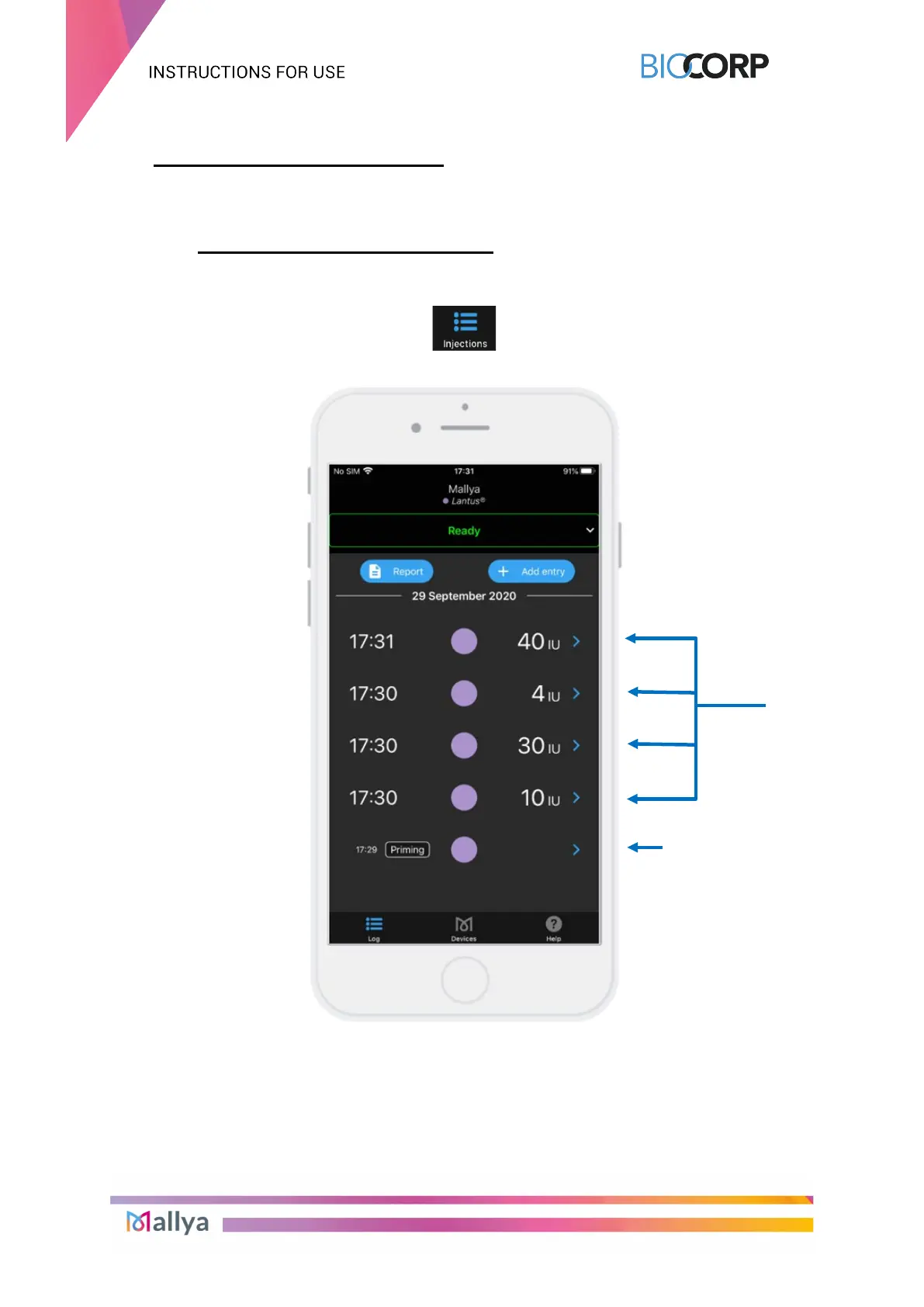
Select the “injections” icon of the application to display information related to the history of
injections
:
Injected “doses” or “priming” injections are then displayed as follows:
The Insulin Dose information is displayed:
• Type of injection: “priming” or “dose”
• Injection day and time
• Insulin dialed dose (in International Unit)
• Color indicator for the insulin pen used



 To Next Page