Page 24 / 41 IFU_MAL_EN_V6
7.3.3 SETTINGS
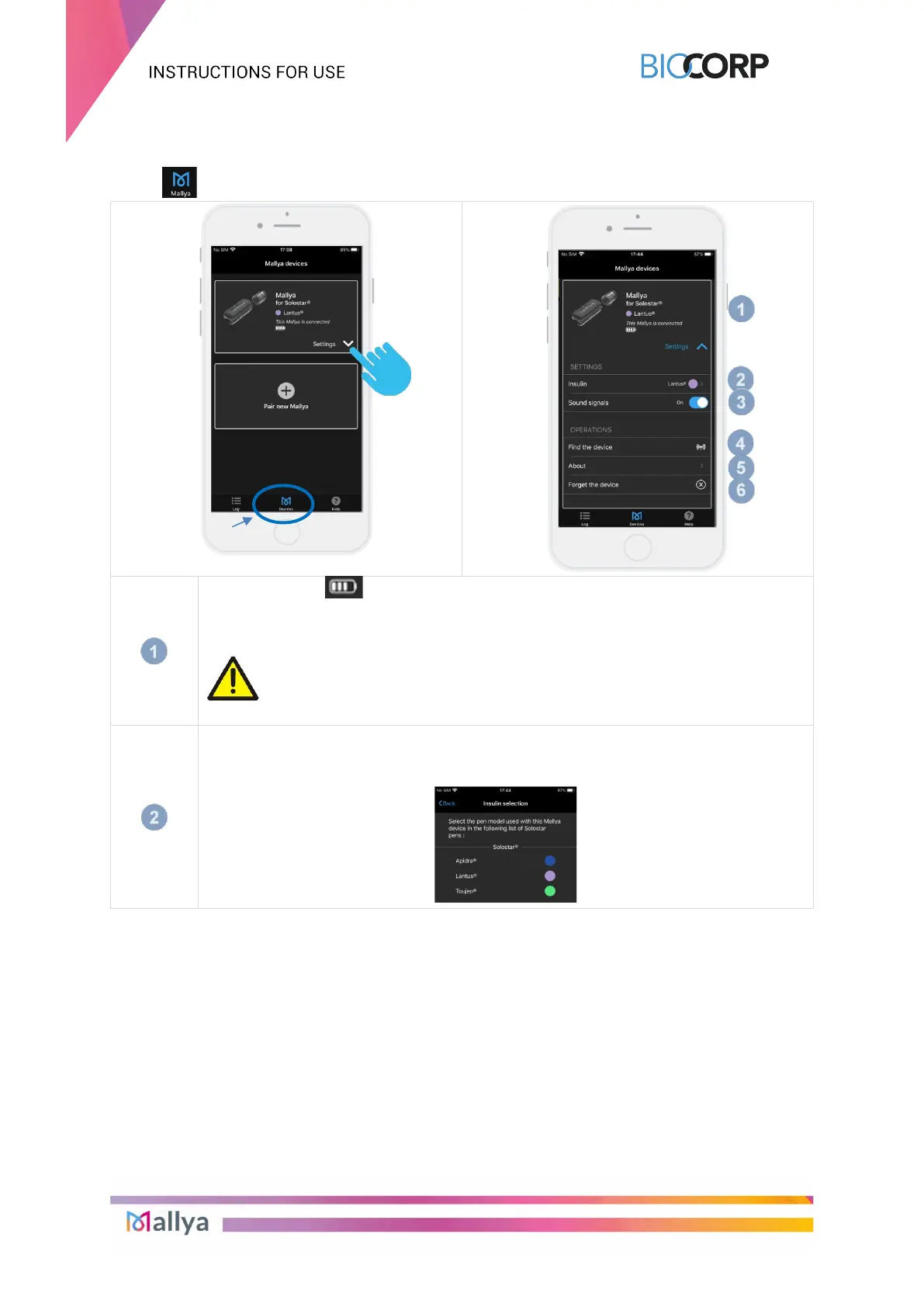
Select , then “Settings” to diplay the screens allowing to set up the application:
When Mallya is fully charged (after approximately 2 hours): 4 bars are displayed
Device status: “This Mallya is connected” or “This mallya is disconnected
since …”
CAUTION
A Bluetooth connection is necessary to transmit the injection data.
Tap “Insulin” to select the pen model onto which Mallya is currently
assembled.
Each color indicator is associated to a type of insulin pen:



 To Next Page