Page 25 / 41 IFU_MAL_EN_V6
CAUTION
It is important to check, before each injection, that the type of insulin selected in the
application corresponds to the type of insulin indicated on the label of your pen.
The color indicators are also displayed in the injections screen so that you can differentiate
between the types of insulin injected in the injection history.
Example:
Sound signals: you can activate / deactivate the silent mode.
Find the device: select this option to make the Mallya ring* in order to identify
or locate the device.
*Only if the Mallya is on “standby”.
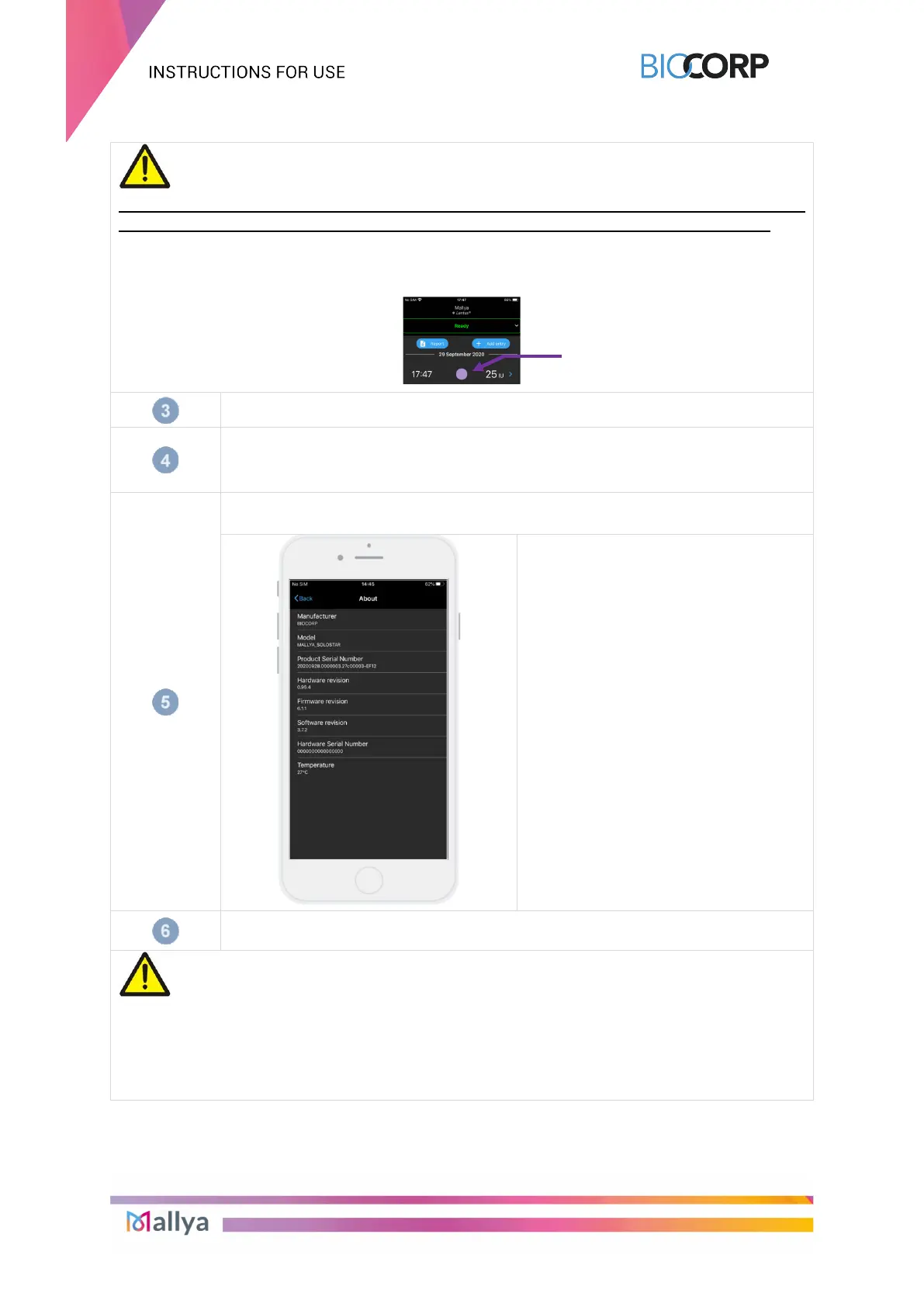
“About”
Information about Mallya application:
- Manufacturer
- Model
- Serial number
- Hardware revision
- Firmware revision
- Software revision
- Temperature
“Forget the device”
Select “Forget Mallya” to unpair Mallya.
CAUTION
- If you unpair your Mallya while it is out of range, you will have to reset the system
before pairing your Mallya again, in accordance with the procedures described in the
section 9.3. - Reset Instructions.
- Mallya has been designed to work with ONE insulin pen. If you unpair your Mallya
base from the insulin pen, you MUST reselect your insulin pen medication.



 To Next Page