Page 16 / 41 IFU_MAL_EN_V6
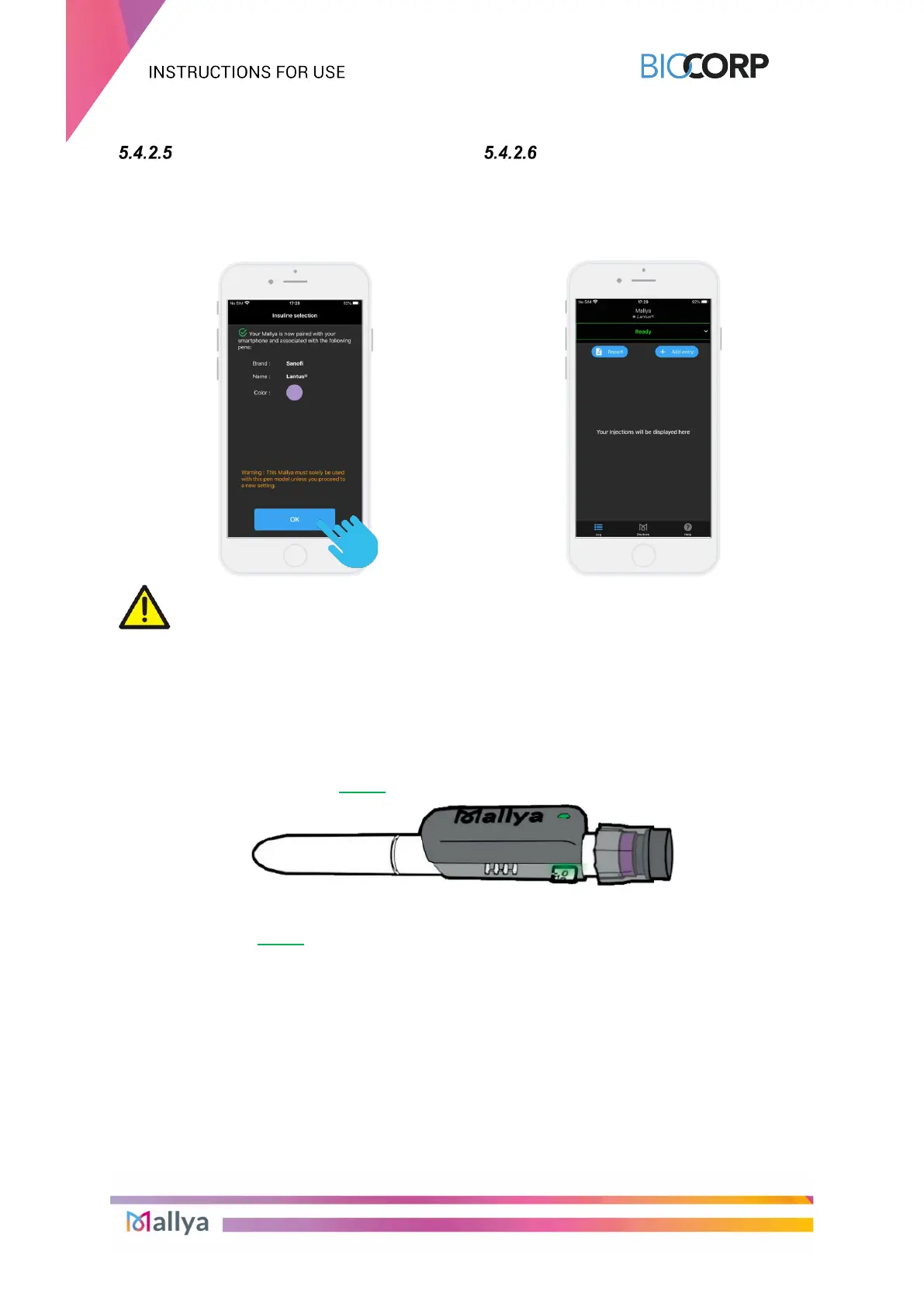
Your Mallya device is now paired
with the Mallya application on your
smartphone.
Select “OK” to move on to the
injection screen.
The injection screen is displayed:
CAUTION
From now on, this Mallya should only be used
with this pen model, unless you make a new
adjustment.
Your insulin pen can now be used as usual and Mallya will track your insulin intake.
When Mallya is paired to the compatible mobile application and correctly attached to the
insulin pen: the Mallya LED is green.
NOTE:
The LED of Mallya is green when:
- the device is ready for use, or
- the dose setting is in progress, or
- the injection is in progress.



 To Next Page