(
'#(+'
The Screen Saver setting determines how long the display screen remains ON when the
system is no longer in use. Once the selected time expires, the screen fades to black even if the
s
ystem remains ON.
1. At the Configuration Screen, touch <Screen Saver>.
2. Use the < ▲> or < ▼> arrows to increase or decrease the value displayed in 1 minute
increments. The Time Out range is from 00:00 to 60:00.
3. Touch <OK> to confirm your changes and return to the Configuration screen. Touch
<Cancel> to return to the Configuration screen without making any changes.
()))"
Time and Date are system-wide parameters that show on all printed reports.
1. At the Configuration Screen, touch <Set Date/Time>. The Set System Date/Time screen
should now be displayed.
2. Touch the parameter to set so that the selected field is highlighted.
3. Use the <▲> or <▼> arrows to increase or decrease the value displayed for the highlighted
parameter.
4. Repeat steps 2 and 3 until you have adjusted all the parameters you wish to correct.
5. Touch <OK> to confirm your changes and return to the Configuration screen. Touch
<Cancel> to return to the Configuration screen without making any changes.
!!'( *!)(
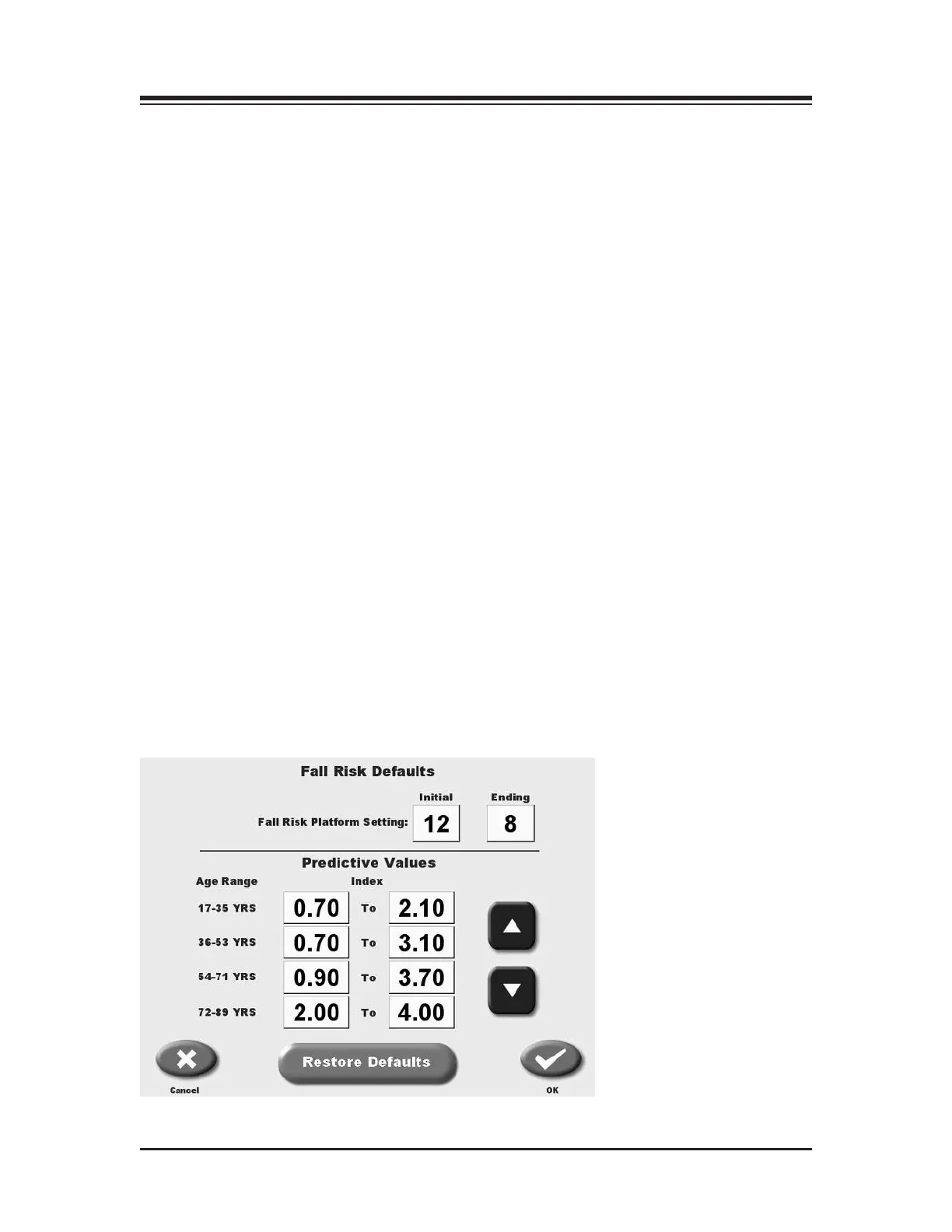
(See Figure 11.2.)
At the Fall Risk Default Settings screen, users can set the default Fall Risk Platform settings,
adjust Predictive Values, or return these parameters to their original factory-set default values.
Figure 11.2. System Fall Risk Defaults Settings
CONTENTS
— 11-3 — SYSTEM UTILITIES















 To Next Page