%
)#)"#"#)
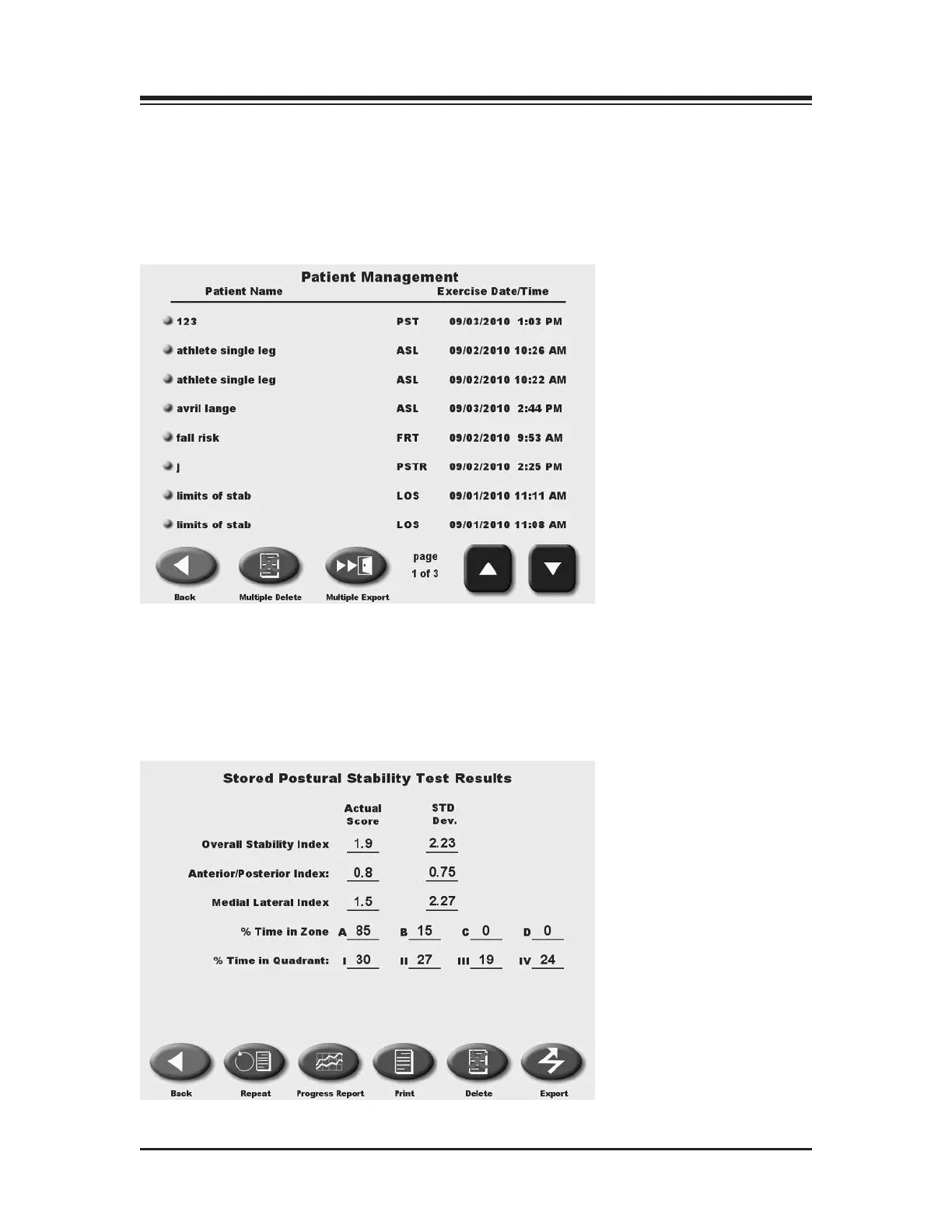
(See Figure 11.4 - 11.6.)
At the System Utilities screen, touch <Patient Management > and then enter 781 in response to the
"
Enter Access Code" prompt. Touch <OK>. The Patient Management screen should now be dis-
played. This screen shows a listing of patients and associated saved test and training sessions along
with the date performed. Use the <▲> or <▼> arrows to scroll through the list of patient tests.
Figure 11.4. The Patient Management Screen.
+:6H)6DE'6DF=ED
(See Figure 11.4.)
To view the results of any test displayed simply touch the desired entry on the Patient
Management screen to produce an on-screen report.
Figure 11.6. A single, stored, patient Postural Stability Test Record.
CONTENTS
— 11-7 — SYSTEM UTILITIES















 To Next Page